There is no universal best webinar format. The right choice depends on what your audience needs to know, decide, practise, compare, or do, plus what your team can deliver well.
A webinar format is the way the content, speakers, and audience participation are organised inside the session. A presentation, interview, panel, debate, AMA, workshop, product demo, customer story, and roundtable are formats. Live, on-demand, automated, hybrid, and series describe delivery or cadence, not the session format itself.
That distinction matters because it turns format selection into an operational decision. Choose the audience job first, then match it to the right interaction model, speaker setup, production burden, next step, replay value, and follow-up plan.
Choose the format that matches the audience job
If your audience needs a clear explanation from one expert, start with a presentation. If they need different perspectives, consider an interview, panel, or debate. If they need to apply an idea, use a workshop or live teardown. If they need to see a workflow, choose a product demo. If peer experience is the main value, consider a customer story or roundtable.
Use this matrix as a starting point, not a performance ranking.
| Format | Audience job | Interaction | Speakers | Operator load | Suitable next step | Replay value | Main risk |
|---|---|---|---|---|---|---|---|
| Expert presentation | Understand one focused idea | Low to medium | One expert, optional host | Low | Related framework or guide | Clear, self-contained explanation | Flat delivery or too much content |
| Interview | Learn from one person's experience | Medium | Host and guest | Medium | Deeper resource or next session | Focused clips and practical stories | Generic questions or weak follow-ups |
| Panel discussion | Compare several informed viewpoints | Medium | Moderator and several panellists | High | Written synthesis or specialist guide | Range of perspectives | Repetition, tangents, unequal airtime |
| Structured debate | Test two competing positions | Medium | Neutral moderator and opposing speakers | High | Decision framework or evidence pack | Clear contrast between choices | Manufactured conflict or false certainty |
| AMA | Get answers to current audience questions | High | Expert and moderator | Medium to high | Answer recap or targeted follow-up | Searchable answers to real questions | Thin question volume or sensitive questions |
| Workshop or teardown | Apply a process and produce an output | High | Facilitator, optional expert | High | Worksheet, checklist, or review | Useful when the task is explained clearly | Participation, accessibility, or tool failure |
| Product demo | Evaluate a workflow against a real job | Medium | Presenter, optional host | Medium | Trial, solution page, or product conversation | Concrete proof of how a workflow works | Feature tour with no audience problem |
| Customer story | Understand a specific implementation and its lessons | Medium | Customer and host | Medium | Related case study or solution path | Credible narrative with useful caveats | Unverified claims or overgeneralisation |
| Virtual roundtable | Compare peer experience around a shared problem | High | Facilitator and selected participants | High | Curated recap or next peer session | Depends on consent and audience relevance | Weak facilitation or unclear confidentiality |
The matrix narrows the field. The rest of the decision comes from the constraints around your topic, people, audience, and follow-up.
Separate format from type, delivery mode, cadence, and goal
Lists of webinar types often mix several different decisions together. Keeping them separate makes the registration promise clearer and the session easier to produce.
- Session format: presentation, interview, panel, debate, AMA, workshop, demo, customer story, or roundtable.
- Delivery mode: live, simulive, on-demand, automated, or hybrid.
- Cadence: one-off, series, or recurring programme.
- Goal or use case: thought leadership, lead generation, product launch, customer education, or onboarding.
A product launch is a goal. It might combine a short presentation, a product demo, and audience questions. Thought leadership is also a goal. It could use an expert presentation, interview, panel, or structured debate.
Similarly, a panel can run live and later become an on-demand replay. An interview can be a one-off session or part of a series of recurring webinars. Those choices affect production and distribution, but they do not change the core session format.
Answer six questions before you choose
1. What should the audience be able to do by the end?
Write one audience job using a concrete verb: understand, decide, compare, practise, diagnose, evaluate, or plan. If the answer is vague, the format decision will be vague too.
Topic comes before format. If the subject is still broad, work through choosing a webinar topic before deciding how to present it.
2. Where does the value come from?
Decide whether the main value sits with one expert, a guest's experience, several perspectives, a product workflow, a customer's implementation, or the audience itself. That answer quickly removes formats that would add people or complexity without adding insight.
3. How much participation is essential?
Do not add polls, chat, or Q&A simply to label a session interactive. Specify what the audience contribution changes. Questions might shape the final section. A workshop response might determine the next exercise. A poll might help the presenter choose which example to explain.
If the session remains useful without those contributions, participation is supporting the format rather than defining it.
4. What can the team operate reliably?
Count the speakers, handoffs, live inputs, screen shares, moderation decisions, accessibility needs, and recovery paths. A small team can run a strong session, but it should not choose a format whose value depends on coordination it cannot rehearse.
Accessibility belongs in this decision. WCAG 2.2 requires captions for live audio in synchronised media, so confirm the captioning path before committing to a speaker-heavy or highly interactive format. The UK Government's practical guidance for accessible online events also recommends testing captions, slides, and interactive controls before the session.
5. What is the next useful step?
Choose the next step before you build the agenda. It might be a related guide, worksheet, trial, product conversation, answer recap, or follow-up session. The next step should extend the audience job, not interrupt it with a generic sales pitch.
6. What must still work in the replay?
Decide what an on-demand viewer needs to understand without the live context. References to chat, polls, files, or unanswered questions may need a short explanation. A coherent B2B webinar growth engine carries the same promise from registration through the live session, replay, CTA, and follow-up.
Nine webinar formats for B2B teams
1. Expert presentation
An expert presentation gives one subject-matter expert control of a focused idea, framework, or explanation. Choose it when clarity and a deliberate narrative matter more than a range of perspectives.
It has the lowest coordination burden of the nine formats, but that does not make it effortless. The session depends heavily on the speaker's pacing, examples, and ability to prioritise. Avoid it when the topic needs disagreement, peer comparison, hands-on practice, or proof from someone other than the presenter.
A host can introduce the promise, manage time, and run a short Q&A. Planned questions or a well-timed poll can support the explanation, but they should not disguise a lecture as an audience-led session.
Good next steps include a related framework, checklist, or deeper guide. In follow-up, watch for observed behaviour such as question topics, CTA clicks, and replay visits, but do not treat those actions as confirmed buying intent.
Good combinations: presentation plus short Q&A, or presentation plus a brief demo.
2. Interview or fireside chat
An interview uses a host to draw practical experience from one guest. Choose it when the guest's perspective is the asset and a conversational structure will make the subject easier to understand.
Strong interviews need a clear line of inquiry, informed follow-up questions, and a host who can redirect politely. Avoid the format when the guest is expected to deliver a precise teaching sequence or when the subject needs several genuinely different viewpoints.
The host should prepare a narrative arc rather than a list of unrelated questions. Start with context, move through choices and trade-offs, then finish with lessons and a useful next step. Audience questions can work well near the end if someone is triaging them.
The replay may produce useful segments or quotes, but repurposing potential is not a reason to tolerate a weak live conversation. A deeper resource or the next session in a series is often a natural CTA.
Good combinations: interview plus audience questions, or interview plus a short framework recap.
3. Panel discussion
A panel brings several informed viewpoints into a moderated conversation. Choose it when the question benefits from real differences in role, experience, or position.
Panels carry a higher coordination and moderation burden. Repetition, tangents, unequal airtime, and vague conclusions are common failure modes. Avoid the format when every panellist is likely to make the same point, or when one expert could explain the subject more clearly alone.
Give each panellist a distinct contribution. The moderator should know which questions belong to everyone, which belong to one person, and where a useful disagreement might exist. A planned closing synthesis helps the audience understand what to do with the different perspectives.
Use a written synthesis, specialist article, or question follow-up as the next step. The panel discussion questions guide can help turn a broad topic into moderator-ready prompts.
Good combinations: panel plus audience questions, or panel plus a short closing framework.
4. Structured debate
A structured debate asks two or more speakers to take clearly different positions on a bounded question. Choose it when the disagreement is genuine, useful, and safe to make explicit.
The format needs clear rules, shared definitions, credible evidence, a neutral moderator, and a closing synthesis. Avoid manufactured controversy, false binary choices, and audience polls that declare a winner without showing what changed or why.
The strongest debates help the audience understand the assumptions behind each position. They are less useful when speakers perform certainty, talk past each other, or withhold the caveats that make the decision realistic.
A decision framework or evidence pack can extend the session. Audience votes and questions show what attracted attention, not which position is objectively correct or commercially stronger.
Good combinations: short framing presentation plus debate, or debate plus moderated audience questions.
5. AMA or audience-led Q&A
An AMA lets audience questions drive most of the session. Choose it when the audience already has enough context to ask useful questions and the expert has a credible reason to answer them live.
The apparent simplicity hides operational work. Prepare seeded backup questions, triage submissions, set boundaries for sensitive topics, and decide what happens to unanswered questions. Avoid making an AMA the primary format when question volume is uncertain or when the audience needs foundational teaching first.
The moderator should group repeated questions, clarify vague ones, and protect the session from becoming a queue of disconnected answers. A short opening frame can help participants ask better questions without taking over the event.
An answer recap or targeted follow-up is a natural next step. A question shows interest in that subject. It does not, on its own, prove purchase intent.
Good combinations: short presentation plus AMA, or interview plus audience questions.
6. Workshop or live teardown
A workshop helps participants apply a process, while a live teardown applies the process to a specific example or artefact. Choose one when the audience needs practice, feedback, or a tangible output rather than another explanation.
This format has a high facilitation and accessibility burden. Clarify what participants need to prepare, how they will contribute, whether their work will be visible, and what happens if a collaborative tool or live input fails. Avoid the format when the task cannot be completed within the session or when participation depends on capabilities the platform does not provide.
Break the task into visible steps and show a worked example before asking the audience to contribute. Keep a fallback example ready in case no suitable submission appears.
A worksheet, checklist, or completed output is a useful next step. Follow-up can separate people who completed the task from people who only watched, but that difference still does not confirm commercial intent.
Good combinations: workshop plus expert demonstration, or framework explanation plus live teardown.
7. Product demo
A product demo shows a product solving a specific job in a controlled scenario. Choose it when the audience needs to see workflow, fit, or trade-offs before deciding on a next step.
Build the demo around the audience problem, not the product navigation. Prepare a reset state, realistic test data, backup screenshots or a short recording, and a clear handoff if the live environment fails. Avoid a feature tour that moves through menus without showing why each step matters.
A strong demo uses a simple story: here is the job, here is the starting point, here is the workflow, and here is the resulting next step. Questions can reveal areas that need clarification, but they are not proof that the viewer is ready to buy.
The next step might be a trial, a relevant solution page, or a product conversation when appropriate. HeyStream's product demo webinar approach connects the live workflow to registration, CTAs, audience records, and follow-up.
Good combinations: problem framing plus demo, or demo plus moderated Q&A.
8. Customer story or case-study conversation
A customer story uses a host and customer to unpack the starting point, choices, implementation, outcome, and lessons. Choose it when the proof is specific, verified, and the customer can speak candidly about what happened.
The format needs consent, claim verification, clear attribution, and room for caveats. Avoid it when the story exists only as promotional talking points or when the team cannot support the result being discussed.
Ask about constraints and decisions, not only the happy ending. One customer's experience can illustrate a path, but it should not be generalised into a universal result.
A related case study, implementation guide, or solution path can extend the conversation. For a partner-led version, a co-marketing webinar playbook can help clarify shared ownership and audience-data decisions.
Good combinations: customer interview plus product walkthrough, or customer story plus audience questions.
9. Virtual roundtable
A virtual roundtable uses a facilitator to help a selected group explore a shared problem and compare experience. Choose it when participant value comes primarily from peer exchange.
First decide whether this is an audience-facing recorded session or a closed, confidential peer conversation. Those are materially different experiences. Participant selection, recording consent, confidentiality decisions, participation rules, and facilitation all need to match the promise.
Avoid the format when the group is too large for meaningful contribution, when nobody can facilitate firmly, or when the audience expects a polished teaching session rather than a peer discussion.
Where consent allows, a curated recap or invitation to a future peer session can be useful. The dedicated virtual roundtable playbook covers participant selection, facilitation, recording choices, and audience-facing operations in more detail.
Good combinations: short expert framing plus roundtable, or roundtable plus facilitator synthesis.
Make the choice in 15 minutes
You do not need a scoring model to choose a sensible starting point. Use this seven-step check:
- Write one audience job.
- Identify where the session's value comes from.
- Set the minimum useful level of interaction.
- Apply team-capacity, accessibility, and recovery constraints.
- Choose one primary format.
- Add no more than one supporting format unless the session genuinely needs another distinct phase.
- Define the next step and the replay job.
Four hypothetical choices show how the logic works:
- To explain a new market idea through one expert, start with a presentation and add a short Q&A.
- To compare genuinely different perspectives, start with a panel or structured debate.
- To teach a repeatable process that needs practice, start with a workshop.
- To show evaluating buyers how a workflow solves their problem, start with a demo and add moderated questions.
These are conditional starting points. The final choice still depends on the topic, audience, speakers, production capacity, and next step.
Combine formats without creating a muddle
Hybrid sessions can work well when every segment serves the same audience job. Problems begin when teams assemble a presentation, interview, panel, demo, and Q&A simply because each one sounds useful.
Choose one primary format and state it in the registration promise. Then use a supporting format to solve a specific limitation:
- Presentation plus Q&A adds clarification without giving up a controlled narrative.
- Interview plus audience questions adds live relevance after the host establishes the story.
- Panel plus a short debate segment sharpens one bounded disagreement.
- Workshop plus teardown moves from guided practice to applied feedback.
- Launch keynote plus demo plus Q&A moves from context to proof to clarification.
The agenda should make each handoff clear. A practical webinar agenda template helps turn the format choice into timings, speaker roles, transitions, CTAs, and contingencies.
Match the format to the CTA, replay, and follow-up
The format should shape what you ask people to do next. A presentation might lead to a deeper framework. A workshop might lead to a worksheet or review. A demo might lead to a trial or product conversation. An AMA might lead to an answer recap for questions the team could not cover live.
It should also shape how you talk about the replay. An interview can stand alone if the context is clear. A workshop replay may need the worksheet and instructions that live participants received. A roundtable replay may not exist at all if the promise was confidential peer discussion.
Finally, use follow-up to extend what the audience actually did. Registrations, attendance, questions, poll responses, CTA clicks, and replay visits are observed actions. Audience intelligence can organise those signals, but teams still need judgement and context before deciding what they mean.
Format planning checklist
Before the rehearsal, confirm:
- The audience job and a plain-English definition of success.
- One primary format and any supporting segment.
- Speakers, moderator, producer, and decision owner.
- Agenda, handoffs, and time boundaries.
- Participation method and a backup if it fails.
- Captioning and other accessibility checks.
- Recording, reuse, and consent decisions.
- CTA, destination, owner, and timing.
- Replay promise and any supporting resources.
- Follow-up owner and the limits of the available evidence.
- Rehearsal plan and failure runbook.
The checklist is short because the format decision should simplify the session. If it keeps adding speakers, tools, segments, and promises, return to the audience job and remove anything that does not help it.
Carry the format through the whole webinar workflow
A format only becomes useful when the rest of the experience supports it. Registration should promise the right kind of session. The live environment should make the chosen speaker and participation model easy to follow. The CTA should extend the audience job. The replay and follow-up should preserve enough context to remain useful.
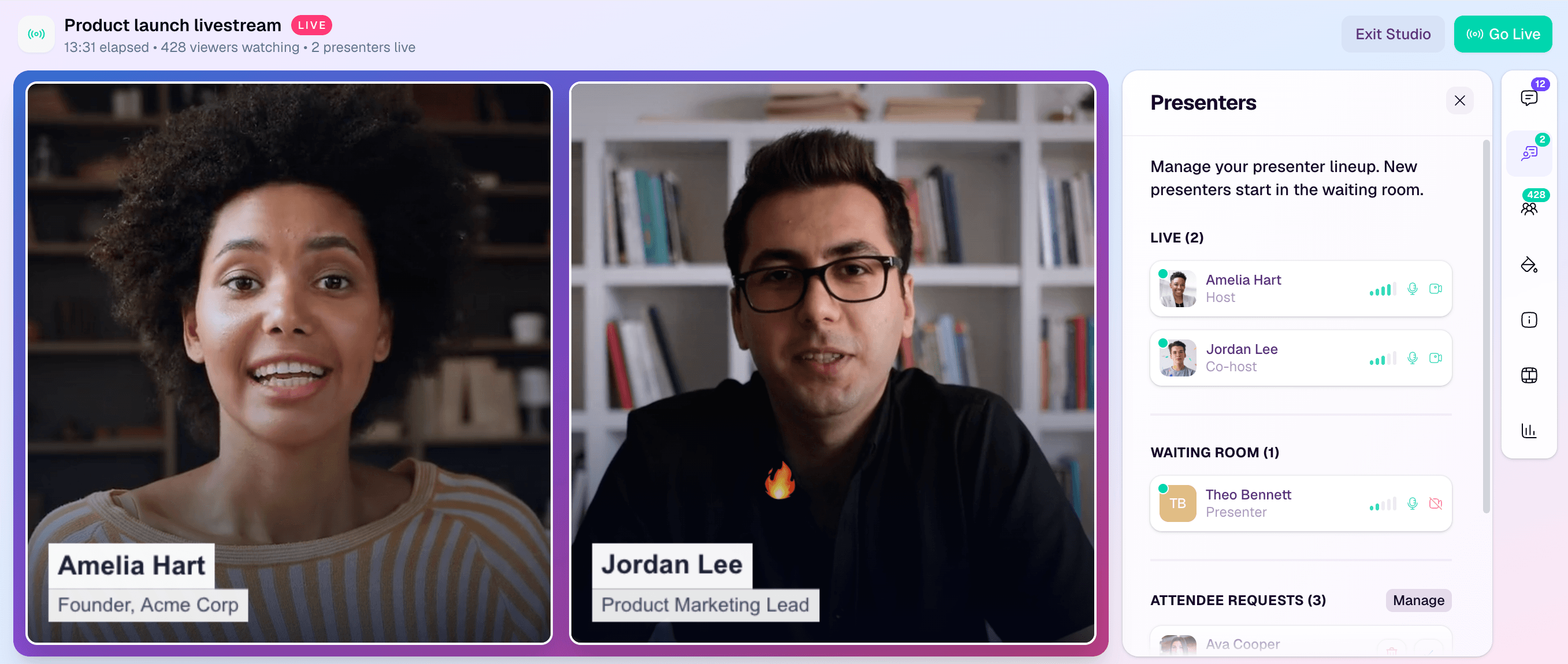
HeyStream is a B2B webinar platform that connects branded registration, live and replay CTAs, audience records, and follow-up. It does not choose the format for you. It gives a B2B marketing team an operating layer for carrying a good format decision from the registration promise to the next useful action.
Choose the audience job first. Pick one primary format that serves it. Then design every speaker, interaction, CTA, replay decision, and follow-up message around that choice.


