A webinar agenda template should do more than divide a session into blocks of time. It should show how each segment helps deliver the promise made to registrants, who owns that segment, what participation it needs, and how it leads into the next step.
The worksheet below is built for B2B webinars, but it is flexible enough for a product demo, panel, workshop, or thought-leadership session. Copy it into a document, spreadsheet, or planning tool, then adapt it to your audience, speakers, and format.
An agenda is the attendee-facing content flow. It is not the producer's cue sheet, the moderator's spoken script, or the complete webinar plan. Keeping those jobs separate makes each document much easier to use.
What a webinar agenda should do
A webinar agenda turns the session promise into an ordered experience. It gives the team a shared view of what the audience should understand, see, decide, or do at each point in the webinar.
A useful agenda should make five things clear:
- What each segment contributes to the promised outcome
- Who leads it
- How much time the team intends to give it
- Whether the audience participates
- What transition or next step follows
That is enough structure to align speakers and rehearse the flow without turning the agenda into a control room document.
Start one step earlier if the topic is still broad. Our guide to choosing webinar topics helps connect a real audience problem to a useful session promise.
Agenda, run sheet, and moderator script serve different jobs
These documents should agree with each other, but they should not be combined into one overloaded file.
| Document | Primary audience | Main purpose | Typical detail | Usual owner |
|---|---|---|---|---|
| Webinar agenda | Speakers, marketers, and sometimes attendees | Organize the content journey and attendee expectation | Segment purpose, speaker, planned duration, interaction, transition, and next step | Webinar lead or content owner |
| Run sheet | Producer, host, and technical team | Control the live production | Exact cues, scene changes, links, media, backstage actions, and fallbacks | Producer |
| Moderator script | Host or moderator | Guide the spoken experience | Opening, housekeeping, introductions, handoffs, Q&A language, CTA wording, and close | Moderator or content lead |
Once the agenda is approved, translate it into a separate webinar run sheet and webinar moderator script. The agenda explains what the session is trying to accomplish. Those documents explain how the team will deliver it live.
Copyable B2B webinar agenda worksheet
Use one row per meaningful segment. A segment might be an opening, a problem frame, a demo chapter, a panel round, an activity, Q&A, a CTA, or the close.
| Order | Segment | Attendee purpose | Speaker or owner | Planned duration | Content or proof | Interaction | Transition | CTA or next step | Replay note | Accessibility need |
|---|---|---|---|---|---|---|---|---|---|---|
| 1 | Welcome and promise | Confirm what the session will help the audience do | Host | Editable | Outcome, scope, and agenda overview | Optional chat prompt | Introduce the problem | None | Remove time-sensitive housekeeping | Captions on, agenda visible |
| 2 | Problem and context | Help attendees recognize the situation being addressed | Subject expert | Editable | Evidence, example, or customer-safe scenario | Poll or reflection prompt | Name the decision the session will unpack | None | Avoid references that only make sense live | Describe important visuals |
| 3 | Core framework | Give the audience a practical way to think about the problem | Lead speaker | Editable | Framework, steps, or criteria | Questions collected for later | Move from principle to application | Resource link if useful | Keep definitions self-contained | Share materials in an accessible format |
| 4 | Example or demonstration | Show the framework in use | Product expert or practitioner | Editable | Demo, worked example, or teardown | Prompt attendees to compare with their workflow | Summarize the implication | Contextual CTA if earned | Explain live-only UI or references | Narrate actions and changes |
| 5 | Discussion or Q&A | Resolve uncertainty and add audience context | Host and speakers | Editable | Curated questions and audience questions | Q&A | Synthesize recurring themes | Restate relevant next step | Edit long pauses or missing context | Read questions aloud |
| 6 | Close | Reinforce the outcome and make the next action clear | Host | Editable | Key takeaway and resource recap | Final response prompt | End cleanly | Primary next step | Keep resource links current | Repeat where materials can be found |
Replace the example rows with your own content. The goal is not to preserve this sequence exactly. It is to make each choice visible enough that the team can challenge it before rehearsal.
The most important fields are easy to overlook:
- Attendee purpose explains why the segment exists. If the team cannot complete this field, the segment may only be filling time.
- Content or proof identifies what will make the point credible or concrete.
- Interaction records what the audience is being asked to do and why.
- Transition prevents the session from feeling like unrelated presentations placed side by side.
- CTA or next step shows where an action belongs without forcing every segment to sell.
- Replay note captures live references, pauses, resources, and context that may need attention after the broadcast.
- Accessibility need assigns practical preparation rather than leaving it as a final technical check.
Build from the promise, not from the slide deck
Slides are an output of agenda planning, not the starting point. Beginning with an existing deck often preserves too much background and hides the decision the audience came to make.
A stronger planning sequence looks like this:
- Define the audience and the problem they recognize.
- Write the outcome promised on the registration page.
- Decide what the attendee should understand, decide, or be able to do by the end.
- Group the content into a small number of purposeful segments.
- Add proof, examples, demonstrations, or discussion only where they help deliver that outcome.
- Plan interaction and Q&A around a clear job.
- Choose a next step that follows naturally from the session.
- Rehearse, then adjust the agenda to the real speakers and format.
This keeps the live session connected to the webinar registration page. If the registration page promises a practical decision framework, the agenda should not spend most of the session on company background. If it promises a live demonstration, the audience should not wait until the closing minutes to see the product.
Adapt the same worksheet to four webinar formats
The worksheet stays consistent across formats. What changes is the job of each segment.
Product demo
Start with the workflow or problem the audience wants to improve. Organize the demonstration into focused chapters, and give each chapter a clear purpose rather than touring every feature.
A practical flow might move from problem framing to workflow context, two or three relevant demo chapters, questions, and a specific next step. Record where the presenter needs prepared data, sample accounts, media, or fallback screenshots. In the replay note, flag anything that may age quickly.
Panel discussion
Build themed rounds instead of asking a loose list of questions. Each round should explore one part of the attendee promise and give panelists a distinct contribution.
The agenda should name the purpose of each round, the panelists likely to lead, the transition between themes, and where audience questions enter. Our panel discussion question bank can help you shape prompts once the rounds are clear.
Avoid overloading the opening with biographies. Give enough context to establish credibility, then let the panelists demonstrate that credibility through the discussion.
Workshop
Organize the session around a result the attendee can produce. Alternate short instruction blocks with guided activity, review, and questions.
For each activity, record the materials required, what participants will do, what the facilitator will show, and how the team will support people who cannot use the activity in the planned way. The close should tell attendees how to continue or apply the work after the session.
Thought-leadership session
Use the agenda to move from context to a defensible point of view, then into implications and a practical framework. Evidence and examples should help the audience evaluate the argument, not just decorate it.
Plan a discussion or question point where useful disagreement can surface. End with a takeaway the audience can apply even if they never buy the product.
Adjusting a session for different lengths
Thirty, 45, and 60 minutes are containers, not templates. The right allocation depends on the promise, format, speaker count, interaction plan, and next step.
When time is tight, protect:
- The promised outcome
- The core example, framework, or demonstration
- A purposeful audience interaction path
- A clear close and next step
- Enough breathing room for speakers to be understood
Compress repeated introductions, excessive context, duplicate examples, and ornamental transitions first. Do not remove the part that delivers the promised value just to preserve every speaker's original section.
For a shorter session, narrow the promise before squeezing the same amount of content into less time. For a longer session, add useful depth, practice, or discussion rather than stretching the opening.
Use our webinar length and timing framework to make the duration decision, then rehearse with the actual speakers. Rehearsal is where planned durations become credible.
Connect the agenda to the full webinar workflow
The agenda sits between the promise and the production.
Before the webinar, it should reflect the audience problem and outcome used in topic selection and registration. During production planning, its segments become cues, scenes, media, presenter handoffs, and fallback actions in the run sheet. In the live session, the moderator uses it to understand why each handoff matters.
Interaction should also have a job. A poll can help the host choose an example, check understanding, or open discussion. It should not be inserted only because interaction seems desirable. If you need adaptable prompts, use these webinar poll questions and decide in advance how the host will respond to each result.
A CTA follows the same rule. Place it where the next action makes sense in context. That might be after a framework, after a demonstration, during the close, or in more than one location when the actions serve different needs. The agenda should record the audience moment, the intended action, the owner, and the transition into and out of it.
Replay deserves a field of its own. Mark references such as "today," live-only instructions, long pauses, unavailable resources, and interactions that need explanation. A replay viewer should still be able to understand the promise, follow the structure, and reach the intended next step.
The B2B webinar growth engine shows how registration, the live session, audience signals, follow-up, replay, and the next event can work as one connected system.
Plan accessibility while the agenda can still change
Accessibility is easier to act on when it is part of the agenda, not a checklist added after slides and activities are finished.
The W3C Web Accessibility Initiative's event checklist recommends planning accessible materials and captions in advance, considering accessibility when scheduling activities and breaks, and giving participants a clear overview of what to expect.
Add an accessibility field to every agenda row and assign an owner. Depending on the segment, that may mean:
- Preparing captions
- Describing important visuals
- Making shared materials accessible
- Reading audience questions aloud
- Explaining what is changing during a demonstration
- Allowing enough time for an activity or response
- Providing an alternative way to participate
These are planning prompts, not a claim of legal compliance. Specific requirements depend on the audience, format, materials, and context.
Final agenda quality check
Before the agenda becomes a run sheet, review it with the webinar lead, producer, moderator, and key speakers.
Ask:
- Does every segment serve the promised outcome?
- Can each speaker explain the purpose of their section?
- Is the strongest value delivered early enough?
- Are planned durations realistic after rehearsal?
- Does every interaction have a purpose and a host response?
- Are transitions explicit?
- Is the next step clear without turning the session into an extended pitch?
- Will live references and resources still make sense in replay?
- Are accessibility needs visible and assigned?
- Can the producer and moderator translate this agenda into their own documents without guessing?
If one section fails several of these checks, revise or remove it. A shorter agenda with a coherent job is more useful than a comprehensive one that loses the audience's original reason for attending.
Where HeyStream fits
HeyStream helps B2B teams carry a planned agenda into the live broadcast. In the browser-based webinar studio, the team can prepare presenters, layouts, media, audience interaction, and live moments around the approved session flow.
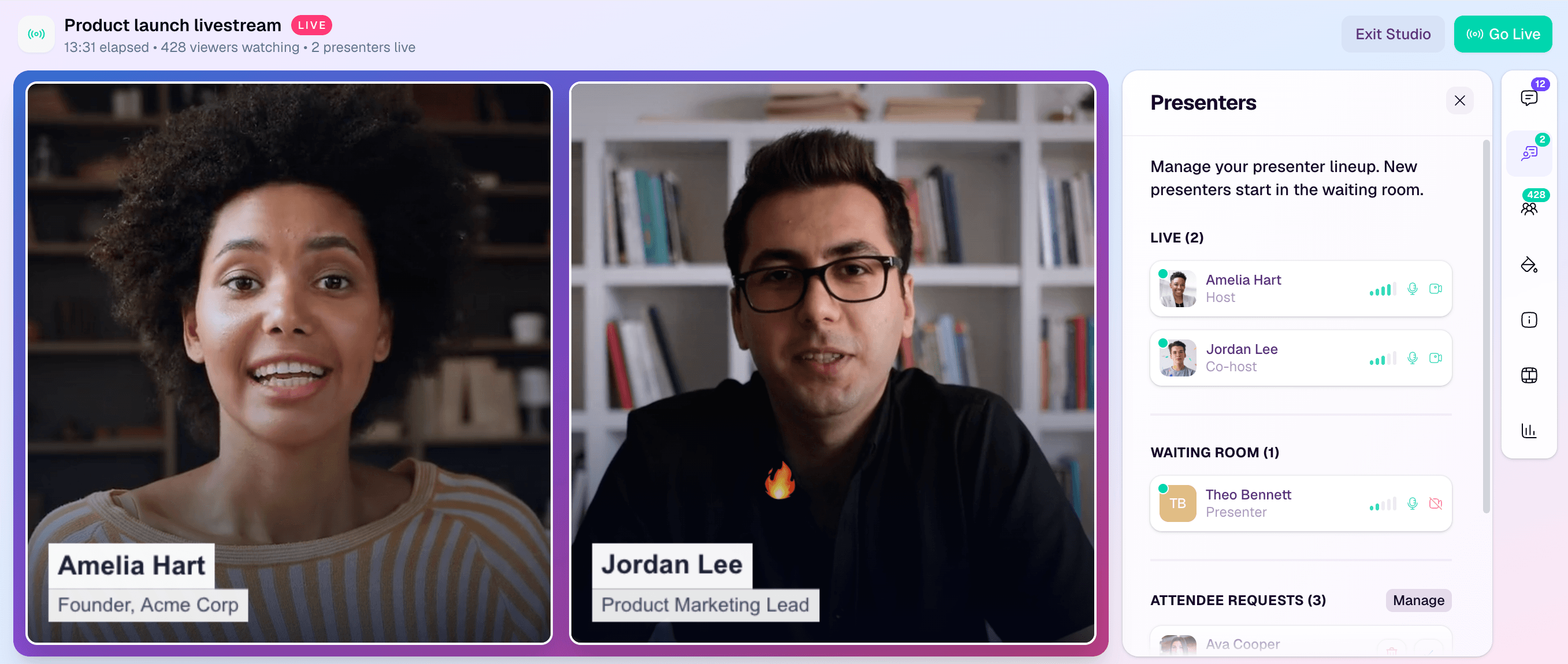
Keep the agenda platform-independent. Then use the production environment to implement it: create the scenes and media the producer needs, prepare the host's interaction points, and confirm that the CTA and replay path match the session promise.
The agenda remains the shared content map. HeyStream is where that map becomes a branded live experience.


