A webinar “run sheet,” often called a “run of show,” is the internal plan that keeps the live session moving: who speaks, who produces, what the audience sees, when interaction happens, and what the team needs to capture for follow-up.
That matters because a B2B webinar is not only a presentation. It is also a live production, a content moment, an audience signal, and a handoff into replay, nurture, or sales follow-up. If the plan only says "intro, presentation, Q&A," the team may still miss the transition cues, CTA timing, ownership, and follow-up notes that make the session useful after it ends.
Use this webinar “run sheet” template to plan the live flow before your next session, then adapt the rows for demos, panels, product launches, workshops, and recurring webinars.
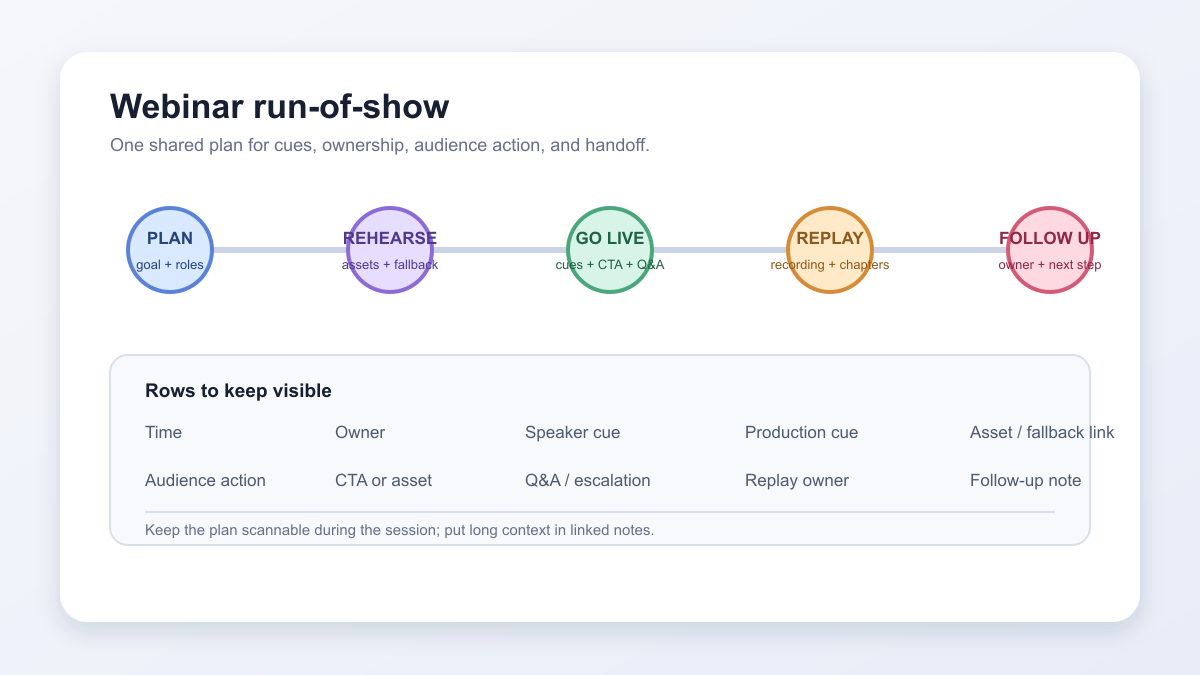
What a webinar “run sheet” is
A “run sheet” is a team-facing schedule for the live experience. It usually breaks the event down minute by minute, with enough detail that hosts, speakers, producers, moderators, and marketers know what happens next.
Webex describes a “run of show” as a run sheet or cue sheet for the whole event, and makes the useful distinction that it is more detailed than an attendee-facing agenda. The agenda tells attendees what they can expect. The “run sheet” tells the team how to deliver it.
For a B2B webinar, that plan should include more than timing and speaker names. It should also include production cues, audience actions, CTA moments, Q&A ownership, replay notes, and the follow-up context the team will need after the session.
Webinar agenda vs webinar “run sheet”
An agenda is written for the audience. A “run sheet” is written for the team running the session.
| Item | Webinar agenda | Webinar “run sheet” |
|---|---|---|
| Audience | Registrants and attendees | Host, speakers, producer, moderator, marketing, sales |
| Purpose | Explain what the session will cover | Coordinate the live delivery and handoffs |
| Detail level | High-level sections and timing | Minute-by-minute cues, owners, assets, and backup notes |
| Includes | Topic, speakers, session order, Q&A | Speaker cues, production cues, CTA timing, polls, Q&A routing, replay and follow-up notes |
| Example | "10:20: Product demo" | "10:20: Producer switches to demo layout; speaker opens saved account; host launches CTA after feature section" |
This distinction keeps the public experience clean while giving the production team enough detail to avoid awkward pauses, missed assets, or unclear ownership.
Copyable webinar “run sheet” template
Copy this structure into your planning document, spreadsheet, project tool, or webinar workspace.
Spreadsheet-ready copy. Select the table below, copy it, and paste it into Google Sheets or Excel. After pasting, add an adjacent Asset / fallback link column for the final slides, demo, CTA, backup video, and post-event asset URLs; keep one link per row so the producer can find the current file or fallback quickly.
| Time | Segment | Owner | Speaker cue | Production cue | Audience action | CTA or asset | Follow-up note |
|---|---|---|---|---|---|---|---|
| -30 min | Green room and tech check | Producer | Confirm mic, camera, slides, demo account, and screen share | Open studio, test recording, confirm speaker layout, check backup slides | None | Internal checklist | Note any speaker or asset risk |
| -10 min | Attendee waiting room | Producer | Host joins silently or waits off camera | Start waiting screen, music, captions, and recording plan | Attendees arrive | Optional pre-session question | Save questions for Q&A |
| 0:00 | Welcome | Host | Welcome attendees and set expectations | Switch to host layout, confirm recording | Chat hello or answer opening prompt | None | Capture common attendee roles or goals |
| 0:03 | Topic framing | Host | Explain the problem and what attendees will leave with | Show title slide or agenda | Listen, react, or answer poll | Poll or chat prompt | Save poll result for segmentation |
| 0:08 | Main teaching section | Speaker | Present the first framework or lesson | Switch between speaker and slides | Take notes, ask questions | Supporting worksheet or guide | Mark questions for follow-up content |
| 0:18 | Demo or example | Speaker | Walk through practical example | Switch to screen share or product view | Watch workflow | Relevant resource CTA | Record any CTA clicks or demo questions |
| 0:28 | Mid-session CTA | Host | Offer one clear next step | Launch CTA and keep it visible briefly | Click, save, or ignore CTA | Booking link, checklist, replay signup, or product page | Use CTA type to shape follow-up |
| 0:31 | Q&A | Moderator | Ask prioritized questions | Switch to host-speaker layout | Submit or upvote questions | Optional resource link | Tag buying-stage and implementation questions |
| 0:42 | Recap | Host | Summarize the main takeaways | Show recap slide | Decide next step | Final CTA | Note the promised follow-up asset |
| 0:45 | Close | Host | Thank attendees and explain replay timing | Stop live session, keep recording safe | Leave or click final CTA | Replay or next webinar invite | Assign replay and follow-up owner |
| +15 min | Internal debrief | Producer and marketer | Review what happened | Confirm recording, questions, CTA clicks, and issues | None | Internal notes | Decide segments for attendee, no-show, replay, CTA-clicker, and question follow-up |
That final column is easy to skip, but it is where a B2B webinar becomes more than a one-off live session. If someone asked a product question, clicked a pricing-related CTA, or watched the replay later, the follow-up should reflect that context without assuming the signal proves buying intent.
How to use the template before the live session
Pre-live details and fallback checks
Before rehearsal, add these details to the shared plan:
- Webinar objective, date, time zone, and the person who owns the source-of-truth document.
- Presenter, moderator, and producer contacts, plus the final slide, demo, and video URLs.
- Rehearsal status, accessibility or caption owner, and the backup speaker or asset route.
- Incident or escalation channel, recording check, replay owner, and follow-up owner.
Keep an Asset / fallback link beside the relevant row in your spreadsheet so a broken demo, missing slide, or backup video has a current destination.
Start the “run sheet” before you rehearse. A rough version is enough at first, but every row should eventually answer five questions:
- What happens in this moment?
- Who owns it?
- What should the speaker say or do?
- What should the producer, moderator, or marketer do?
- What audience signal or follow-up context should be captured?
Asana's “run-of-show” template guidance frames this kind of plan as a way to keep event details, owners, timing, technical needs, and contingency plans in one shared place. A webinar best practices checklist is a useful companion when you check rehearsal, handoffs, CTAs, replay, and follow-up across the whole lifecycle. That same logic applies to B2B webinars: the plan is most useful when everyone can see their role before the live pressure starts.
Before filling the rows, set webinar goals before building the agenda so each segment, audience action, and CTA has a clear job. During planning, assign owners to the work, not just names to sections. "Speaker" is not enough for a Q&A segment if no one owns triage, chat monitoring, or the transition back to the host. "Producer" is not enough for a CTA if no one confirms the link, timing, and fallback if the CTA does not appear.
What to include in each column
The best webinar “run sheet” is detailed enough to run the session from, but not so crowded that no one can use it live.
| Column | What to include | Why it matters |
|---|---|---|
| Time | Start time, duration, or countdown marker | Keeps the team aligned when sections run long or short |
| Segment | The live moment: intro, framework, demo, poll, CTA, Q&A, close | Gives everyone a shared map of the session |
| Owner | The person accountable for that moment | Prevents handoff confusion |
| Speaker cue | The phrase, transition, or instruction the speaker needs | Helps hosts and speakers avoid improvising critical transitions |
| Production cue | Layout, slide, screen share, recording, caption, lower-third, or backup action | Gives the producer a live checklist |
| Audience action | Chat prompt, poll, question, CTA click, replay reminder, or resource download | Makes interaction intentional |
| CTA or asset | Link, offer, worksheet, booking prompt, demo request, or next session invite | Keeps conversion moments specific and timely |
| Follow-up note | The signal or segment the team should use after the webinar | Connects live behavior to useful next steps |
The follow-up note does not have to be complicated. It can be as simple as "attendees who clicked the implementation checklist should get the operations follow-up," or "questions about integration should be routed to sales with the original question attached."
Example “run sheet” for a 45-minute B2B webinar
Here is a simpler version you can use for a standard educational session.
| Time | Segment | Owner | Live cue | Audience action | Follow-up note |
|---|---|---|---|---|---|
| 0:00-0:03 | Welcome and promise | Host | "Here is what you will be able to do by the end." | Chat role or goal | Segment by role or use case |
| 0:03-0:07 | Problem framing | Host | "Most teams struggle here because..." | Quick poll | Use poll result in recap email |
| 0:07-0:18 | Teaching section one | Speaker | Explain the main framework | Questions in Q&A | Save repeated questions |
| 0:18-0:26 | Example or walkthrough | Speaker | Show how the framework works | Watch, react, ask | Tag practical implementation interest |
| 0:26-0:29 | CTA moment | Host | "If this is useful, here is the next step." | Click CTA or save resource | Separate CTA clickers from passive attendees |
| 0:29-0:39 | Q&A | Moderator | Prioritize specific and high-fit questions | Ask or upvote | Route product and buying questions with context |
| 0:39-0:43 | Recap | Host | Summarize three takeaways | Choose replay/resource | Use selected resource in follow-up |
| 0:43-0:45 | Close | Host | Explain replay timing and next webinar | Click final CTA | Send replay and segment-specific follow-up |
For a product demo, give more time to setup, demo environment checks, and CTA placement. For a panel, add moderator cues and speaker order; a webinar moderator script can give that role a ready-made sequence for speaker handoffs, Q&A triage, and transitions. For a product launch, add reveal timing, asset drops, and backup plans for traffic spikes or unexpected audience questions.
Where to place CTAs, polls, Q&A, replay, and follow-up
Do not leave audience interaction as a vague note at the bottom of the plan. Put each interaction in the live sequence.
Place polls early when they help tailor the session or give the host useful audience context. Put webinar CTAs after the section that earns the next step, not randomly at the end. Schedule Q&A with enough time for the moderator to group questions, not only read them in arrival order. Add replay and follow-up ownership before the live session starts, so the team is not rebuilding context after the event.
A strong “run sheet” also makes space for quiet production moments. If a CTA needs to stay on screen for 45 seconds, write that down. If the speaker needs a transition line before screen sharing, write it down. If the producer needs to mark a replay chapter, write it down.
Common mistakes to avoid
The most common mistake is treating the “run sheet” like a public agenda. A useful internal plan needs more operational detail.
Avoid these traps:
- No owner for a segment, CTA, Q&A handoff, or post-event task.
- Production cues that say "show slides" but do not specify layout, asset, or backup.
- CTA moments that are added after the script is already written.
- Q&A with no moderator, prioritization rule, or escalation path.
- Follow-up notes that only say "send replay."
- No backup plan for missing speakers, broken slides, late starts, or failed screen share.
- Too much detail in one cell, making the plan impossible to scan live.
The goal is not to script every sentence. It is to remove uncertainty around the moments where coordination matters.
How HeyStream supports the live-to-follow-up workflow
If your webinars are meant to educate an audience and create useful next steps, the “run sheet” should connect live production with post-event action.
HeyStream's B2B webinar platform connects a branded live workflow with the work that follows. The browser-based webinar studio covers the host, speaker, and production side of the plan; webinar CTAs cover live and replay next steps; and audience intelligence plus webinar analytics provide attendee and programme context. Behavior-based follow-up can trigger targeted next steps from supported signals, but a single attendance, question, click, or replay view does not prove buying intent.
That does not mean every signal is a sales trigger. It means the team can leave the webinar with cleaner context: who attended, what they did, what they asked, what they clicked, and which next step is actually useful.
Practical takeaway
A webinar “run sheet” is not admin work for its own sake. It is the operating plan for the live experience and the bridge into replay, reporting, and follow-up.
Keep it simple enough to use during the session. Make ownership explicit. Put interaction and CTA moments in the timeline. Add follow-up notes while the plan is being built, not after the event is over.
When the live session ends, your team should know what happened, who owns the next step, and which audience signals are worth acting on.


