A product demo webinar is not just a feature walkthrough with a larger audience.
For B2B SaaS teams, it works best when it is planned as a live buyer-education workflow: one clear audience, one meaningful problem, a focused product story, useful interaction, a relevant CTA, and a follow-up path shaped by what people actually did.
That matters because product demos are often a serious evaluation moment for software buyers. In the TrustRadius 2022 B2B Buying Disconnect, buyers ranked product demos as one of the most important resources in the buying process. A product demo webinar gives teams a way to make that moment more scalable, but only if the session is designed around buyer questions rather than a long feature tour.
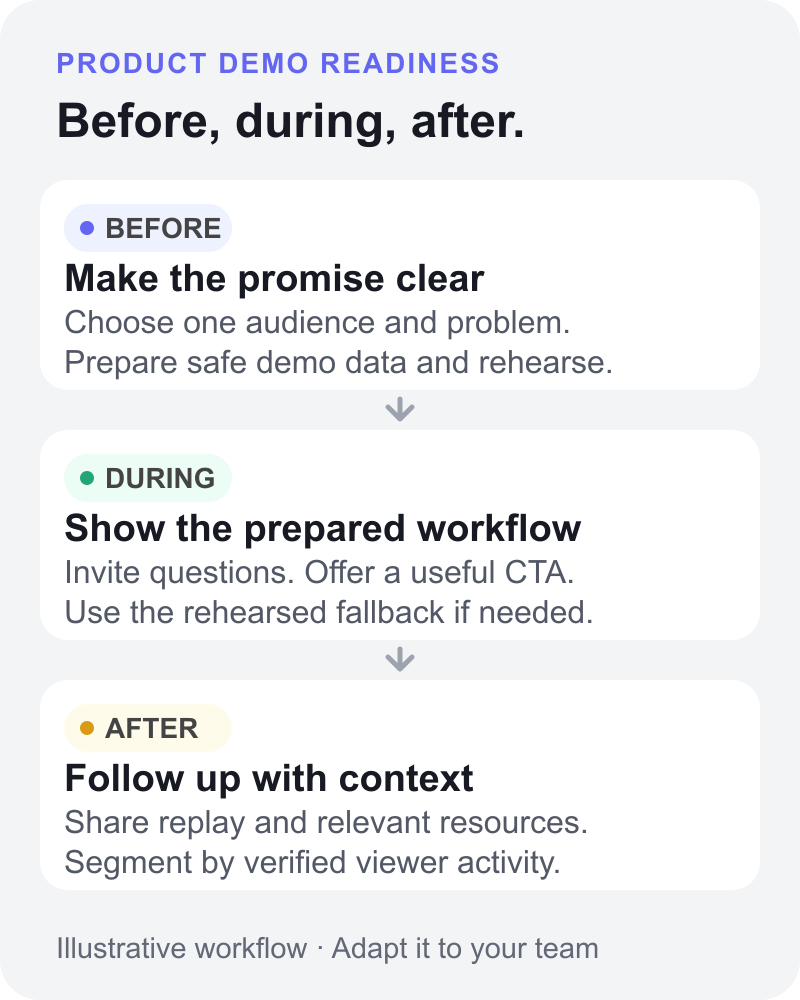
Use this checklist to plan the demo before it goes live, run it with a clear structure, and turn the replay and audience signals into better follow-up afterwards. If you need a broader planning guide for any webinar format, start with the B2B webinar checklist. This article focuses specifically on product demo webinars.
Define the demo job before the session format
A product demo webinar is a live or replayable webinar built around showing how a product solves a specific buyer or user problem.
It sits between a few familiar formats:
| Format | Best fit | Watch-out |
|---|---|---|
| Product demo webinar | Educating a group of prospects, customers, partners, or active opportunities around one workflow | Can become too broad if the audience and buying question are unclear |
| One-to-one sales demo | Deep qualification, custom discovery, and account-specific workflow questions | Harder to scale across a larger audience |
| Prerecorded demo video | Self-serve education, help content, and lightweight product tours | Limited live interaction and fewer real-time audience signals |
| Launch webinar | Announcing a new product, feature, or strategic release | Often broader and more narrative than a focused demo workflow |
The format matters less than the job. Before you build slides or write a script, decide what the product demo webinar needs to help the audience understand.
Good demo jobs include:
- showing how a specific workflow works
- helping prospects validate fit
- reducing friction around setup or adoption
- answering a common objection
- giving active opportunities a shared resource they can send internally
- helping customers or partners use a feature more effectively
This is also where modern buyer behavior matters. The 6sense B2B Buyer Experience Report for 2025 reinforces that buyers often do significant research and internal alignment before direct seller conversations. A strong demo webinar should help that process. It should make the product easier to understand, compare, and discuss, not simply broadcast a feature list.
Pick one audience and one promise
The fastest way to weaken a product demo webinar is to make it serve every possible viewer.
Choose the primary audience first:
- prospects who are new to the product
- active opportunities evaluating fit
- product-qualified leads who need a deeper walkthrough
- customers learning a feature or workflow
- partners who need to understand how the product supports their clients
- mixed audiences who share the same problem
Then write one audience promise in plain English.
Weak promise: "Join us for a product demo."
Stronger promise: "See how a B2B marketing team can plan, run, and follow up on a live product demo webinar without stitching together separate registration, CTA, replay, and follow-up tools."
The second version gives the session a shape. It tells the team what to show, what to skip, and what the viewer should be able to do after watching.
Build the registration and reminder path
The registration path should do more than collect names. It should set expectations for the demo and help the right people decide whether to attend.
Your registration page should include:
- who the session is for
- the problem the demo will solve
- the product workflow being shown
- the date, time, speakers, and expected length
- the practical takeaways
- whether replay will be available
- one or two useful fields that help segment follow-up
Keep the form focused. If the demo is early-stage education, a long qualification form can create unnecessary friction. If the demo is for active opportunities, a few extra fields may help the team tailor examples and follow-up.
Reminder messages should reinforce the promise, not just the calendar slot. A useful reminder can include the agenda, the primary workflow, a note about replay, and a simple way to invite a teammate who should also understand the product. Adapt the webinar reminder email templates for the wording and timing your audience needs.
Write the demo story before the script
A product demo script is useful, but only after the story is clear. Once you have chosen the problem and product moments, use the product demo webinar script template to turn that story into presenter wording. The checklist confirms what is ready; the script guides what to say.
Start with the buyer problem. Then show the outcome. Only then walk through the product path that creates that outcome.
A simple demo story can follow this sequence:
- The audience recognizes the problem.
- The host explains what a better workflow looks like.
- The presenter shows the product moments that make that workflow possible.
- The audience gets a chance to ask, compare, or respond.
- The session points to one clear next step.
Start with two to four product moments as a planning example, then test the scope in rehearsal. Add or remove a moment based on what your audience needs to understand, not how many features the product has.
For a SaaS team, strong product moments might include setup, the first important user action, the key decision point, the handoff to another team, or the result the viewer cares about. In HeyStream, for example, a product-led demo might show branded registration, the live watch experience, live and replay CTAs, and follow-up based on viewer behavior.
Prepare the live run of show
The run of show protects the demo from drifting. It gives each person a role and each segment a purpose.
| Segment | Goal | Owner |
|---|---|---|
| Welcome | Set context, audience promise, and timing | Host |
| Problem framing | Explain the workflow or buying question | Host or presenter |
| Product walkthrough | Show the 2-4 product moments that support the promise | Presenter |
| Proof or example | Ground the workflow in a realistic scenario | Presenter |
| Interaction | Capture questions, reactions, or poll responses | Moderator |
| CTA | Offer the next step that matches the demo job | Host |
| Replay and follow-up note | Tell viewers what happens next | Host |
Use the webinar run of show template to turn these segments into cue-by-cue timing, screen-share changes, and handoffs. It answers who does what and when, while this checklist tracks readiness.
Assign the roles before rehearsal:
- host
- presenter
- moderator
- chat or Q&A owner
- technical owner
- follow-up owner
Demo readiness check
Rehearse the exact path the presenter will take, with an operator checking what an attendee can actually see and hear. Mark a check as passed only when its owner has observed the pass condition. These are team preparation recommendations, not claims that HeyStream automatically detects failures or switches to a backup.
| Check | Owner | Pass condition | Fallback |
|---|---|---|---|
| Demo data and privacy | Presenter | Dedicated demo workspace uses safe sample data; no customer records, credentials, notifications, or unrelated tabs are exposed. | Use approved, sanitized slides until the demo workspace is safe. |
| Account access and reset state | Presenter | The presentation account can complete every planned step; permissions, starting records, and reset steps have been tested. | Return to the saved demo state or skip the affected step with a clear explanation. |
| Screen share and audio | Technical owner | A separate attendee device can read the key product details and hear speech and any shared audio. | Enlarge the product view, switch the audio source, or use readable slides. |
| CTA destination and replay settings | Marketing owner | The intended CTA link opens correctly; replay access and CTA settings are checked using test recipients and no real payments or customer messages. | Use a verified resource link and communicate the confirmed replay plan. |
| Live-product failure handoff | Named operator and host | The operator has rehearsed switching from the product to slides or a clearly labelled recording; the host knows what to tell viewers. | Say the live demo has stopped, identify any recording as prerecorded, and continue with the prepared explanation. |
Keep the fallback assets ready before going live, and decide who can call the switch. If the studio setup itself still needs work, use the browser-based live streaming studio guide before the final rehearsal.
Set up interaction and CTAs before going live
Interaction should not be an afterthought. Decide where the audience should respond before the session starts.
Useful interaction points include:
- a poll that reveals the audience's current workflow
- a chat prompt that surfaces the main friction
- a Q&A break after the core product workflow
- a hand-raise moment for people who want a deeper walkthrough
- a replay prompt for viewers who need to share the session internally
Match the CTA to the audience's stage and the value they just saw.
| Audience signal | Demo job | CTA | Follow-up |
|---|---|---|---|
| Asked an implementation question | Reduce setup friction | Book a deeper technical walkthrough | Send replay plus setup resources |
| Clicked pricing or plan CTA | Validate commercial fit | View pricing or speak with sales | Follow up with plan-fit context |
| Watched replay after missing live | Catch up asynchronously | Watch the key workflow or invite a teammate | Send recap and next-step options |
| Joined live but did not click | Learn and compare | Download checklist or see product demos | Send practical summary, not a hard pitch |
CTA timing matters. Use the prompt when the viewer has just seen relevant value, not only on the final slide. A CTA after a clear product moment will usually feel more natural than a generic "book a demo" request at the end.
Capture the signals that help the team learn
During the demo, capture the behaviors that can improve follow-up and the next session.
Useful broadcast analytics and audience signals include:
- registration source
- attendance
- watch time
- questions asked
- chat themes
- poll answers
- CTA clicks
- drop-off points
- replay views
- follow-up requests
- account-level engagement patterns, if your CRM or review process can reliably connect attendees to an account
Treat these as signals, not proof. A replay view does not automatically mean purchase intent. A CTA click does not replace qualification. A question in chat may be curiosity, confusion, or active evaluation.
The value is in the pattern. If several attendees ask about the same integration, the product marketing team may need clearer pre-demo content. If viewers drop during setup, the demo story may be too slow. If the strongest engagement happens during the workflow example, future demos should get there faster.
Turn replay and follow-up into part of the plan
The product demo webinar does not end when the live session closes.
Prepare the replay quickly, then segment follow-up based on what each person did. A useful follow-up workflow might separate:
- attended live
- registered but missed
- watched the replay
- clicked a CTA
- asked a question
- represented a highly engaged account, where your CRM or manual review supports that grouping
- invited or mentioned a teammate
Use the webinar follow-up email templates to turn those segment choices into messages. Base each message on verified activity and the information your team actually has. Combining activity across an account may require your CRM or a manual review.
Each segment should receive a useful recap, the replay, relevant resources, and one clear next step. For example, the person who asked a detailed implementation question may need a deeper walkthrough. The person who registered but missed may need a short recap and replay. The person who clicked a pricing CTA may need plan-fit context.
This is where behavior-based follow-up can help. The goal is not to automate pressure. It is to make the next message more relevant to what the person actually watched, clicked, or asked.
This is also how a demo webinar becomes part of the broader B2B webinar growth engine: registration creates context, the live session captures signals, CTAs create next steps, replay extends reach, follow-up carries momentum, and the team learns what to improve next time.
Use this product demo webinar checklist template
Use this as a practical starting point. The timings are adaptable planning examples, not benchmarks. Copy the table into your team's task tool and replace each blank Status with Not started, In progress, Ready, or Blocked. Use Ready only when the owner has checked the relevant result.
| Phase | Task | Owner | Timing | Status | Signal or next step |
|---|---|---|---|---|---|
| Before | Choose one audience and one demo promise | Product marketing | 2-3 weeks before | Clear session scope | |
| Before | Build the registration page and reminders | Marketing | 2 weeks before | Registration source and audience fit | |
| Before | Write the demo story and select product moments | Presenter | 1-2 weeks before | Focused workflow | |
| Before | Verify demo data, privacy, permissions, and reset state | Presenter | Before rehearsal | Safe, repeatable demo workspace | |
| Before | Rehearse screen share, audio, transitions, and fallback with the operator | Presenter and technical owner | Rehearsal; recheck before live | Attendee-device checks pass; backup handoff works | |
| Before | Verify CTAs, destinations, timing, and replay settings | Marketing and sales | 1 week before; recheck before live | Safe, working next step | |
| Before | Assign host, presenter, moderator, operator, and follow-up owner | Team lead | 1 week before | Operational ownership | |
| During | Open with audience promise and agenda | Host | Live | Viewer context | |
| During | Show the workflow, not every feature | Presenter | Live | Product understanding | |
| During | Capture questions, poll answers, chat themes, and CTA clicks | Moderator | Live | Audience signals | |
| During | Offer a CTA after relevant product value | Host | Live | Next-step action | |
| After | Publish or prepare the replay | Marketing | Same day or next day | Replay availability | |
| After | Segment follow-up by behavior | Marketing and sales | 1-2 days after | More relevant follow-up | |
| After | Review engagement, objections, drop-off, and questions | Product marketing | Within 1 week | Better future demos |
Give any Blocked row a named next action before the final readiness review. For a recurring product demo webinar, reuse the template but recheck the demo state, links, permissions, and fallback each time; a previous pass does not prove the next session is ready.
Where HeyStream fits
HeyStream is built for teams that want live product demonstrations to feel polished and remain useful after the session.
Teams can run branded broadcasts, host registration and watch pages, place CTAs during live and replay viewing, review audience signals, and connect demo engagement to follow-up workflows. That makes HeyStream a natural fit for product demo webinars where the goal is not just to show the product, but to understand who engaged and guide the next step.
It also means the same workflow can repeat. The team can reuse proven CTAs, improve the demo story based on engagement, and build a live-demo program that compounds instead of starting from scratch each time.
The practical takeaway
A strong product demo webinar is planned around a buying question, not a feature list.
Pick one audience. Make one useful promise. Show the product through a focused story. Invite interaction at the right moments. Use CTAs when they match the value the viewer just saw. Then turn replay and follow-up into part of the same workflow.
That is what makes a product demo webinar more than a one-time presentation. It becomes a repeatable way to help buyers understand the product, take the right next step, and give your team better signals for the next session.


