Registration is not the finish line. A webinar can collect the right names and still underperform if those people never attend, never engage, never click, never watch the replay, or never become useful follow-up segments.
That is why webinar conversion rate is more useful as a diagnostic than as a single benchmark. One number can hide the real problem. The weak point might be the audience you attracted, the reminder path, the live session, the CTA, the replay, or the way follow-up treats every person the same.
The broader B2B context matters too. The Content Marketing Institute's 2026 B2B research found that prompting a desired action and measuring effectiveness are still major content challenges for B2B marketers. Webinars sit right inside that problem: they create attention, but the value depends on whether the team can turn that attention into a clear next step.
So if your webinar registrants aren't converting, do not start by chasing a universal benchmark. Start by finding the broken handoff in your live growth loop.
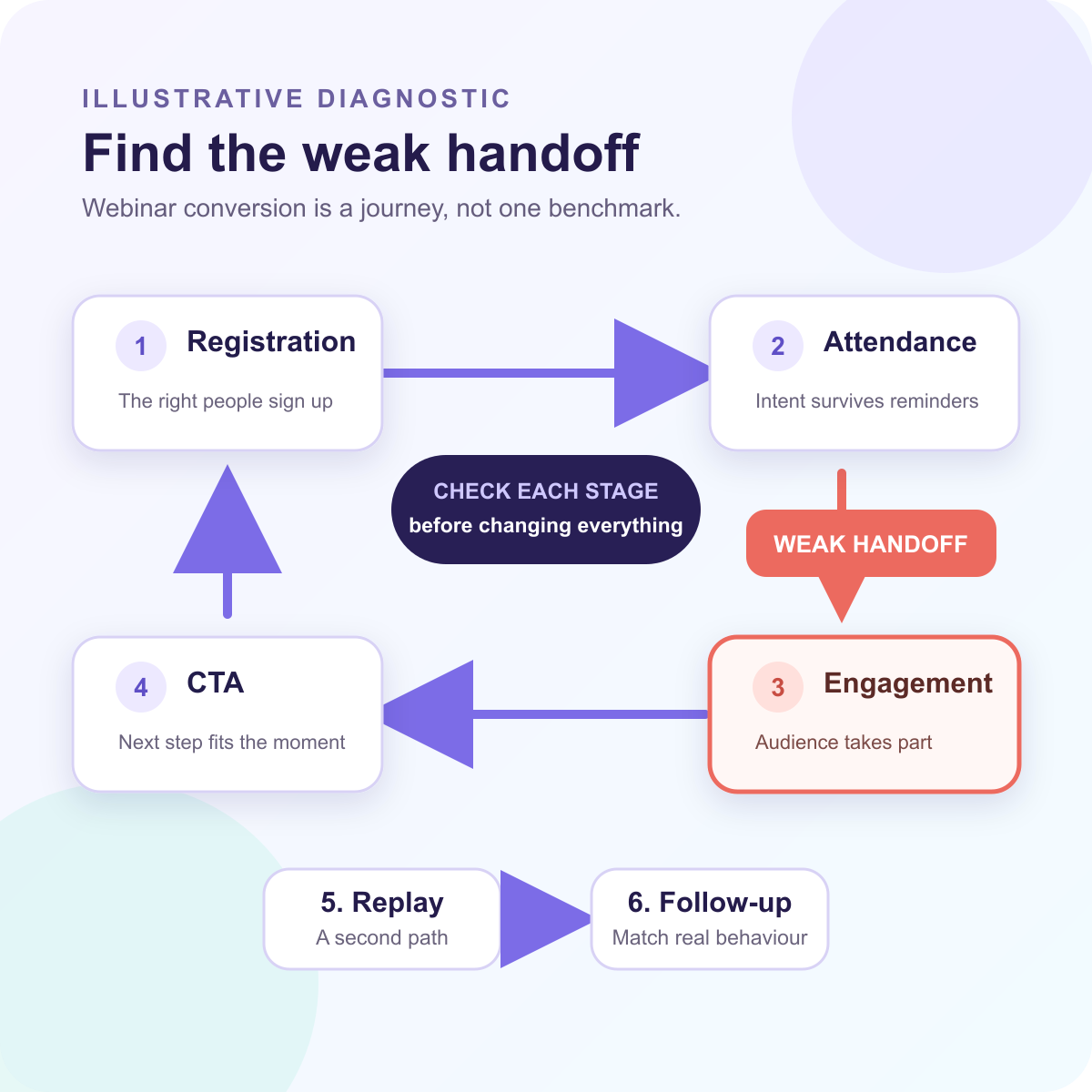
First, define what conversion means for this webinar
Before you diagnose the problem, define the conversion you actually care about.
A webinar conversion rate can mean several different things:
- visitors who become registrants
- registrants who become attendees
- attendees who ask a question, answer a poll, or stay for the key section
- viewers who click a CTA
- no-shows who watch the replay
- engaged contacts who become qualified follow-up opportunities
Those are not the same problem. A registration-page issue needs a different fix from a CTA issue. A low live attendance rate needs a different response from a weak replay path.
Pick one primary conversion goal for the session and two signal metrics that explain it. For example, if the goal is demo bookings, you might track attendee-to-CTA click rate, replay viewer-to-CTA click rate, and follow-up response by segment. If the goal is education and qualification, you might track attendance, watch depth, questions, and topic interest.
This is also where benchmark data can help, as long as it stays in its lane. The American Marketing Association's Goldcast benchmark event page describes a large B2B webinar dataset covering registration, attendance, on-demand behavior, and program performance. That kind of benchmark framing is useful because it reminds teams that webinar behavior can be measured across stages. It should not be treated as proof that any one target number applies to every audience, offer, or format.
Reason 1: The registration promise attracted the wrong audience
The first conversion problem often starts before the webinar begins.
If the title, landing page, promotion, or agenda attracts people who are curious but not well matched, the numbers can look healthy at the top of the funnel while everything after registration feels soft. You may see plenty of signups, but low attendance, thin questions, short watch time, and weak CTA response.
That does not always mean the webinar was bad. It may mean the promise was too broad.
A stronger webinar registration page should make three things clear: who the session is for, what problem it helps them solve, and what they will be able to do differently afterward. The more specific the promise, the easier it is for the right people to self-select in and for the wrong people to opt out.
The fix is not to add more hype. Tighten the audience fit. Make the agenda more concrete. Use registration forms to capture the few details that actually help you understand fit, such as role, company type, current workflow, or the problem they are trying to solve.
If registrants are not converting later, look back at the registration source. A broad social post, partner list, paid campaign, or generic email blast may create signups that were never likely to attend live or take the next step. A practical webinar promotion plan helps you align the channel, message, and timeline with the audience you actually want in the room.
Reason 2: The reminder path did not preserve intent
A registrant can be interested when they sign up and still forget why the session mattered two weeks later.
That is why the attendance path matters. Confirmation emails, calendar invites, webinar reminder email templates, and the day-of experience should preserve the original intent. If they only repeat the date and time, they miss a chance to rebuild the reason to attend.
Symptoms of this handoff problem include low attendance, late arrivals, early drop-off, and no-shows who never return for replay. The registrant did not necessarily lose all interest. The path between registration and attendance may not have carried enough context.
To fix it, make each reminder answer a practical question: why should this person still care now? Mention the specific problem, the most useful takeaway, the speaker or example that makes the session worth attending live, and the next step they will be able to take after the session.
Webinar attendance rate is useful here, but it is not the whole story. A lower attendance rate can still produce strong outcomes if replay and follow-up are strong. A high attendance rate can still underperform if the audience does not engage or the CTA is unclear.
Measure attendance as one handoff, not the final verdict.
Reason 3: The live session did not create enough engagement signal
Attendance alone does not tell you much about intent.
A person can attend in the background, leave the tab open, or join for five minutes and disappear. Another person can ask a detailed question, answer a poll, stay through the product section, and return to the replay later. Both may count as attendees, but they should not be treated the same.
This is where webinar engagement metrics become useful. Watch time, drop-off points, questions, poll responses, chat activity, CTA clicks, and replay behavior all help you understand what held attention and what created interest.
The fix is to design the session for signal, not just delivery. Build moments where people can respond. Ask a question that reveals the problem they are trying to solve. Use polls to separate beginners from advanced buyers. Invite practical questions before the most important section. Make the session easier to act on while people are still paying attention.
HeyStream's audience intelligence model is built around this idea: viewer behavior becomes more useful when it is tied to the audience record, not trapped in a one-off event dashboard.
Do not overinterpret one signal. A poll response or question does not prove buying intent by itself. But a pattern of signals can tell your team which contacts deserve different follow-up.
Reason 4: The CTA did not match the viewer's moment
Many webinar CTAs fail because they ask for the wrong action at the wrong time.
A first-time educational attendee may not be ready to book a sales call. A high-intent viewer who just watched a detailed product workflow may be ready for exactly that. A replay viewer may need a different next step from a live attendee. When every viewer gets the same CTA, conversion often drops because the offer does not match the moment.
The fix is to map webinar CTA examples to audience stage. Useful webinar CTAs can include learn more, download the checklist, ask a question, book a demo, start a trial, view the replay, register for the next session, or send this to a teammate.
Place CTAs where they naturally support the session. A softer educational CTA may work near the middle. A product or booking CTA may work after a concrete problem-solution section. A replay CTA may need to appear near the point where the viewer is most likely to understand the value.
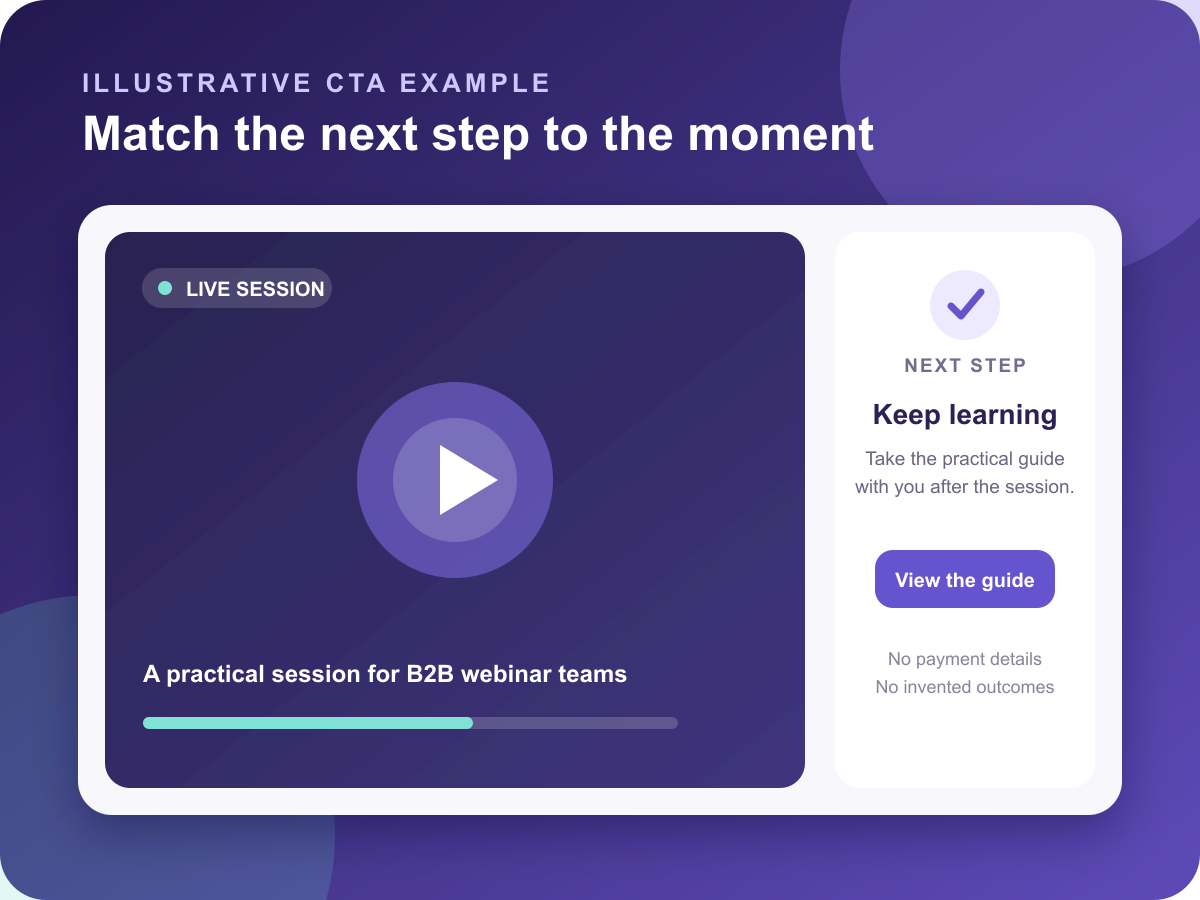
This is one reason webinar CTAs should not be treated as a final-slide formality. They are part of the conversion system. The right CTA turns attention into a measurable action while the viewer still has context.
Reason 5: Replay and follow-up treated everyone the same
The biggest missed conversion opportunity often happens after the live session.
No-shows, live attendees, replay viewers, question askers, CTA clickers, and early drop-offs should not all receive the same message. They had different experiences. They showed different levels of interest. They need different next steps.
A strong webinar replay strategy treats replay as a second conversion path, not an archive. No-shows can still become valuable viewers. Live attendees can return to share the session internally. People who clicked a CTA during the replay may be showing a fresh intent moment days after the original event.
Follow-up should reflect that. Use webinar follow-up best practices to separate the obvious segments:
- registered but did not attend
- attended but did not click
- attended and clicked a CTA
- watched the replay
- asked a product or buying question
- showed low engagement but matched the target account profile
Then choose the next step for each group. A no-show may need the replay and a short summary. A CTA clicker may need a sales task or trial prompt. A replay viewer may need a relevant resource. A question asker may need a direct answer and a suggested next session.
This is where behavior-based follow-up becomes more useful than a generic post-event email. The goal is not to automate noise. It is to make the follow-up match what the person actually did.
A simple webinar conversion diagnostic table
Use this table before changing the whole webinar program. It helps you find the weak handoff first.
| Weak handoff | Symptom | Metric to check | Likely cause | Better fix |
|---|---|---|---|---|
| Visitor to registrant | Page traffic but few signups | Registration conversion rate | Promise is too vague or audience fit is unclear | Tighten title, agenda, speaker proof, and form fields |
| Registrant to attendee | Many signups but low live attendance | Attendance rate and reminder engagement | Reminders do not rebuild urgency or value | Improve confirmation, calendar context, and live-only reason |
| Attendee to engaged viewer | People attend but stay passive | Watch time, questions, polls, drop-off | Session is delivered at the audience, not with them | Add participation moments and clearer section pacing |
| Viewer to CTA action | Attention does not become clicks | CTA clicks by session moment | Offer is too generic, too late, or too aggressive | Match CTA to viewer stage and place it near relevant context |
| No-show to replay viewer | Registrants never return | Replay views and replay CTA clicks | Replay is treated as a recording, not a path | Package replay with summary, chapters, and a clear next step |
| Follow-up to qualified action | Good engagement but weak response | Segment response, sales tasks, booked calls, trial starts | Everyone receives the same follow-up | Segment by behavior and route each group differently |
A connected analytics view helps because the team can compare signals across the whole journey, not just one event metric. HeyStream's analytics and insights help teams look at registration, viewing, and CTA behavior together, so the next fix is easier to choose.
Where HeyStream fits
HeyStream is a B2B webinar platform for teams that want live broadcasts to create measurable next steps, not just attendance reports.
That means the workflow connects branded registration and watch pages, live and replay CTAs, audience intelligence, replay behavior, analytics, and follow-up automation. The point is not that software magically improves conversion. It is that teams make better decisions when the important audience signals live in one workflow.
For a B2B team, that can change the question from "Was the webinar good?" to "Where did the audience stop moving, and what should we improve before the next session?"
That is a much more useful way to think about webinar conversion.
The takeaway
If webinar registrants are not converting, resist the urge to explain everything with one benchmark.
Webinar conversion is a chain of handoffs. A weak registration promise attracts the wrong people. A weak reminder path loses intent. A passive live session creates too little signal. A generic CTA misses the viewer's moment. A generic follow-up path ignores what people actually did.
Fix the handoff that is breaking first. Then use the next webinar to learn whether the audience moved one step further.
That is how a webinar stops being a one-off campaign and becomes a repeatable growth system.


