Webinars are easy to report on and harder to prove.
Most teams can point to registrations, attendance, chat activity, and maybe a few demo requests. The harder question is whether the webinar created enough business value to justify the time, promotion, production, and follow-up work behind it.
That is where webinar ROI often gets treated too narrowly. The formula matters, but the formula is only useful when the team knows what costs to count, what return means, which audience signals explain the result, and how long the measurement window should be.
For B2B teams, webinar ROI is not just a spreadsheet answer. It is a measurement system for understanding which live sessions create value and why.
If you want to see where your own workflow is weakest, try the webinar ROI scorecard.
What webinar ROI means in B2B
Webinar ROI measures the return a webinar creates compared with the cost of running it. The simple version is financial: how much revenue or pipeline did the webinar influence relative to what it cost?
But B2B webinars rarely create value in one clean moment. A strong session might generate demo bookings during the live broadcast, support sales conversations after the event, create useful replay traffic, educate existing opportunities, or reveal which topics are worth repeating.
That means ROI should include both direct outcomes and the supporting signals that explain them. Closed revenue matters most, but it is usually the end of a longer chain.
A useful ROI view connects:
- who registered
- who attended
- how they engaged
- which CTAs they clicked
- who watched the replay
- what follow-up they received
- what happened in the CRM afterward
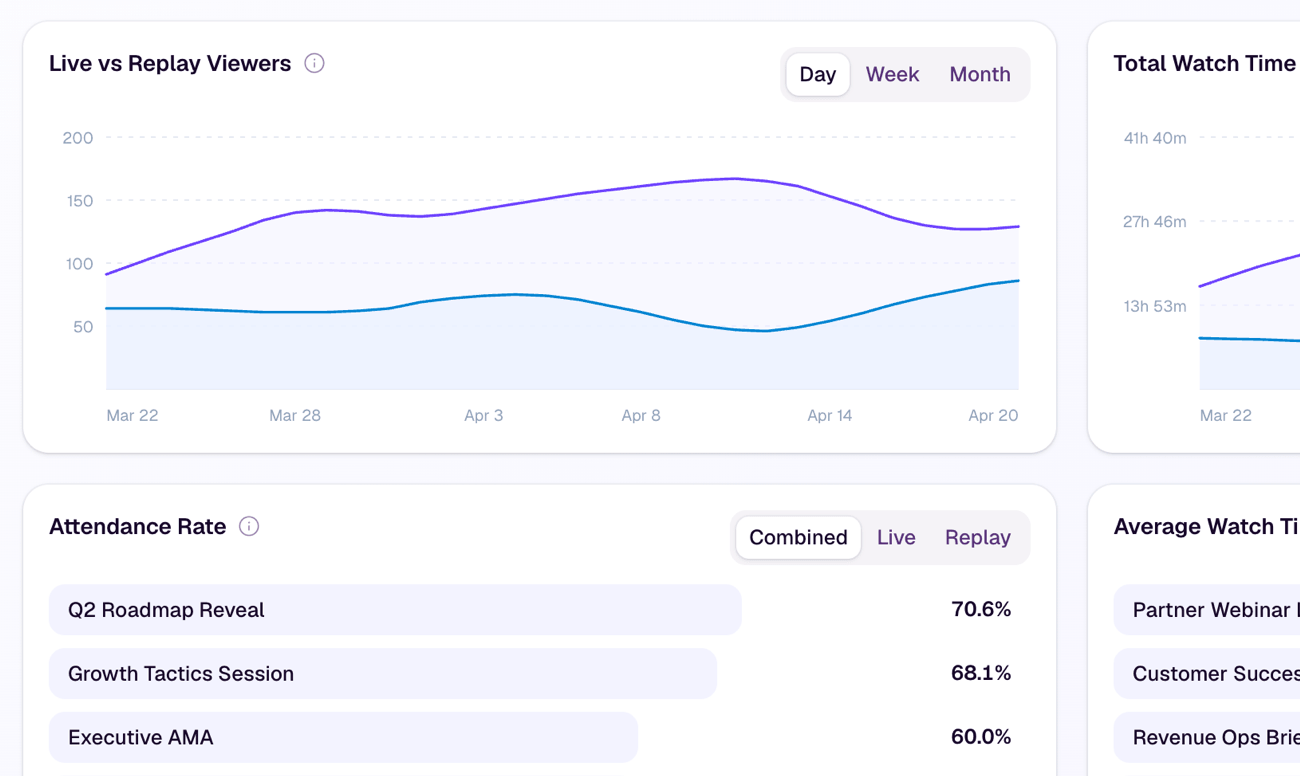
This is why webinar engagement metrics matter. They do not prove ROI on their own, but they help explain whether the webinar attracted the right audience and created enough intent to justify further action.
The basic webinar ROI formula
The standard webinar ROI formula is simple:
| Measurement | Formula |
|---|---|
| Webinar ROI | (Return from webinar - Cost of webinar) / Cost of webinar x 100 |
If a webinar costs $5,000 to run and creates $20,000 in attributable revenue, the ROI is 300%.
That calculation is useful, but it can be misleading if the inputs are weak. A team can make ROI look better by ignoring staff time, undercounting promotion costs, or crediting revenue that the webinar barely influenced.
The goal is not to force every webinar into a perfect number. The goal is to create a measurement habit that leadership can trust.
A better way to use the formula is to treat it as the final layer, not the starting point. First define costs, returns, attribution window, and signal quality. Then calculate ROI.
Count the full cost of the webinar
The most common ROI mistake is undercounting cost.
A webinar is rarely just the platform fee. It may involve campaign planning, landing page setup, speaker preparation, design, email promotion, paid distribution, host time, production support, post-event editing, replay hosting, sales handoff, and follow-up work.
A practical cost checklist should include:
- webinar or live streaming platform cost
- speaker, host, and producer time
- content planning and slide creation
- design and creative production
- paid promotion or sponsorship
- email and marketing operations time
- landing page and registration setup
- follow-up writing and automation setup
- sales development or account team time
- replay editing, clipping, or repurposing work
You do not need perfect precision for every internal hour. You do need consistency. If one webinar includes staff time and the next ignores it, the comparison will be noisy.
For recurring programs, this becomes especially important. The first session may carry heavier setup cost, while later sessions benefit from reusable registration pages, CTA assets, promotion templates, and a repeatable webinar program. Measuring that difference helps the team understand whether the program is becoming more efficient over time.
Decide what counts as return
Return is not always the same as closed revenue.
For a simple transactional business, webinar ROI may be tied directly to purchases. For a B2B team with a longer sales cycle, return may include pipeline created, pipeline influenced, qualified demo bookings, sales conversations started, expansion opportunities, or meaningful re-engagement from existing accounts.
The important thing is to define return before the webinar runs.
For example, a product demo webinar might count return through demo bookings and qualified opportunities created after the event. A customer education session might count expansion conversations, product adoption signals, or reduced sales friction. A thought-leadership session might be measured through qualified registrations, account engagement, replay consumption, and downstream pipeline influence.
Useful return categories include:
- closed-won revenue that can be reasonably attributed to the webinar
- pipeline created from registrants or attendees
- existing pipeline influenced by attendee engagement
- qualified demo bookings or sales conversations
- CTA clicks to product, pricing, booking, or offer pages
- replay views from target accounts or high-fit leads
- content reuse that supports future campaigns or sales enablement
This is where webinar CTA examples become more than creative inspiration. A clear CTA gives the team a measurable conversion moment. Without one, the webinar may attract attention but leave fewer signals about what viewers wanted to do next.
Set a realistic attribution window
A webinar can create immediate conversion, but B2B value often appears later.
Someone might attend live, send the replay to a colleague, revisit the pricing page two weeks later, and book a demo after a follow-up email. If the team only measures same-day conversions, that webinar may look weaker than it was.
The right attribution window depends on the buying cycle. A lower-consideration product might use a short window. A higher-consideration B2B product may need 30, 60, or 90 days of follow-up visibility.
The key is to separate immediate outcomes from downstream influence:
- immediate outcomes: live CTA clicks, demo bookings, trial signups, replies, or sales hand-raisers
- near-term outcomes: replay views, follow-up clicks, account engagement, meetings booked, qualified opportunities
- downstream outcomes: pipeline progression, influenced revenue, expansion, closed-won deals
This is also where webinar follow-up best practices affect ROI. Follow-up is not just an operational step after measurement. It is part of what creates the measurable outcome.
If the follow-up is generic, slow, or disconnected from audience behavior, the webinar may create interest that never turns into action.
Track the signals that explain ROI
ROI tells the team whether the webinar created enough value. Engagement signals help explain why.
Attendance alone is useful, but it is not enough. A webinar with fewer attendees can outperform a larger session if the right people stayed longer, clicked stronger CTAs, watched the replay, or moved into meaningful follow-up.
The strongest measurement systems look at both volume and quality:
- registration source and audience fit
- attendance rate
- watch time and drop-off patterns
- questions, chat, polls, and reactions
- CTA clicks during live viewing
- replay views and repeat viewing
- follow-up opens, clicks, replies, and bookings
- account or CRM activity after the event
- sales handoff quality
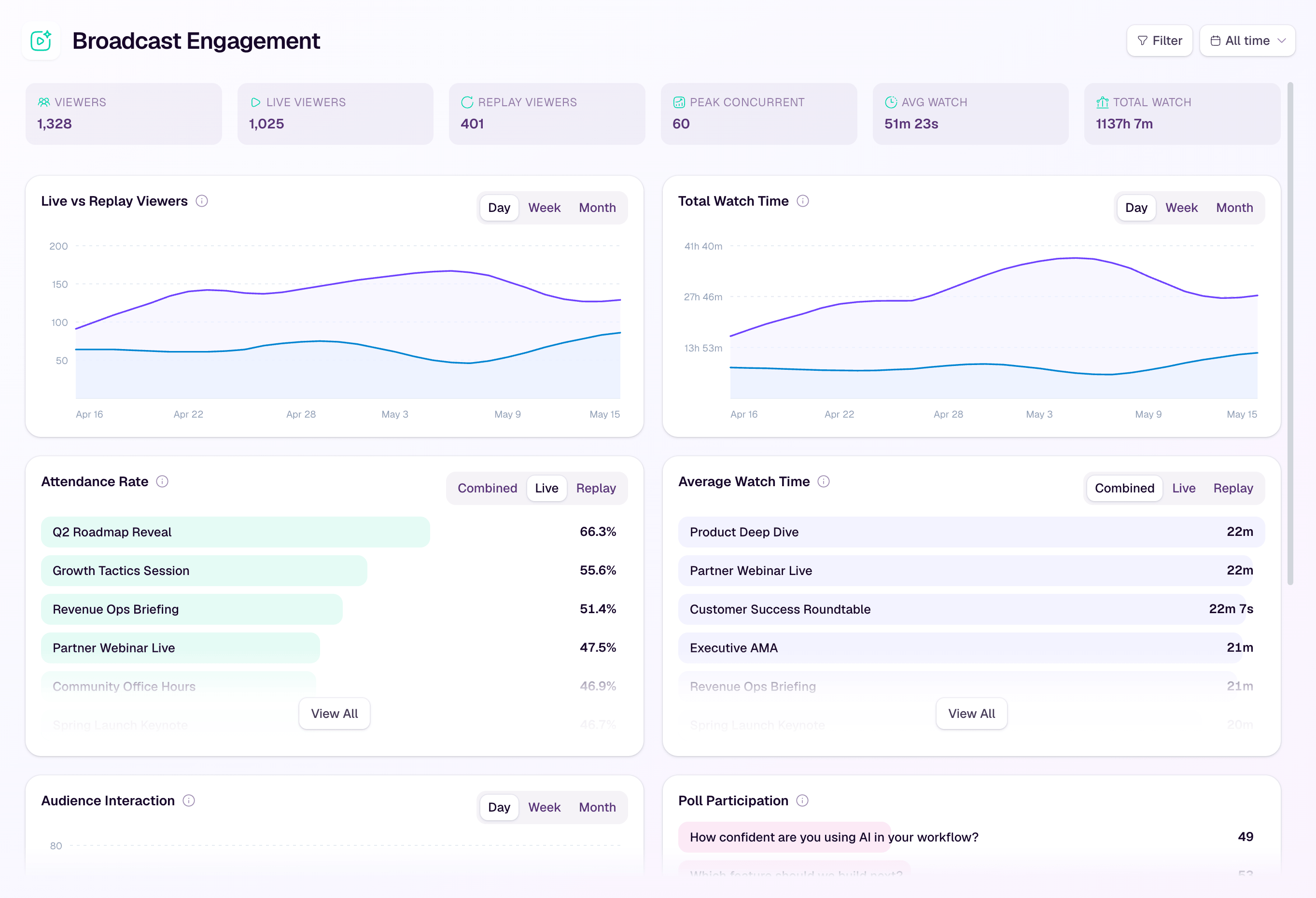
These signals should not be treated as proof of buying intent by themselves. A long watch time or replay view does not guarantee someone is ready to buy.
But when these signals are connected, they make the ROI story clearer. A viewer who registered from a target account, attended most of the session, clicked a product CTA, watched the replay, and accepted a follow-up meeting is very different from someone who registered and never attended.
That is the measurement advantage of keeping audience intelligence, conversion tools, and analytics insights close to the webinar workflow.
Include replay in the ROI model
A replay is not just a recording archive. It can extend the useful life of the webinar.
Some buyers will not attend live. Others may attend part of the session and return later. Sales teams may send the replay to active opportunities. Marketing teams may turn the recording into clips, follow-up resources, and supporting content.
That means replay should have its own measurement layer.
A practical webinar replay strategy should track:
- replay views from registrants who missed the live session
- replay views from attendees who returned
- CTA clicks during or after replay viewing
- follow-up actions triggered by replay engagement
- sales usage of the replay in active conversations
- content reuse from the session
Replay value is easiest to measure when the replay is connected to the same audience record as the live event. If replay behavior lives in a separate video platform with no connection to registration, CRM, CTAs, or follow-up, the team loses part of the ROI story.
Turn ROI measurement into a repeatable workflow
A single ROI report is useful. A repeatable measurement workflow is more valuable.
The best webinar teams compare sessions consistently. They look at which topics attract the right audience, which CTAs create action, which follow-up paths convert, which replays keep working, and which sessions deserve to be repeated or retired.
That is the difference between a webinar campaign and a B2B webinar growth engine. The session is not the finish line. It is one part of a loop: registration, attendance, engagement, conversion, replay, follow-up, and learning.
A practical workflow looks like this:
- Define the business goal before the webinar.
- Decide which costs and returns will be counted.
- Set the attribution window.
- Build registration and CTA paths that create measurable actions.
- Track live and replay engagement in the same audience context.
- Trigger follow-up based on behavior.
- Review outcomes after the attribution window closes.
- Use the learning to improve the next session.
This is also where tooling matters. If registration data, engagement metrics, CTA clicks, replay behavior, and follow-up actions are split across disconnected tools, the ROI picture becomes manual and fragile.
HeyStream is built to keep more of that workflow connected. Teams can run branded live broadcasts, capture audience signals, add CTAs, understand engagement, support replay, and use follow-up automation to act on behavior with less manual stitching.
That does not remove the need for CRM discipline or attribution judgment. It does make the measurement trail easier to assemble.
Use ROI to make better webinar decisions
The point of measuring webinar ROI is not to make every session look successful.
It is to learn which webinars create value, which audiences respond, which topics deserve more investment, and which parts of the workflow need improvement.
A webinar with weak ROI may still teach something useful. Maybe the topic attracted the wrong audience. Maybe the CTA was too late. Maybe the follow-up missed the strongest segment. Maybe the replay was never promoted. Maybe the session created engagement but no clear next step.
That kind of learning is only visible when ROI is connected to the signals behind it.
For B2B teams, the strongest measurement habit is simple: calculate the return, but study the path that created it. That is how webinars become more than one-off campaigns. They become a repeatable system for learning, action, and growth.


