An interactive webinar is not just a webinar with more things to click.
The best interactive sessions are designed around useful participation. They give attendees chances to respond, choose, ask, click, and continue. They also give the marketing team clearer signals about what the audience cares about and what should happen next.
That matters because attendance alone is a thin signal. Someone can join a webinar, half-listen, leave early, and still count as an attendee. A stronger webinar workflow looks at the moments where people actually participate: the question they ask, the poll they answer, the resource they download, the CTA they click, the replay they return to, and the follow-up path they choose.
This playbook walks through how to design those moments before, during, and after the live session so your webinar becomes more useful for the audience and more actionable for your team.
What makes a webinar interactive
An interactive webinar gives the audience meaningful ways to participate instead of only watching a presentation.
That participation can be simple. It might be a poll, a Q&A prompt, a chat question, a resource download, a CTA, a short quiz, a survey, a replay prompt, or a choice about what kind of follow-up they want.
The important part is not the feature itself. The important part is whether the interaction helps the audience stay engaged and helps your team learn something useful.
A poll placed at the right moment can show which problem the room cares about most. A question can reveal a blocker your sales team should understand. A CTA click can show that someone chose a next step. A replay view can show that the topic still matters after the live session ends.
That is the difference between interaction as decoration and interaction as part of the webinar growth loop.
Start before the webinar
The first interactive moment usually happens before the webinar starts.
Registration is not only a way to collect an email address. It is a chance to understand who is coming, what they care about, and how the live session should serve them. A strong webinar registration page sets a clear promise and asks only for information your team can actually use.
For example, instead of adding a long form, ask one useful question:
- What challenge are you trying to solve?
- Which topic should we spend more time on?
- What is your role in the buying or implementation process?
- Are you attending live, watching the replay, or sharing with a team?
Those answers can shape reminders, examples, poll choices, and follow-up. They can also help your team avoid the common problem of running a generic session for an audience that arrived with very specific needs.
The rule is simple: if a registration field will not improve the session or the follow-up, leave it out.
Build interaction into the live flow
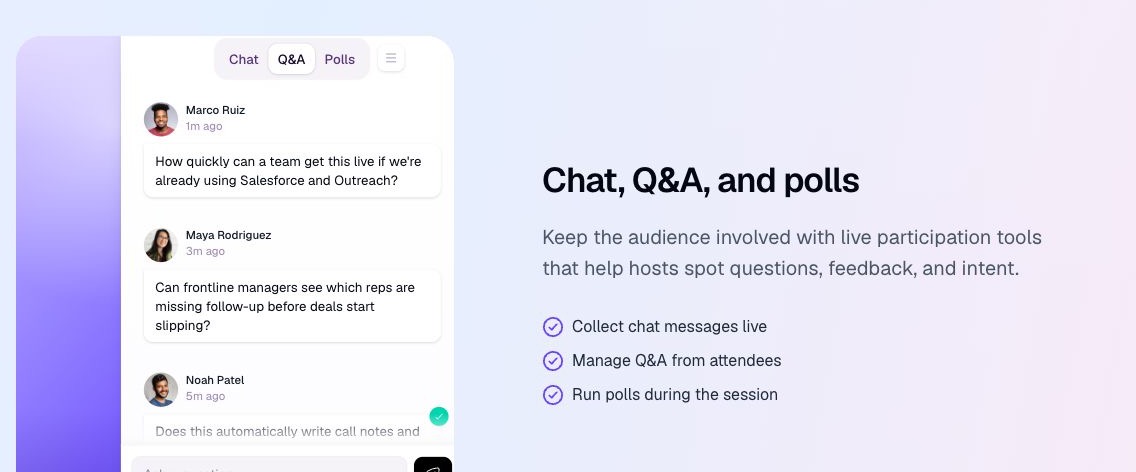
Design chat, Q&A, and polls into the structure of the session so each prompt has a clear job.
Do not drop a poll into the webinar just because it has been ten minutes since the last one. Place interaction where it helps the audience think, decide, or respond.
A useful live flow might look like this:
- Open with a quick expectation-setting poll so the room can see its own priorities.
- Add a chat prompt after the first teaching section to surface real examples.
- Use Q&A after a high-friction point where objections are likely to appear.
- Offer a resource download when the audience needs a checklist or template.
- Place a CTA after the section that makes the next step feel natural.
| Interaction | Best moment | What it helps the audience do | Safe follow-up signal |
|---|---|---|---|
| Poll | After a key teaching point | Compare their situation with the room | A topic or problem worth exploring, not proof of intent |
| Q&A | After a complex or high-friction section | Ask for clarity on a real blocker | A question that may need a direct answer or resource |
| Chat prompt | During an example or reflection pause | Share context and learn from peers | Language and examples that can improve the recap |
| Resource | When the audience needs to apply the idea | Save a checklist, template, or guide | Interest in implementation help |
| CTA | When a relevant next step is clear | Continue to a demo, trial, guide, or related session | A chosen action that deserves contextual follow-up |
Here are four B2B examples you can adapt:
- Diagnostic poll: "Which part of your follow-up process breaks most often: speed, ownership, personalization, or CRM visibility?" Use the answer to choose which example to show next. For more options, see these webinar poll questions.
- Q&A prompt: "What would stop your team from putting this workflow into practice next month?"
- Chat prompt: "What is one manual step your team would remove from the current process?"
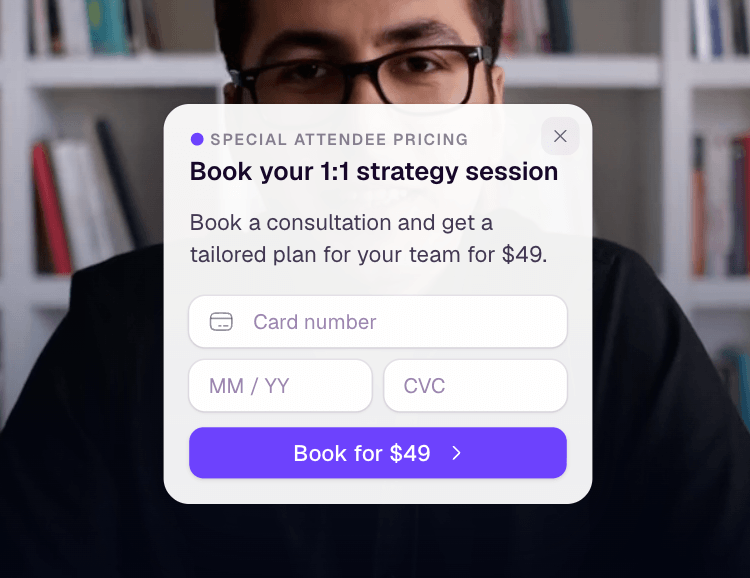
- CTA: "See the 15-minute workflow" after the practical demonstration, linking to a focused demo or implementation guide rather than a generic homepage.
The CTA is especially important. A webinar CTA should not feel bolted onto the end of the session. It should connect the viewer's current context to a clear next action. That might be booking a demo, starting a trial, viewing pricing, downloading a guide, joining another session, or watching a related replay.
For more CTA-specific guidance, see these webinar CTA examples and the deeper guide to conversion tools.
Turn participation into audience signals
The real value of interaction appears after the click, answer, or question.
Each interaction gives your team a better way to understand the audience. Not perfectly, and not deterministically, but more usefully than attendance alone.
A poll answer may show which pain point matters. A question may reveal confusion or urgency. A resource download may show interest in implementation. A pricing CTA click may suggest a stronger commercial next step. A replay return may show that the topic stayed relevant after the live session.
This is where many webinar programs lose momentum. They create participation during the session, but the data never becomes part of the follow-up workflow. It stays in a webinar report, a chat transcript, or a spreadsheet no one opens again.
The stronger approach is to connect interaction to an audience record. Your team should be able to see who registered, who attended, what they clicked, what they asked, whether they watched the replay, and which follow-up path makes sense.
That is why audience intelligence matters. A webinar becomes more valuable when the team can use audience intelligence to understand behavior at the contact level, not only as a session-level total.
Make replay interactive too
Replay viewers are not leftovers from the live session.
They may be people who could not attend live, people who returned because the topic mattered, or people sharing the session internally. If the replay is only a static recording, you lose a second chance to create useful context and action.
A practical webinar replay strategy should include interaction by design:
- Keep the main CTA available during the replay.
- Add resource prompts near the relevant section.
- Use chapters or section labels so viewers can find what matters.
- Track whether a viewer watched, returned, clicked, or dropped off.
- Route replay viewers into follow-up based on what they did.
The 2026 Webinar Benchmarks Report summary draws on ON24's own platform dataset and reports meaningful on-demand viewing alongside increased use of CTAs and other interactive tools. It is not a universal benchmark. The useful takeaway is that replay and interaction deserve a place in the full webinar system instead of becoming afterthoughts.
Follow up based on what people did
Audience interaction makes follow-up sharper because it gives your team more than a list of attendees.
Instead of sending the same message to everyone, segment follow-up by behavior:
- Registered but did not attend: send the replay and lead with the original promise.
- Attended but did not interact: offer the clearest recap and one low-friction next step.
- Asked a question: follow up with the answer, related resource, or relevant sales context.
- Clicked a CTA: continue the path they already chose.
- Watched the replay: reference the replay topic and offer a next step tied to that section.
- Downloaded a resource: send a practical implementation prompt.
The goal is not to create a complicated automation map for its own sake. The goal is to make follow-up feel relevant because it reflects the viewer's actual behavior.
That is where follow-up automation can help. If audience signals and next steps are connected, the team can respond faster and with more context.
Measure interaction without overclaiming it
Interaction is useful, but it needs careful interpretation.
A CTA click is a signal. It is not a closed deal. A poll answer is useful context. It is not a full qualification model. A replay view shows continued interest. It does not automatically prove purchase intent.
Measure interaction in a way that helps your team decide what to do next:
- Which poll answers were most common?
- Which questions came up repeatedly?
- Which CTA appeared at the strongest moment?
- Which resources were downloaded?
- Which audience segments watched the longest?
- Which replay sections pulled people back?
- Which follow-up paths created replies, bookings, trials, or qualified conversations?
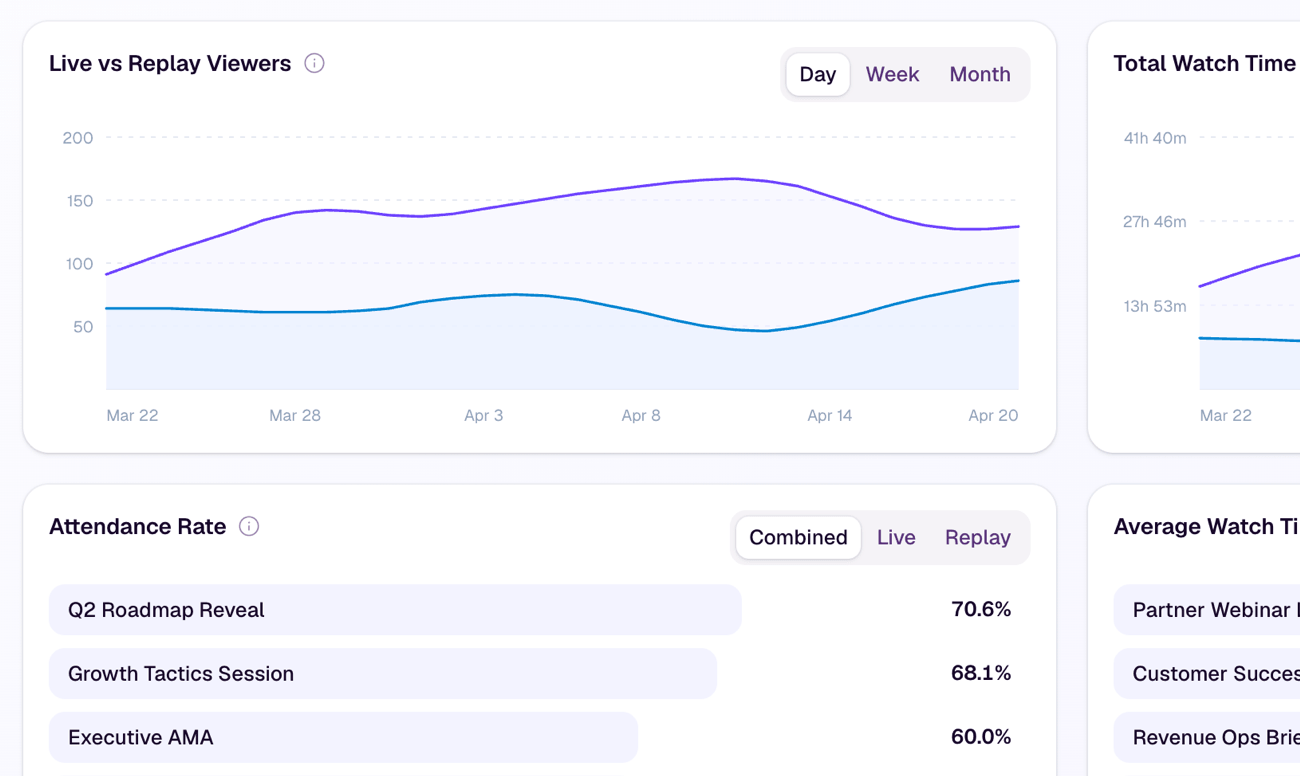
Those signals should feed your broader webinar engagement metrics and analytics review. The purpose is not to make every webinar look successful. The purpose is to learn which interactions created clarity, action, and useful follow-up.
Use a simple interactive webinar checklist
A good interactive webinar does not need dozens of moving parts. It needs a few well-placed moments that support the audience journey.
Before the webinar:
- Add one useful registration question.
- Make the promise of the session specific.
- Decide which audience signal would make follow-up better.
- Plan the primary CTA before building the slides.
During the webinar:
- Open with one quick participation moment.
- Use polls or chat where they clarify the topic.
- Invite questions around the highest-friction ideas.
- Place the CTA where it feels timely.
- Capture resource interest when the audience needs help applying the idea.
After the webinar:
- Keep replay CTAs active.
- Segment follow-up by behavior.
- Review interaction data alongside attendance and watch time.
- Use the learning to improve the next session.
This checklist is intentionally simple. Interactivity should make the webinar easier to understand and act on, not heavier to run.
Where HeyStream fits
HeyStream is built around the idea that the live session is not the finish line.
For an interactive webinar program, HeyStream brings live chat, moderated Q&A, polls, reactions, live and replay CTAs, and interaction analytics into the same broadcast workflow. Teams can see what people asked, answered, clicked, and watched without treating any single action as proof of purchase intent.
That matters most when each session is part of a repeatable program. The combination of branded registration and watch pages, audience records, analytics and insights, and follow-up context helps the team carry useful participation into the next decision.
Each session should teach your team something about the audience, the offer, the topic, and the next best action. The stronger the signal loop, the easier it is to make the next webinar more useful than the last.
You can explore that broader model in the B2B webinar growth engine.
The practical takeaway
An interactive webinar is not successful because it has polls, chat, Q&A, and CTAs.
It is successful when those moments help the audience participate in a useful way and help your team understand what to do next.
Start with the viewer's journey. Decide where participation would make the session clearer, more useful, or easier to act on. Then connect those moments to replay, follow-up, and analytics so the learning carries forward.
That is how interaction becomes more than activity. It becomes part of a repeatable webinar system.


