The best ClickMeeting alternative depends on the webinar program you actually need to run. HeyStream fits recurring live B2B webinars that need registration, audience records, CTAs, replay, and follow-up in one workflow. Demio and eWebinar suit automation-led programs in different ways. GoTo Webinar and Zoom Webinars cover broader corporate requirements. Livestorm and WebinarNinja sit between those models.
That does not make ClickMeeting a poor choice. It remains a broad platform for live, automated, on-demand, paid, training, and enterprise events. A switch makes sense only when another operating model fits your team better.
This guide compares seven ClickMeeting alternatives by workflow rather than declaring a universal winner. HeyStream is included, so we will be explicit about where it fits and where it does not.
Quick answer: the best ClickMeeting alternative by workflow
| Platform | Best fit | Delivery model | Main tradeoff to verify |
|---|---|---|---|
| HeyStream | Recurring live B2B webinars with connected audience data and follow-up | Live-first with replay | Not designed for automated evergreen or certification-led programs |
| Livestorm | Browser-based marketing webinars with a broad event workflow | Live and on-demand | Check plan access for the event types and integrations you need |
| Demio | Marketing teams combining live sessions with automated webinars | Live and automated | Check current event and attendee packaging |
| GoTo Webinar | Established corporate, training, paid, and larger webinar programs | Live, simulive, series, and on-demand | Confirm which plan includes each advanced capability |
| WebinarNinja | Educators and smaller teams mixing live, automated, hybrid, and paid sessions | Live, automated, hybrid, series, and paid | Confirm current attendee and course packaging |
| Zoom Webinars | Teams already standardized on Zoom or needing broader event production | Live, Simulive, and multi-session options | Distinguish Webinars, Webinars Plus, and Zoom Events |
| eWebinar | Automated recurring and on-demand presentations | Pre-recorded and automated | Not a live broadcast studio |
Use the shortlist as a starting point, not a ranking. Your best option depends on whether you are replacing a live webinar workflow, an automated funnel, paid training, or a broader enterprise event stack.
When ClickMeeting is still the right choice
Before comparing alternatives, check whether your current platform already matches the job.
ClickMeeting's current plan comparison shows live and automated plan paths alongside paid webinars, branded event materials, engagement tools, reporting, integrations, certificates, and enterprise options. That breadth can be valuable when one team runs several event types and wants to keep them under one account.
Staying may be the stronger decision when:
- You use both live and automated events.
- Paid webinars, certificates, or education workflows matter.
- Your registration pages, emails, recordings, and integrations already work.
- The effort of moving historical data and automations outweighs the benefit of a narrower specialist.
- A current ClickMeeting plan covers the limits and controls you need.
Do not switch because another product has a longer feature list. Switch when it better fits your main operating model and the improvement is worth rebuilding the surrounding workflow.
How we selected these ClickMeeting alternatives
We compared each platform across the full webinar journey:
- Live, automated, on-demand, and hybrid delivery.
- Registration, branding, and lifecycle emails.
- Polls, Q&A, offers, and calls to action.
- Recording, replay, and content reuse.
- Contact-level data, analytics, integrations, and follow-up.
- Paid events, training, certification, and enterprise breadth.
- Current official product information.
We excluded unsupported claims about reliability, support quality, ease of use, and conversion performance. Product pages can confirm scope, but they cannot prove one vendor delivers better outcomes for every team.
HeyStream publishes this comparison and appears in the shortlist. That means this is a transparent fit guide, not an independent ranking. If you want a broader view of the category, you can compare webinar platforms or read our guide to choosing the best webinar platform for B2B lead generation.
The seven ClickMeeting alternatives in detail
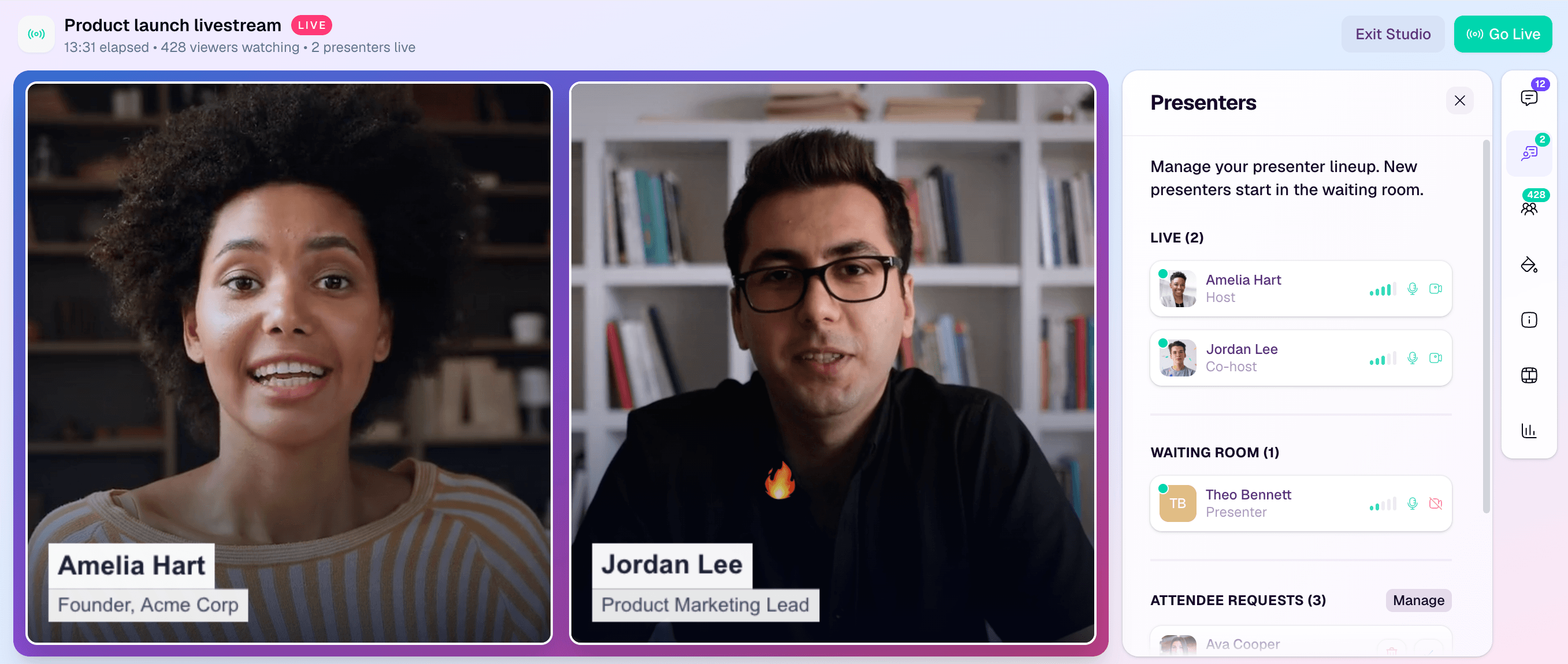
1. HeyStream: for recurring live B2B webinar programs
Best for: B2B marketing teams that run recurring live webinars, demos, launches, or panels and want audience data, CTAs, replay, and follow-up to stay connected.
HeyStream's B2B webinar workflow connects branded registration and watch pages with a built-in audience CRM, live and replay CTAs, viewer activity, and follow-up. HeyStream's plan comparison shows which tiers add reusable CTA collections, integrations, outbound automation, higher audience limits, and operator controls.
The practical difference is focus. HeyStream is live-first and built around the work before and after the broadcast, not only the live room. It fits a team that wants each session to feed a repeatable B2B program.
It is not the right replacement when automated evergreen playback, paid training, certificates, or a large multi-day virtual event are the primary job. Those are areas where ClickMeeting or another platform may be a better fit.
What to verify: Live attendee needs, broadcast duration, streaming method, integrations, workspace count, and which follow-up capabilities sit in the plan you are evaluating.
If recurring live programming is your main job, use this recurring webinar platform checklist to assess the workflow behind the product.
2. Livestorm: for browser-based marketing events
Best for: Marketing and customer-facing teams that want browser-based events with registration, emails, data export, and a broader app or API ecosystem.
Livestorm's feature guide describes browser-based events, branded registration pages and rooms, email cadences, contact data, exports, apps, and API access. Its scope covers more than a basic live room, which makes it relevant when several teams share an event platform.
Compared with ClickMeeting, Livestorm may appeal when a browser-first attendee and host workflow is central to your selection. The decision should still rest on the exact event types, automation, integrations, and plan controls your program needs.
Who should not choose it: Teams whose main requirement is a specialist automated presentation workflow or a live-first B2B conversion system should compare those focused alternatives directly.
What to verify: Automated and on-demand availability, attendee and registration limits, CRM connections, API access, recording controls, and enterprise-only capabilities.
3. Demio: for marketing-led live and automated webinars
Best for: Marketing teams that want live webinars and automated presentations with contact-level engagement detail.
Demio's automated webinar guide documents pre-recorded sessions with timed polls, handouts, calls to action, and optional live chat. Its webinar analytics guide describes attendee and no-show segments, contact activity logs, registration-source tracking, and exportable engagement information.
This makes Demio a strong option when automation is part of a marketing webinar program rather than a separate content library. It differs from eWebinar by retaining a closer connection to conventional live webinar delivery.
Who should not choose it: Teams prioritizing paid training, certification, large virtual events, or a deeply established enterprise meeting ecosystem should assess broader platforms.
What to verify: Current event types, automated-session behavior, attendee limits, CRM integrations, recording and replay rules, and plan packaging.
4. GoTo Webinar: for established corporate and training programs
Best for: Corporate teams that need live webinars, series, on-demand content, training or certification features, paid events, and larger program controls.
GoTo Webinar's current plan comparison lists simulive events, payments, branded experiences, and plan-specific program controls. Its feature guide covers one-off events, series, on-demand experiences, custom registration, engagement, reporting, source tracking, and integrations.
GoTo Webinar is relevant when the operating model is broader than a marketing team's recurring live show. Existing company standards, admin expectations, and integrations may also carry real weight in the decision.
Who should not choose it: A smaller B2B marketing team may prefer a more focused product if it does not need the wider corporate or training surface.
What to verify: The exact plan for simulive, paid events, certificates, branding, attendee capacity, breakout rooms, recordings, storage, and integrations.
For a vendor-specific comparison, see our guide to GoTo Webinar alternatives.
5. WebinarNinja: for mixed webinar and course workflows
Best for: Educators, coaches, and smaller businesses that want live, automated, hybrid, series, and paid webinar options in one product.
WebinarNinja's feature guide covers its range of webinar types alongside registration, email, engagement, replay, and offer tools. Its current pricing page describes paid webinars and courses, branded pages, embedded registration, API access, Stripe, and integrations.
The main distinction is the course and education orientation. That can be useful when webinars and paid learning belong in the same operating model.
Who should not choose it: Teams focused on B2B audience CRM, high-scale enterprise events, or an automated-only presentation engine may find a more specialist fit elsewhere.
What to verify: Attendee limits, automated and hybrid behavior, course packaging, payment terms, email controls, data exports, API access, and enterprise options.
6. Zoom Webinars: for Zoom-standardized and larger event teams
Best for: Organizations already using Zoom or teams that need a familiar webinar interface, higher-capacity options, production controls, and a route into multi-session events.
Zoom Webinars covers branded registration, chat, Q&A, polls, recordings, analytics, marketing connections, production tools, and Simulive delivery. The same page distinguishes standard Webinars, Webinars Plus, and Zoom Events, which matters because their capabilities are not interchangeable.
Zoom may be the practical choice when procurement, presenter familiarity, and the wider Zoom ecosystem outweigh the benefit of a narrower marketing workflow.
Who should not choose it: Teams that want registration, audience records, reusable conversion assets, and automated follow-up designed as one B2B growth workflow should compare how much of that work remains in separate tools.
What to verify: Which product tier you need, attendee capacity, Simulive access, production tools, branding, reporting, CRM connections, on-demand delivery, and multi-session requirements.
7. eWebinar: for automated recurring and on-demand delivery
Best for: Teams that want a pre-recorded presentation to run repeatedly without turning every session into a live production.
eWebinar's feature guide describes scheduled and on-demand playback, recurring availability, preprogrammed interactions, private chat, registration options, analytics, and integrations. Its pricing page explains the current subscription and add-on structure so buyers can check active-webinar, registrant, team, and learning-path requirements.
eWebinar is the clearest specialist in this list. It is designed around automated delivery, not a live broadcast studio. That makes it a useful ClickMeeting alternative when automated presentation is the core job, but not when live production is the reason you are switching.
Who should not choose it: Teams that need presenters to produce a live show, manage live scenes, or build a primarily live program need a live webinar platform.
What to verify: Active webinar limits, monthly registrants, team access, chat workflow, integrations, analytics, learning-path add-ons, and how recordings are updated.
Choose the operating model before the product
Feature comparison becomes much easier once you decide which operating model matters most.
Choose live-first for recurring B2B programs
Start here when presenters, audience interaction, branded production, live offers, replay, and follow-up form one recurring workflow. HeyStream is built for this job. Livestorm, Demio, Zoom, GoTo Webinar, and ClickMeeting can also support live programs with different levels of breadth.
Choose automated-first for repeatable presentations
Start here when the main asset is a recorded presentation that should run on demand or on a recurring schedule. eWebinar is the specialist choice in this shortlist. Demio, WebinarNinja, ClickMeeting, GoTo Webinar, and higher Zoom tiers offer different forms of automation or simulive delivery.
Our guide to automated webinars versus live webinars explains the format decision in more depth.
Choose a mixed live and automated platform
Choose a mixed model when the same team genuinely runs both event types and wants shared registration, content, reporting, or administration. ClickMeeting, Demio, Livestorm, WebinarNinja, GoTo Webinar, and Zoom all deserve closer evaluation here.
Choose paid training or certification tools
ClickMeeting, WebinarNinja, and GoTo Webinar should be on the shortlist when paid access, learning workflows, or certification matter. Check payment providers, fees, certificates, coupons, attendance records, and course packaging before choosing.
Choose an enterprise event suite
GoTo Webinar and Zoom become more relevant as capacity, admin controls, production, multi-session events, security review, procurement, and established company standards grow in importance. ClickMeeting's enterprise path may also remain the sensible choice.
What to check before switching from ClickMeeting
A platform decision is only half the migration. Map the surrounding system before you cancel anything.
Registration and consent
- Rebuild registration pages, embedded forms, custom fields, and consent text.
- Preserve source and campaign tracking.
- Test confirmations, calendar links, and time-zone handling.
Emails and automation
- List every confirmation, reminder, no-show, replay, and follow-up message.
- Record the triggers, delays, segments, and suppression rules.
- Check which automations move into the new platform and which stay in your CRM or email tool.
Audience and historical data
- Export registrants, attendees, no-shows, recordings, chat, polls, Q&A, and historical reports.
- Decide what must remain queryable after the move.
- Document field names before mapping contacts into another system.
Integrations and tracking
- Inventory CRM, email, analytics, payment, ad, and automation connections.
- Rebuild tags, source fields, webhooks, API calls, and event triggers.
- Validate each integration with test records.
Content and conversion assets
- Move recordings, slides, polls, surveys, offers, CTAs, certificates, and replay destinations.
- Recheck links, permissions, captions, and download access.
- Do not assume an exported recording recreates the original attendee journey.
Limits, security, and operations
- Compare attendee, presenter, duration, storage, concurrency, and workspace limits.
- Review branding, domains, accessibility, security, data location, and admin roles.
- Confirm pricing, billing terms, cancellation dates, add-ons, and implementation support.
Pilot one real event before moving the full program. The pilot should test registration, presenter access, live or automated delivery, engagement, recording, replay, data exports, integrations, and follow-up.
Which ClickMeeting alternative should you choose?
Use this decision path:
- Choose HeyStream for a recurring live B2B program where registration, audience CRM, CTAs, replay, and follow-up should work together.
- Choose Livestorm for a browser-based marketing event platform with broader event and integration coverage.
- Choose Demio for marketing-led live and automated webinars with detailed contact activity.
- Choose GoTo Webinar for established corporate, training, paid, and larger webinar programs.
- Choose WebinarNinja when webinars and paid courses or education workflows overlap.
- Choose Zoom Webinars when Zoom familiarity, organizational standards, production, or broader virtual events matter.
- Choose eWebinar when automated recurring and on-demand delivery is the core job.
- Stay with ClickMeeting when its broad mix already fits and migration would add work without solving a clear problem.
The right choice is the one that fits your most important workflow with the fewest awkward handoffs. If your team runs recurring live B2B webinars and wants the work from registration through follow-up in one place, see how HeyStream approaches the complete workflow.


