The best GoTo Webinar alternatives for B2B teams include HeyStream for connected live-to-replay growth workflows, Zoom Webinars for teams already standardized on Zoom, Livestorm or Demio for browser-based marketing webinars, BigMarker for broader event programs, and ON24 or Cvent for enterprise digital engagement.
GoTo Webinar can still be the right choice for familiar webinar administration, training, town halls, and teams already invested in the GoTo ecosystem. The useful question is not which platform has the longest feature list. It is which one best supports the work your team needs to repeat across registration, live delivery, CTAs, replay, audience signals, and follow-up.
This guide compares the options by workflow fit so you can decide whether to keep GoTo Webinar or move to a platform built around a different operating model.
Quick Answer: The Best GoToWebinar Alternative Depends On Your Workflow
For B2B marketing teams, a good GoToWebinar alternative should match the job the webinar needs to do:
| Platform type | Best fit | What to watch |
|---|---|---|
| HeyStream | B2B teams that want branded live webinars, viewer-level audience signals, CTAs, replay, and follow-up in one workflow | Not a feature-for-feature enterprise event-suite replacement |
| Zoom Events and Webinars | Teams already standardized on Zoom for meetings, webinars, and larger events | The experience can feel meeting-first unless the team configures a stronger marketing workflow |
| Livestorm or Demio-style tools | Marketing teams that want browser-based webinars with a lighter operational setup | Check replay, data, and integration depth against your follow-up needs |
| BigMarker-style webinar suites | Teams that want a broad webinar and virtual-event feature set | Make sure the breadth does not add process overhead your team will not use |
| ON24, Cvent, Webex, or enterprise event platforms | Larger programs with enterprise event, digital engagement, or collaboration-suite needs | Usually better for complex event portfolios than focused recurring webinar motions |
| GoTo Webinar | Established webinar operations, trainings, departments, and teams already comfortable with GoTo | May not be the best fit when your main need is a modern live-to-replay growth workflow |
If you are building webinars around pipeline, audience intelligence, and post-event action, start by mapping your process before you compare feature grids. The right tool should help you move from a clear topic to a branded registration page, a polished live session, useful engagement prompts, replay conversion, and follow-up your team can actually use.
When GoTo Webinar Is Still The Right Fit
GoTo Webinar is not a weak baseline. The product is positioned as an all-in-one webinar platform for use cases such as marketing events, employee training, education, and conferences. GoTo's own webinar page describes capabilities including branded registration pages and forms, automated emails, integrations, Practice Mode, polls, Q&A, analytics, and Simulive-style prerecorded sessions run as live events through GoTo Webinar.
That makes GoTo Webinar a reasonable fit when your team values a familiar webinar-admin workflow, needs standard webinar controls, or already has GoTo processes in place. It can also make sense for training-heavy teams, larger departments, and organizations that want established webinar operations more than a specialized marketing workflow.
The key is to avoid comparing GoTo against a straw version of itself. If a buyer says they want an alternative, the reason is often not that GoTo cannot host webinars. The reason is usually that the team wants the webinar workflow to feel more connected to modern B2B marketing: cleaner branded pages, better live and replay CTAs, clearer viewer behavior, and easier follow-up after the session.
Why B2B Teams Look For GoToWebinar Alternatives
Most B2B teams do not switch webinar platforms because one feature is missing. They start comparing because the overall workflow no longer fits how the team wants to operate.
Common reasons include:
- The registration and watch experience needs to feel more branded and campaign-ready.
- The team wants live CTAs, replay CTAs, and next-step prompts to sit closer to the viewing experience.
- Marketing and sales need clearer audience records, not just aggregate attendance reports.
- Replay viewers need to stay visible after the live event ends.
- Follow-up needs to reflect what a person watched, clicked, asked, or missed.
- The team wants a simpler recurring webinar motion instead of a broad event-admin process.
- Pricing and attendee limits need to match the real operating model, not just a single event.
That is why the practical question is not "Which tool has the most features?" It is "Which platform supports the webinar motion we are actually trying to run?"
Evaluation Criteria For B2B Webinar Teams
Use these criteria before you choose a GoToWebinar alternative.
| Criteria | What to compare |
|---|---|
| Setup and host workflow | How quickly can the team create the webinar, invite speakers, rehearse, and run the live session? |
| Branded registration and watch pages | Does the webinar feel like part of your company experience, or like a generic event room? |
| Engagement tools | Can attendees ask questions, respond to prompts, use chat, answer polls, or interact in ways that improve the session? |
| Live and replay CTAs | Can your team place useful next steps in the live session and keep them available for replay viewers? |
| Audience data | Can you see contact-level behavior, or only session-level reporting? |
| Replay workflow | Is replay a first-class part of the campaign, or a recording uploaded after the fact? |
| Follow-up | Can marketing and sales act on attendance, watch time, questions, clicks, and replay behavior? |
| Integrations | Does the platform connect cleanly with the CRM, marketing automation, or outbound workflow you already use? |
| Analytics | Does reporting help the team improve topics, CTAs, follow-up, and future campaigns? |
| Buying model | Do organizer seats, attendee limits, event scale, and add-ons match how often your team runs webinars? |
This is also where you should separate webinar operations from webinar growth. Operations asks, "Can we host the session?" Growth asks, "Can we turn what happened in the session into audience understanding and next steps?"
GoToWebinar Alternatives Shortlist By Fit
HeyStream: For B2B Webinar Growth Workflows
HeyStream is the strongest fit when your team wants a webinar program to connect live production, branded viewing, CTAs, replay behavior, audience records, and follow-up.
Choose HeyStream when your webinar program is built around:
- Branded live broadcasts for product demos, launches, recurring sessions, and customer education.
- Registration and watch pages that feel like part of your own marketing site.
- Webinar CTAs that can point attendees to a demo, pricing page, offer, resource, or next step.
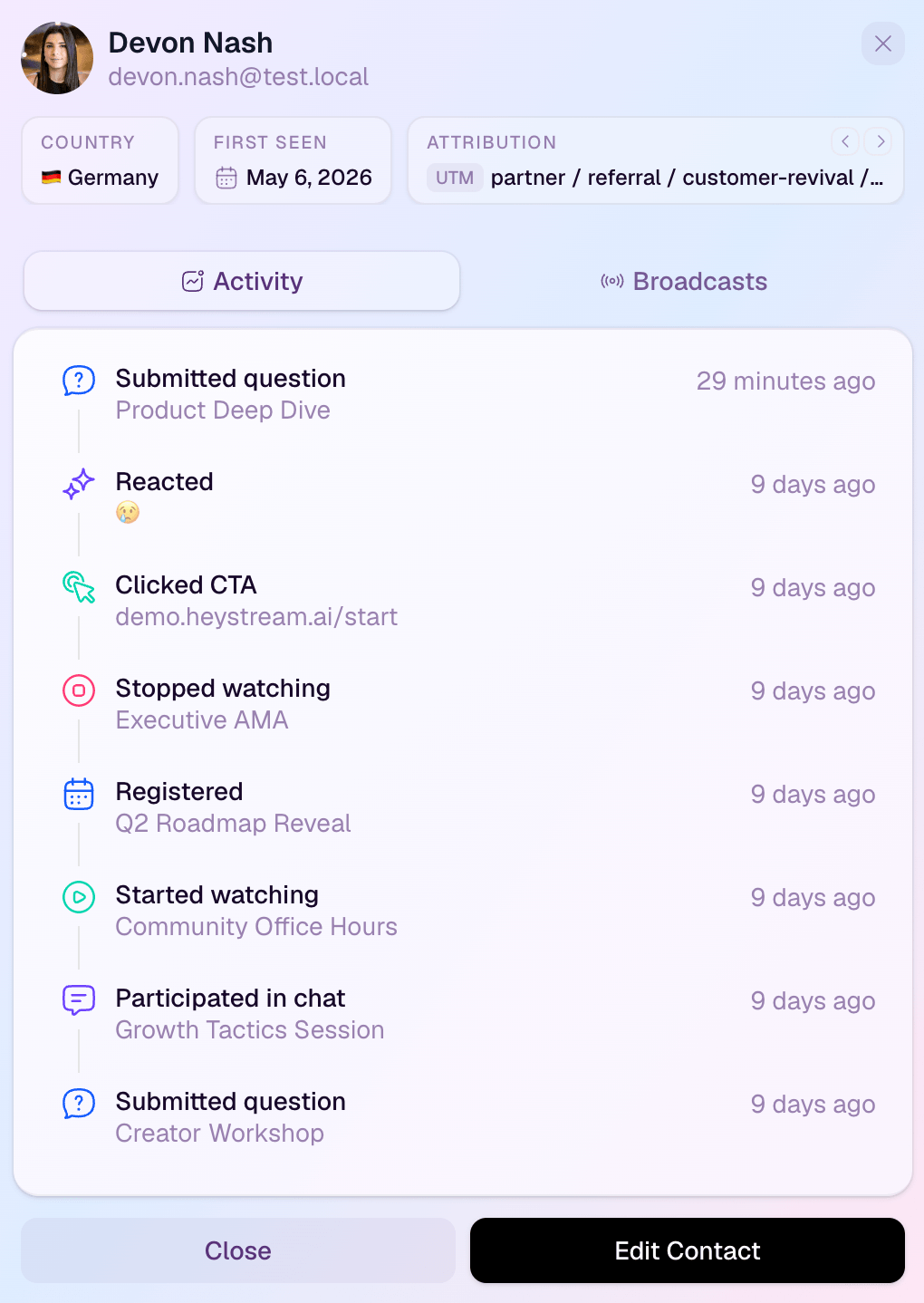
- Audience intelligence at the contact level, including useful behavior around attendance, questions, clicks, and replay.
- Behavior-based follow-up after the live event and replay window.
- A browser-based webinar studio for polished sessions without turning every webinar into a production project.
HeyStream is not the right way to replace every enterprise event-management use case. If you need a broad portfolio for massive conferences, certified training programs, ticketing, or complex event services, compare against enterprise event platforms as well. But if the main job is running better B2B webinars that create clearer next steps, HeyStream is built for that motion.
Zoom Events And Webinars: For Zoom-Centered Teams
Zoom is often on the shortlist because many teams already use it. If your company is standardized on Zoom, a Zoom webinar or event product can reduce adoption friction for hosts and attendees.
The tradeoff is that teams may need to work harder to create a differentiated marketing experience around the webinar. If your webinar needs custom campaign pages, live and replay CTAs, viewer-level buying signals, and a clean follow-up workflow, compare the end-to-end marketing motion rather than the meeting familiarity alone.
Livestorm Or Demio-Style Tools: For Browser-Based Marketing Webinars
Browser-based webinar tools can be appealing for marketing teams that want a lighter setup than legacy webinar administration. They often work well for teams focused on demos, workshops, and recurring educational sessions.
When comparing them against GoTo Webinar, look beyond ease of joining. Check whether the tool supports the replay, contact-level data, CTA, and follow-up model your team needs after the live session.
BigMarker-Style Platforms: For Broader Webinar And Event Marketing
BigMarker and similar platforms tend to show up in webinar-platform comparison lists because they cover a broad range of webinar and virtual-event use cases. They may fit teams that want more event-marketing breadth in one system.
The question is whether your team needs that breadth. If most of your webinars are recurring B2B sessions, product demos, and demand-generation programs, a focused workflow may be easier to operate than a broad suite.
ON24, Cvent, Webex, And Enterprise Event Platforms
Enterprise event and digital-engagement platforms make sense when your team is running a larger event portfolio, has complex internal requirements, or needs capabilities beyond a focused webinar program.
They are worth comparing when webinars sit inside a bigger event strategy. They may be less natural when your immediate goal is a leaner recurring webinar motion with stronger live-to-replay follow-up.
For an adjacent deeper dive, see our guide to ON24 alternatives.
GoTo Webinar Vs HeyStream: Which Should A B2B Team Choose?
Choose GoTo Webinar when your priority is established webinar administration. It is a stronger fit when the team values familiar webinar controls, training or education workflows, larger internal programs, or existing GoTo standardization.
Choose HeyStream when your priority is a B2B webinar growth workflow. It is a stronger fit when the team wants the event experience, audience data, replay, CTAs, and follow-up to work together.
| If your team needs... | GoTo Webinar may fit when... | HeyStream may fit when... |
|---|---|---|
| Standard webinar hosting | You want a familiar webinar-admin workflow | You want the live event tied to branded pages and audience records |
| Training or education programs | You need established training-style operations | You are running education as part of a marketing or customer-growth motion |
| Branded attendee experience | You need branded registration within a traditional webinar setup | You want branded registration and watch pages as part of the core campaign experience |
| Live and replay CTAs | CTAs are handled mostly outside the webinar room | CTAs are a central part of the live and replay experience |
| Audience data | Aggregate reporting is enough | Contact-level behavior should shape follow-up |
| Follow-up | Follow-up is handled manually or in another system | Follow-up should respond to attendance, replay, clicks, and questions |
If you are still early in the evaluation, it can help to compare webinar platforms by workflow rather than starting with vendor categories. If your team already knows it wants a marketing-led platform, the B2B webinar platform page is the more direct next step.
Pricing And Buying-Model Considerations
Pricing comparisons can get misleading quickly, especially when plans vary by attendee limit, organizer seats, event type, add-ons, and annual billing.
As of June 15, 2026, GoTo Webinar's pricing page presents Reach, Elevate, and Complete paths. The same page describes participant limits up to 500 for Reach, up to 1,000 for Elevate, and up to 3,000 for Complete, with the Complete path routed through sales for custom plans. It also lists plan capabilities such as reporting and analytics, automated emails, integrations, Simulive events, source tracking, paid events, certified training, and live streaming availability across the plan structure.
That does not mean every team should optimize for the lowest visible price. A B2B webinar team should compare the total operating model:
- How many people need organizer access?
- How many attendees do your normal webinars actually attract?
- Do you run one-off events, recurring programs, product demos, or all of the above?
- Will replay viewers receive the same quality of next step as live attendees?
- Does sales need viewer-level context, or only registration and attendance status?
- Do you need an enterprise event suite, or a focused webinar workflow?
- Is transparent self-serve pricing important for the buying process?
If HeyStream is on your shortlist, use HeyStream pricing to compare plans against your expected webinar cadence, audience size, and follow-up workflow. The point is not to compare a single subscription line. The point is to understand what it costs your team to run the full webinar motion well.
How Review Marketplaces Should Influence Your Shortlist
Review marketplaces can help you discover which names buyers commonly compare, but they should not make the decision for you.
For example, G2's GoTo Webinar alternatives page surfaces review-led context and commonly compared tools, including webinar, meeting, event, and collaboration products. That is useful for building a shortlist. It is less useful as proof that any one platform is universally better for your specific webinar program.
Use review pages to spot themes:
- Which tools appear repeatedly?
- What do users praise or criticize?
- Are complaints about the platform, the buying model, the host workflow, support, integrations, or fit?
- Do reviewers sound like your team, or like a different buyer?
Then bring the comparison back to your own webinar motion.
Decision Checklist
Use this checklist before you commit to a GoToWebinar alternative:
- Are we mainly running trainings, internal events, marketing webinars, product demos, or a mix?
- Do we need a broad event platform or a focused recurring webinar workflow?
- Should the registration and watch experience feel like a branded campaign?
- Will the live session include meaningful next-step CTAs?
- Are replay viewers as important as live attendees?
- Does follow-up need to reflect what each person watched, clicked, asked, or missed?
- Do sales and marketing need contact-level audience signals?
- Which systems need the webinar data afterward?
- Are attendee limits, organizer seats, and annual billing aligned with our normal webinar cadence?
- What would make the tool feel easy to operate three months from now, not just impressive in a demo?
If most of your answers point toward event administration, GoTo Webinar may still be a good fit. If they point toward audience signals, CTAs, replay, and follow-up, a focused B2B webinar workflow is probably worth comparing.
The Practical Takeaway
The strongest GoToWebinar alternative for a B2B team is the one that fits the webinar's real job.
If the job is to host established webinars, trainings, or larger department events, GoTo Webinar deserves a fair look. If the job is to turn live and replay sessions into clearer audience insight and better next steps, compare tools by the full workflow: branded registration, live production, CTAs, replay, viewer behavior, integrations, analytics, and follow-up.
That is where HeyStream is different. It is built for teams that want webinars to be more than a scheduled event. They should become a repeatable growth motion your audience can attend, revisit, act on, and help your team learn from.


