Use the HeyStream GoHighLevel integration when HeyStream runs the webinar and HighLevel owns the contact record and follow-up workflow. HeyStream can create or update a HighLevel contact when someone registers or attends, add the tags configured on the connection, and send selected registration answers into contact custom fields.
That is a focused contact handoff, not a complete event-data mirror. It does not send every viewer action, create opportunities, move deals through a pipeline, or prove that a downstream workflow ran. Getting this integration right starts with that boundary.
You may not need an external webinar platform at all. HighLevel's current webinar guide describes native live and on-demand webinar funnels with registration pages, CRM capture, reminders, follow-ups, and workflow support. If that setup already covers your delivery and audience needs, keeping the webinar inside HighLevel may be simpler.
Choose the HeyStream GoHighLevel integration when HeyStream owns the broadcast experience and you want the right contact data available in HighLevel for the next step.
Choose the right webinar setup first
The integration decision is really an ownership decision. Pick the system that should run the webinar, then decide what the other system needs to receive.
| If your team needs | Better starting point | Why |
|---|---|---|
| A webinar funnel, registration pages, reminders, and follow-up managed inside one HighLevel account | Native HighLevel webinar | HighLevel owns delivery, capture, and automation in the same system. |
| A HeyStream broadcast with HighLevel contact follow-up | HeyStream plus HighLevel | HeyStream owns the live experience and audience record. HighLevel receives the contact details needed for follow-up. |
| Viewer events beyond registration and attendance, such as CTA clicks, replay views, watch time, no-show status, or questions | A separate event or webhook design | The current HeyStream GoHighLevel provider does not send those events. |
This avoids a common mistake: connecting two platforms before deciding what each one owns. When both systems send reminders or follow-up, contacts can receive duplicate messages. When neither system has clear ownership, a successful contact sync can be mistaken for a completed campaign.
What HeyStream sends to GoHighLevel
The current integration supports two HeyStream events: registration and attendance. Both can create or update the same HighLevel contact using the person's email address and available name fields.
| HeyStream event or data | HighLevel result | Important boundary |
|---|---|---|
| A person registers | Create or update a contact | This records the contact handoff. It does not prove a workflow ran. |
| A person attends | Create or update the same contact | Attendance does not create a separate activity timeline event in HighLevel. |
| Configured tags | Add those tags to the contact | Tags are connection configuration, not a guaranteed statement of attendance or intent. |
| Selected registration answers | Create or reuse contact-level text fields and write the answers | Only fields selected for the connection are sent. |
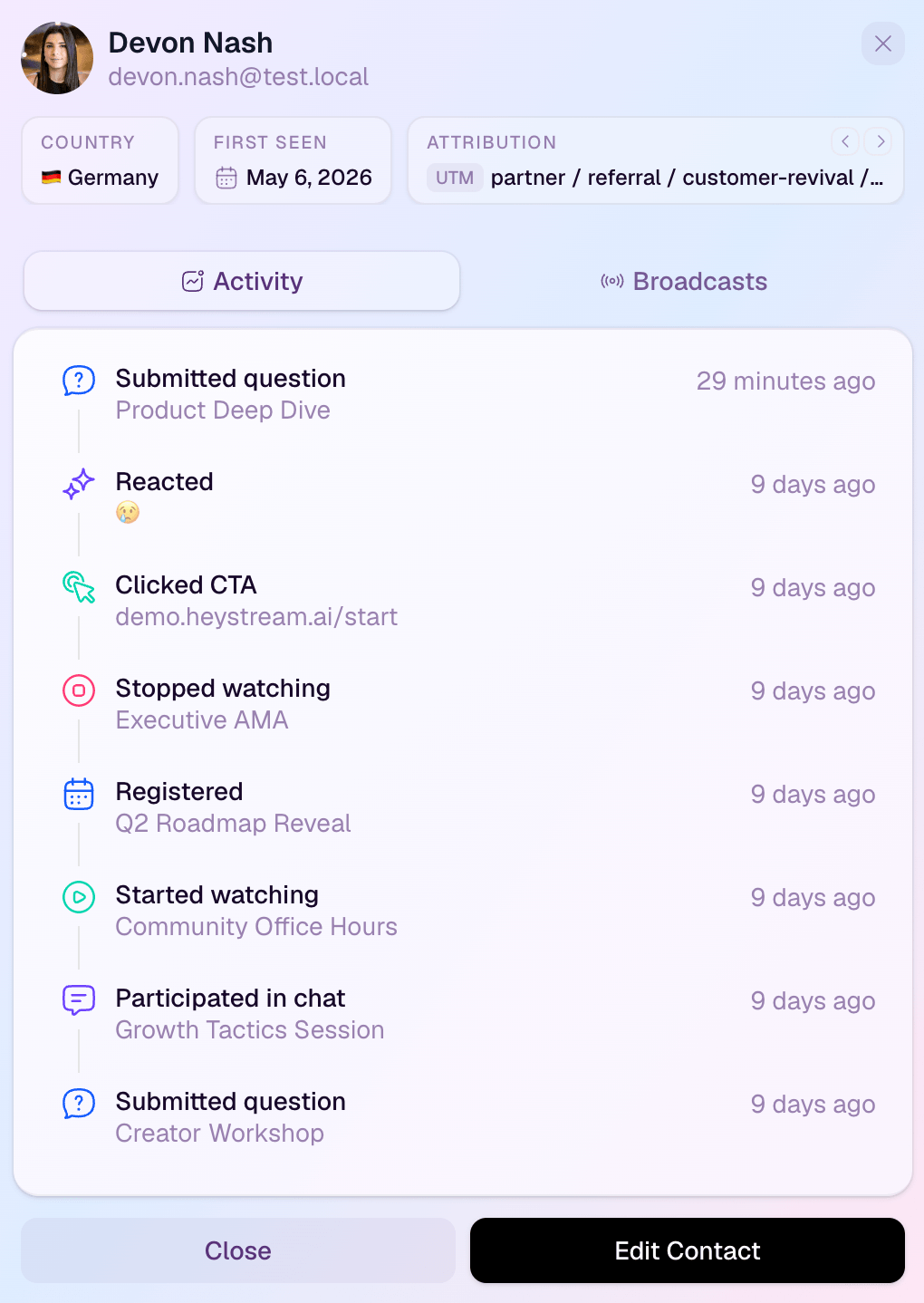
| HeyStream audience activity | Remains in HeyStream | CTA clicks, replay views, watch time, questions, purchases, no-show status, and similar activity are not sent by this provider. |
| Opportunities and pipeline stages | No HeyStream action | Any deal creation or movement must be built separately in HighLevel. |
Treat registration and attendance as useful facts, not buying signals. An attendee may be researching, learning, evaluating, or simply supporting a colleague. Your workflow should use the fields and context you have, rather than labelling every attendee as sales-ready.
Define the source of truth before connecting anything
A clean webinar CRM integration gives each system one clear job.
| Responsibility | Source of truth | What to verify |
|---|---|---|
| Webinar registration and attendance | HeyStream | The person appears on the correct broadcast with the expected status. |
| Registration answers and richer audience context | HeyStream | The original answer and audience record are intact. |
| Contact identity, tags, and contact custom fields | HighLevel | One expected contact contains the mapped values. |
| Email and SMS follow-up | One explicitly chosen system | Only one message path is active for each step. |
| Workflow execution | HighLevel | The contact entered the intended published workflow and completed the expected actions. |
| Opportunities, pipeline stages, and sales tasks | HighLevel or another sales system | The separate downstream automation created or changed them as intended. |
HeyStream can retain much richer audience intelligence than the narrower contact payload sent downstream. That separation is useful. HighLevel gets the fields it needs for segmentation and follow-up, while HeyStream remains the place to inspect the complete broadcast context.
Plan the field and tag contract
Start with identity. Email is the stable field used for the contact handoff, with first and last name added when available. Then choose only the registration answers that someone will actually use in HighLevel.
A short field plan might look like this:
- "Role" becomes a HighLevel contact field used to choose the right follow-up message.
- "Current webinar platform" becomes a contact field used for segmentation.
- "Company size" is included only if a workflow or team member will act on it.
- Free-text questions stay in HeyStream unless the answer has a clear contact-level purpose in HighLevel.
The distinction between contact and deal data matters. HighLevel's custom-field guide separates person-level contact fields from opportunity fields. HeyStream's selected registration answers belong on the contact record. If your sales process needs an opportunity field, add that later through a HighLevel-owned action.
Use tags just as deliberately. A neutral tag such as "heystream-product-demo" can identify the source or intended follow-up path. Avoid a tag such as "attended-and-sales-ready" unless your configuration and test prove both parts of that claim. The current integration applies configured tags to synced contacts. It does not promise a different tag for each event.
Before connecting, write down:
- The HighLevel sub-account that should receive contacts.
- The email and SMS owner for each follow-up step.
- The selected registration fields and why each one is needed.
- The tags to apply and what each tag means.
- The workflow trigger, filters, and re-entry rule.
- The person who will monitor the first live broadcast.
Connect GoHighLevel from HeyStream
Use a test broadcast and disposable contact details for the first connection check.
- Sign in to the HeyStream workspace that owns the broadcast.
- Open Settings > Integrations.
- Select GoHighLevel and start the Connect flow.
- Choose the HighLevel sub-account that should receive contacts.
- Add any optional contact tags with a documented purpose.
- In the broadcast registration-field builder, select the answers that should sync.
- Confirm that the connection is active before running the test.
Start the authorization flow from inside HeyStream. This keeps the workspace and selected HighLevel sub-account attached to the same connection. Do not ask a colleague to paste OAuth tokens or other credentials into a document or support message.
The exact event controls may change as the integration UI evolves. Describe the required outcome in your launch record: registration and attendance should each be tested separately. Do not assume that a visible connection proves both paths are enabled and working.
Build a safe HighLevel follow-up workflow
Keep the first workflow small enough to understand. For example, a product-demo tag can start a workflow that checks the contact's role and current webinar platform, then sends one relevant follow-up.
HighLevel owns this part. The HeyStream sync does not create, publish, or validate the workflow. HighLevel's workflow guide recommends checking trigger filters, publication state, re-entry settings, live behavior, and execution logs when a workflow does not run as expected.
Before launch:
- Publish the intended workflow.
- Confirm the tag or field condition matches the values HeyStream will send.
- Decide whether an existing contact may enter again.
- Check that the workflow will not duplicate reminders already sent by HeyStream.
- Give any opportunity creation or sales-task step a separate HighLevel owner.
- Keep a record of the expected action after the contact arrives.
For the wider messaging and segmentation decisions, use webinar follow-up automation rather than trying to encode every possibility in the integration itself.
Run a five-part acceptance test
Do not make the first live webinar your integration test. Use a test broadcast, a disposable email address, and a simple evidence log with the test time, expected result, actual result, and owner.
- Test a new registrant. Register a brand-new email address. Confirm that one contact appears in the selected HighLevel sub-account with the expected name, tag, and selected fields.
- Test an existing contact. Register the same email again after changing one selected answer. Confirm that HighLevel updates the expected record under the sub-account's duplicate rules rather than creating an unwanted second contact.
- Test selected fields. Check that each selected registration answer appears in the correct contact field and that unselected answers remain absent.
- Test the workflow separately. If a tag or field starts a workflow, confirm the contact entered once, followed the intended branch, and produced the expected action. Record this as a HighLevel result, not as part of the HeyStream sync result.
- Test attendance. Join the test broadcast and trigger the attendance path. Confirm that the same contact updates without an unwanted duplicate or unsupported event data.
The existing-contact test is essential. HighLevel's Contacts API documentation explains that upsert behavior follows the selected sub-account's Allow Duplicate Contact setting and its field-priority sequence. A successful new-contact test tells you nothing about how an existing record will behave.
Troubleshoot the first failure with evidence
Check the smallest boundary that could explain the result. Repeatedly submitting live customer data usually makes the evidence harder to read.
| Symptom | Check first | What to do next |
|---|---|---|
| No contact appears | Selected sub-account, active connection, tested event, and test timestamp | Reconnect if authorization is stale, then repeat once with a disposable contact. |
| A duplicate contact appears | HighLevel duplicate settings and identity-field priority | Correct the sub-account policy, then rerun the existing-contact test. |
| A selected answer is missing | Broadcast field selection, captured answer, and target contact field | Fix the selection or field ownership. Do not silently repurpose another field. |
| A tag is missing | Connection tag configuration and resulting contact ID | Confirm a tag was configured and that the contact sync itself succeeded first. |
| The contact exists but the workflow did not run | Workflow publication, trigger filters, tag or field match, and re-entry | Inspect HighLevel execution logs. The contact handoff and workflow execution are separate checkpoints. |
| The wrong message was sent | Email and SMS ownership across both systems | Disable the duplicate path and retest the single intended owner. |
| The team expected CTA, replay, watch-time, no-show, or question data | Current provider contract | Keep that activity in HeyStream or design a separate supported event path. |
Capture sanitized screenshots or IDs, not access tokens or real customer details. If the same bounded test still fails after reconnecting, use the timestamp, test email, broadcast, expected result, and actual result to investigate one handoff instead of guessing.
Worked example: a B2B product demo
Imagine a software company running a product-demo webinar in HeyStream. The registration form asks for role and current webinar platform. The team wants HighLevel to send one useful follow-up without treating attendance as a sales qualification event.
They configure:
- Contact fields: "Role" and "Current webinar platform".
- Tag: "heystream-product-demo".
- Workflow trigger: the product-demo tag.
- Workflow filter: role is known.
- Workflow action: send one follow-up that matches the contact's stated role.
- Sales action: a separate team-owned step creates a task only when another qualification rule is met.
During the test, registration creates the contact and writes both fields. The tag starts the published workflow once. Attendance later updates the same contact. The team verifies each checkpoint separately.
What they do not infer is just as important. Attendance alone does not prove buying intent. The HeyStream sync does not create an opportunity. A successful contact upsert does not prove the email was delivered. Each downstream result has its own owner and evidence.
Final launch checklist
- The correct HighLevel sub-account is connected.
- Registration and attendance have been tested separately.
- A new contact and an existing contact both behave as expected.
- Selected answers land in the intended contact fields.
- Every configured tag has a documented purpose.
- Workflow trigger filters and re-entry settings have been checked.
- The intended workflow is published.
- HeyStream and HighLevel do not send duplicate email or SMS messages.
- Unsupported viewer events are explicitly excluded or handled elsewhere.
- A named owner will monitor the first live broadcast and review failures.
The useful outcome is not "the integration is connected." It is a proven handoff: HeyStream owns the webinar and audience record, HighLevel receives the intended contact data, and the downstream workflow produces one observable result. That same separation between capture, follow-up, and learning is a core part of a dependable B2B webinar growth engine.


