A product launch event is more than the moment a team announces what changed. For a B2B company, it is often the first structured chance to show the right audience why the launch matters, how the product works, and what should happen next.
That is where a B2B product launch webinar or livestream can help. It gives the launch a live focal point and creates a place to capture questions, guide viewers toward a relevant CTA, package a replay, and learn which messages created useful engagement.
The risk is treating the session like a one-off reveal. A stronger launch workflow maps out the audience promise, registration path, promotion, run of show, CTA, replay, follow-up, and reporting before anyone goes live. This guide walks through that workflow without assuming that attention automatically becomes pipeline.
Decide whether a webinar or livestream is the right launch format
A product launch livestream is a live broadcast built around a new product, major feature, or important product story. It usually combines launch messaging, product context, demo moments, Q&A, and a next step for prospects, customers, partners, or product users.
It is one type of product launch event, not the only one. Gartner's B2B product launch plan guidance describes launch planning as a cross-functional effort involving audience targeting, operational readiness, and go-to-market execution. The public abstract is enough to support that planning principle. The format should serve the launch plan, not drive it.
Use a livestream when the launch benefits from live attention, presenter energy, audience questions, a product demo, and a clear post-event follow-up path. Use a product launch webinar when the event needs a more educational or evaluation-led structure. Use a product demo webinar when the audience mainly needs to see the workflow in detail. Use a prerecorded launch video when message control and repeatable distribution matter more than live interaction.
| Launch format | Best fit | Watch the tradeoff |
|---|---|---|
| Product launch livestream | A live reveal, product story, audience Q&A, and timely CTA | Needs a clear run of show so it does not become a loose announcement |
| Product launch webinar | Educational launch, market context, structured story, and registration | Can feel too broad if it lacks a specific launch promise |
| Product demo webinar | Detailed product walkthrough for evaluators or customers | Can over-focus on features before the audience understands the change |
| Prerecorded launch video | Polished message, reusable asset, and lower live risk | Captures fewer live questions and interaction signals |
The best choice depends on the audience's job. If people need to understand what changed, ask questions, see the product in context, and choose a next step, a livestream or launch webinar is usually stronger than a standalone announcement post.
Start with the audience and launch promise
Before choosing the stage, studio, or slides, define who the launch is for. A launch for existing customers needs different proof from a launch for prospects. A launch for sales-led enterprise buyers needs different framing from a launch for self-serve teams. A launch for partners may need enablement more than product detail.
Then write the launch promise in one sentence:
This launch helps [audience] do [specific job] without [specific friction].
That sentence should shape the whole broadcast. It decides the opening story, which demo moments matter, what proof belongs in the middle, and which CTA makes sense at the end. It also keeps the launch from becoming a feature tour with no audience problem.
For a B2B team, the promise also decides what the session should learn. If the launch is about helping marketers run branded product launch broadcasts, useful signals might include which roles registered, which questions repeated, and which viewers chose a next step. These are inputs for follow-up, not proof of purchase intent.
Build registration and promotion around one message
A webinar registration page should do more than collect email addresses. It should help the right people decide whether the launch is worth their time.
Airtable's product launch event planning guide explains how teams can define an event's purpose, audience, format, promotion, and measures of success. In a B2B launch webinar, that planning should show up directly on the registration page through audience fit, launch value, agenda, speakers, date and time, and the practical outcome viewers can expect.
Keep registration fields useful. Role, company, use case, or current challenge can help shape live examples and follow-up. Every extra field adds friction, so ask only for information that will change the experience or the next step.
Promotion should repeat the same promise across email, sales outreach, product surfaces, partner channels, and social posts. A focused webinar promotion plan can turn those channels into a timed sequence rather than a burst of disconnected announcements.
Use this compact timeline to give each stage an owner and a visible output:
| Timing | Owner | Output |
|---|---|---|
| Six weeks out | Product marketing | Launch promise, audience, format, CTA, and success questions |
| Four weeks out | Campaign lead | Registration page, promotion sequence, speaker brief, and tracking plan |
| One week out | Producer | Final run of show, deck, demo state, moderation plan, and rehearsal |
| Event day | Host and producer | Live session, audience prompts, CTA, issue log, and replay handoff |
| First 48 hours | Marketing and sales owners | Replay, segmented follow-up, question routing, and first performance readout |
The timeline is deliberately small. It should make ownership obvious, not become another project plan that nobody uses.
Design the live run of show
A launch webinar needs enough structure to feel prepared without becoming stiff. A practical run of show might look like this:
| Launch moment | Audience job | CTA or signal |
|---|---|---|
| Welcome and promise | Understand why the session matters | Registration source and attendance |
| Market or customer problem | Recognize the problem the launch addresses | Chat themes and Q&A |
| Product reveal | See what changed | Live reactions and questions |
| Demo or proof | Understand how it works | Watch time and feature-specific questions |
| Use-case examples | Connect the launch to their workflow | Poll answers or segment interest |
| CTA | Choose the next step | Demo request, trial, pricing view, guide, or waitlist action |
| Replay and follow-up instructions | Know what happens next | Replay views and follow-up replies |
The Streaming Studio setup matters because the launch has to feel credible. Presenter layouts, screen sharing, media, lower thirds, and branded scenes should support the story. They should not compete with it.
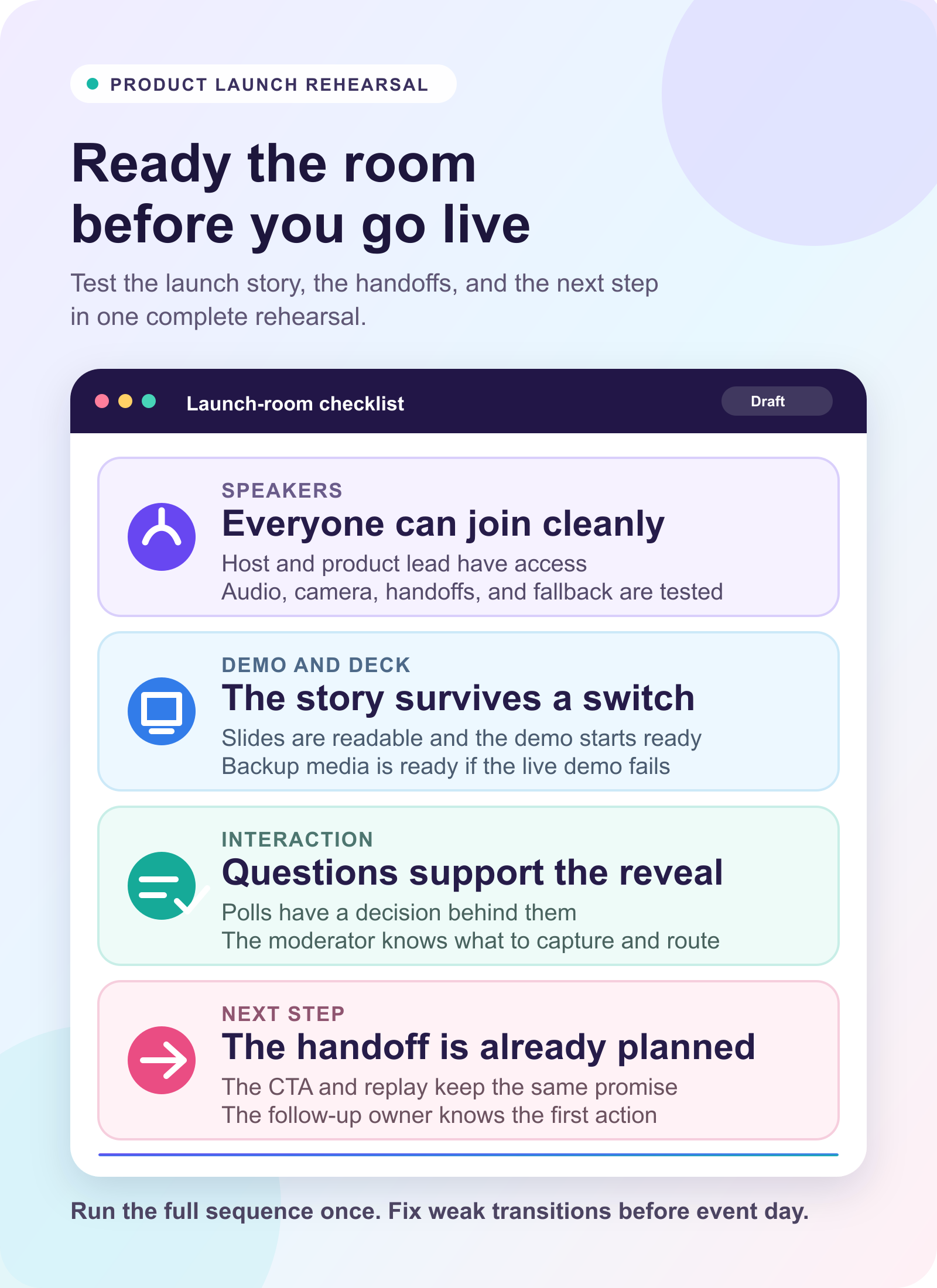
Do a complete rehearsal before the launch. Check speaker access, audio, camera, screen sharing, links, demo accounts, backup media, moderation roles, and the audience next step. Review the webinar slide design at the size viewers will actually see, not only in the presenter's editor. The dry run is where the team should find weak transitions, unclear demo moments, and a CTA that arrives too late.
Plan the CTA before the launch
The CTA is not a final-slide afterthought. It is the bridge between the live launch and the next step.
Match the CTA to the maturity of the launch and the readiness of the audience:
| Launch goal | Useful CTA | Follow-up signal |
|---|---|---|
| Announce a new product direction | Join the waitlist or subscribe for updates | Early interest by segment |
| Launch a feature to existing customers | Watch a deeper walkthrough or enable the feature | Education need and adoption interest |
| Support product evaluation | Book a demo or start a trial | A direct hand-raiser action |
| Support sales conversations | Download the launch guide or view pricing | A buying-stage clue |
| Extend replay reach | Watch or share the replay | Continued launch engagement |
HeyStream's conversion tools support live and replay CTA workflows. The broader principle matters more than the tool: show the CTA when the viewer has enough context to act, not only when the presenter has finished talking.
Avoid over-reading the signal. A CTA click does not prove pipeline by itself. It does show that someone responded to a specific launch moment, which is more useful than treating every attendee the same.
Design interaction as part of the reveal
The launch does not need gimmicks. It needs thoughtful interaction.
Use Q&A to surface objections, confusion, and evaluation questions. Use chat prompts to understand which use cases matter. Plan webinar poll questions only when the answer will shape the live conversation, follow-up, or next launch. Use resource links or CTAs when viewers have enough context for the next step. Ask the moderator to capture language that sales, product marketing, customer success, or documentation teams should see later.
This is where a launch webinar connects to audience intelligence. Attendance is a starting point, but interaction creates more context: who asked a question, who clicked a CTA, who returned for replay, and which audience segments engaged with which parts of the launch.
For broader planning, this is the same loop described in the B2B webinar growth engine. Registration creates the first signal, live engagement clarifies interest, CTAs create next steps, replay extends the launch, follow-up responds to behavior, and analytics improve the next session.
Treat replay as part of the launch
The replay is not an archive. It is the long-tail version of the launch event.
Prepare it before the session goes live. Decide the title, summary, thumbnail, chapters or key moments, replay CTA, and follow-up path. If the live session includes a product reveal, demo, and Q&A, make it easy for replay viewers to find the part that matters to them.
Then follow up differently by behavior. Live attendees may need a recap and next-step CTA. No-shows may need the replay and a tighter summary. Replay viewers may need a CTA tied to the section they watched. Question askers may need a direct answer or a sales or customer-success handoff. CTA clickers may need a more immediate path.
The webinar replay strategy and webinar follow-up best practices matter here because the launch is still working after the live room closes. The replay and follow-up system decide whether launch attention keeps moving or disappears into a recording folder.
Measure launch contribution, not just attendance
Measure a product launch webinar in layers.
First, measure reach and attendance through registration source, registrants, attendees, no-shows, and replay viewers. These numbers show whether promotion and timing worked, but they do not explain launch quality by themselves.
Second, measure engagement through watch time, drop-off points, questions, chat themes, poll responses, resource clicks, and CTA clicks. These signals show which parts of the launch created attention, confusion, or action.
Third, measure follow-up response through replies, demo requests, trial starts, pricing visits, customer-success handoffs, sales conversations, or adoption actions where those are actually tracked. Keep the language careful. Immediate engagement is not the same as downstream revenue, but it can help the team decide what to do next.
Finally, record what the team learned. Which audience segments responded? Which message landed? Which demo section created questions? Which CTA was too early, too late, or unclear? Use a webinar performance report template to turn the readout into owners and next actions instead of a list of numbers.
HeyStream's analytics and insights help with this review because the point is not only to report the event. It is to improve the next launch, demo, webinar, or campaign.
Where HeyStream fits
HeyStream helps B2B teams run product launch webinars and broadcasts with the surrounding workflow in one place: branded registration and watch pages, browser-based production, live and replay CTAs, audience signals, analytics, and behavior-based follow-up.
That matters because the launch does not end when the presenter says thank you. Teams still need to understand who showed up, what they cared about, which next steps they took, and how the replay should keep working.
If your team is choosing the broader platform shape, a B2B webinar platform should support the full launch workflow, not only the video window. The practical question is simple: can the platform help you create the live moment and act on what the audience does next?
The practical takeaway
A good product launch webinar or livestream is not a bigger announcement. It is a better-designed launch moment.
Plan the audience promise first. Build registration and promotion around that promise. Design the run of show so the story, demo, proof, CTA, replay, follow-up, and reporting connect. Rehearse the handoffs before event day. Then use the audience signals to make the next launch sharper without claiming that attention alone equals pipeline.


