The best Airmeet alternative depends on the event you need to run. For a recurring, single-session B2B webinar, test focused platforms such as HeyStream, Livestorm, and Demio. If you need parallel tracks, networking, or managed event production, compare broader event packages from Airmeet, Zoom, and BigMarker before switching. Staying with Airmeet may be the simplest choice when its current plan already covers that work.
HeyStream publishes this guide and appears in the shortlist. We have compared current public product and pricing information using the same buying questions; we have not run a hands-on test of every platform or ranked customer outcomes. Use this as a shortlist for demos and a pilot, not a verdict on your existing contract.
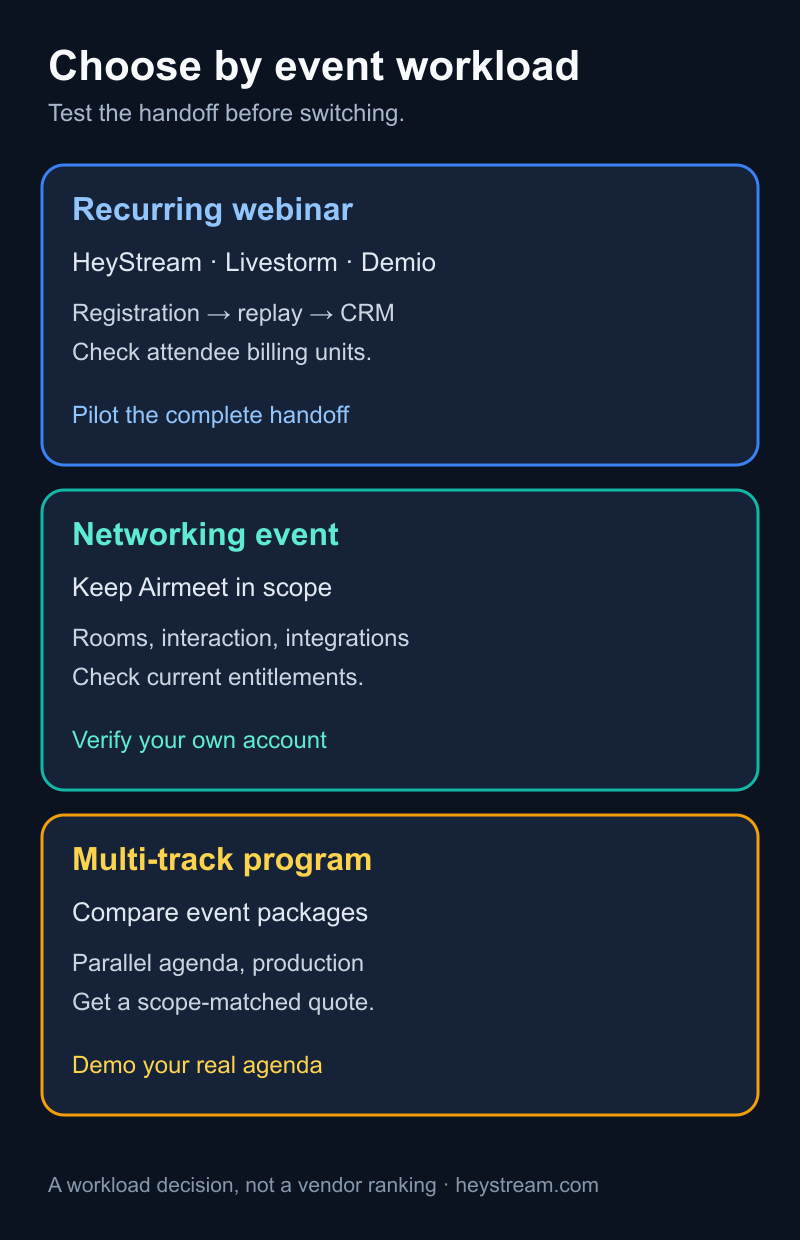
Choose the workload before the vendor
An “Airmeet alternative” can mean a replacement for a monthly product webinar or a replacement for a conference with several sessions and networking. Those are different purchases. Airmeet's product overview spans webinar and event workflows. Its current plan description includes networking in the Premium Webinars offer and puts parallel multi-track sessions in Events. Check your exact plan before assuming a focused webinar tool replaces every part of it.
| Work your team needs | First options to evaluate | What might change the answer |
|---|---|---|
| Repeatable, single-session B2B webinars with registration and follow-up | HeyStream, Livestorm, Demio; include Airmeet if the existing setup works | Test the full attendee and CRM handoff, plus replay and billing units |
| Webinars inside an existing Zoom workflow | Zoom Webinars or Webinars Plus; compare with focused tools | Check the required Zoom subscription, capacity, and integrations |
| Networking, simultaneous tracks, or a larger event program | Airmeet Events, Zoom Events, BigMarker's event package | Ask for an agenda and networking demo using your real event shape |
This is a fit map, not a performance ranking. A vendor can fit one row and still fail a requirement within it. Use the webinar platform evaluation guide if you need a broader selection rubric.
Apply the same test to every option
Start with one actual upcoming event. Specify its agenda, expected audience, registration fields, live interaction, accessibility needs, replay plan, CRM destination, and staff roles. Ask each vendor to build or show that event, rather than accepting a tour of unrelated features.
Use these six questions consistently:
- Registration and access: Can the team brand the page, capture the required fields and consent, send confirmation, and let a test attendee join without manual repair?
- Event structure: Is it one broadcast, several sequential sessions, or simultaneous tracks? Which networking or sponsor experiences are necessary?
- Live interaction: Which polls, questions, CTAs, or audience controls are available on the plan being quoted? Who operates them during the event?
- Audience and CRM data: Which registrant, attendance, engagement, and replay events leave the platform? Map actual fields and status values, not integration logos.
- Replay and follow-up: When is the recording available, which actions work on replay, and what can the marketing team use for follow-up?
- Cost and support: Compare the contract period, audience or attendee unit, host/admin seats, event count, integrations, service level, and overages for the same calendar.
For a series, the recurring webinar platform guide goes deeper on repeatable setup. For this Airmeet decision, keep the scope visible: a single-session webinar pilot cannot prove that a multi-track conference will work.
Focused webinar options
HeyStream: recurring B2B broadcasts with an owned follow-up path
HeyStream is worth testing when a marketing team wants branded registration and watch pages, audience records, live and replay CTAs, and a path into follow-up. The B2B webinar platform overview sets out that use case. Run a test registrant through signup, live attendance, a CTA, replay, and the contact record. Check the exact CRM mapping your team needs.
Do not assume HeyStream replaces Airmeet networking rooms, parallel event tracks, sponsor operations, or managed production. If those are requirements, keep Airmeet or a broader event platform in the evaluation. Check HeyStream pricing for current plans and audience limits instead of relying on a price quoted in an article.
Livestorm: attendee-based webinar planning
Livestorm belongs on the focused-webinar shortlist when you need to evaluate live and on-demand participation together. Livestorm's pricing page describes an attendee billing unit that includes live, replay, and on-demand participation. Model a realistic month or year before comparing its quote with a platform that bills by room size or a different capacity measure.
Ask Livestorm to demonstrate your registration, follow-up, and CRM events. Its public description of multi-session events does not by itself establish the parallel tracks or networking operation needed for a conference. Treat those as demo questions if they matter.
Demio: host and room-size choices
Demio is another focused webinar candidate. Demio's pricing page makes the host count and room size part of plan selection and describes how simultaneous sessions use multiple hosts. That could matter more to your annual cost than the headline monthly price.
Test the exact number of hosts and concurrent sessions your team expects, then inspect registration data, attendance status, replay behavior, and CRM fields. Do not infer the absence of an event feature merely because a public pricing table does not mention it; ask for the relevant plan demonstration.
When Airmeet or a wider event package fits better
Airmeet remains a sensible choice if its current account handles your webinars and you use its networking or event operations. Airmeet's integration directory lists connection options, so “we need a CRM” is not enough reason to assume a switch is necessary. Its HubSpot setup guidance offers a concrete place to inspect your mapping. Ask what your existing integration sends, which statuses it creates, and what breaks if you change platforms.
For teams already using Zoom, Zoom's Webinars and Events plans distinguish webinar packages from an Events package with broader session and networking scope. Quote the package, attendee capacity, required account plan, and support level for your actual agenda. A familiar meeting tool is not proof that the event package is the right fit.
BigMarker's pricing page separates webcast offers from event packages and directs buyers toward a quote. If your requirement includes multiple sessions, networking, or production services, ask BigMarker to show those needs together and price that scope. A quote-led event package and a self-service webinar subscription should not be compared as if they included identical staffing.
If your primary goal is turning event recordings into a wider content program, Goldcast's platform overview makes content reuse part of its pitch. If you need expo booths or hybrid operations, vFairs' pricing page describes broader event formats. Add either to the shortlist only when that extra job is real; neither is a default replacement for a recurring webinar.
Normalize the quote and the handoff
Put each proposal against the same event calendar. Record contract length and currency, registration or attendee capacity, concurrent viewers where relevant, host and admin seats, number of events, replay or on-demand usage, integrations, service hours, support, and overage terms. Public prices can change with billing selector, geography, capacity, and package. Request written terms for the configuration you will actually buy.
Then follow one test contact. Register with a realistic source, receive the confirmation, enter the live session, perform one interaction, watch a replay, and check the CRM record. Capture field names, status values, timestamps, consent, and ownership at each step. An integration logo proves a possible connection; it does not prove your handoff works.
For Airmeet specifically, compare that pilot with the existing account. If the old workflow already passes and a proposed replacement fails a necessary step, the new platform is not ready for cutover even if its demo looks cleaner.
Pilot before you switch
Use a representative event rather than a feature checklist alone. Set pass or fail criteria before the demo:
- Export a past Airmeet event's registrants, attendance, recording, and available engagement data. Identify any fields you cannot carry forward.
- Build one upcoming event with the same fields, consent language, access rules, reminders, and presenter roles.
- Run a test registrant from page visit through confirmation, join, interaction, replay, and CRM record. Reconcile values in both systems.
- Check the event at your expected audience size, including the operator and support response you would need if something fails.
- Inventory public registration and replay links. Set redirects or a retention plan before removing the old event.
- Keep the existing account available until one real pilot and its data reconciliation pass.
The webinar platform migration checklist helps once you have chosen to switch. Until then, ask each vendor to show the same event and answer the same questions. Keep Airmeet when it already serves the job; choose a focused tool for a focused webinar program; choose a broader event package only when its added structure earns its cost and operating work.


