A webinar lead scoring model helps a marketing or revenue team decide which webinar contacts need fast follow-up, which ones need nurture, and which ones simply need more context before anyone treats them as sales-ready.
The useful version is not a magic intent score. It is a practical framework for combining who someone is, what they did during the webinar journey, and what action should happen next. That distinction matters because a high watch time, one CTA click, or a replay view can be meaningful without proving that a buyer is ready to talk.
What a Webinar Lead Scoring Model Is
A webinar lead scoring model is a structured way to rank registrants, attendees, replay viewers, and no-shows by fit, engagement, and follow-up readiness. It gives your team a shared language for deciding whether a contact should move to sales review, a focused nurture sequence, a replay prompt, or a lower-priority audience segment.
The model should answer three questions:
- Is this person or account a good fit?
- Did their webinar behavior show useful interest?
- What is the next best follow-up action?
That last question is the whole point. A webinar score should improve routing and context. It should not become a vanity number that makes one passive attendee look more qualified than a high-fit prospect who had to leave early.
Why Webinar Leads Need Their Own Scoring Model
Generic lead scoring often leans on website visits, form submissions, email clicks, firmographic fit, and CRM stage. Webinars create a different set of audience signals: registration answers, live attendance, watch depth, questions, poll answers, CTA clicks, replay views, repeat visits, and post-event follow-up behavior.
Those signals are valuable because they show how someone interacted with a specific topic in a specific moment. They are also easy to overread. A webinar attendee may stay for 45 minutes because the topic is useful, because a colleague asked them to attend, or because the event was playing in another tab. Your model should preserve the signal without pretending it can read intent perfectly.
That is why webinar scoring works best when it separates fit from behavior before it assigns a route.
Separate Fit Signals From Behavior Signals
Start by scoring fit and behavior separately. HubSpot's lead scoring documentation separates fit scores, engagement scores, and combined scores, which is a useful way to avoid mixing who someone is with what they did during a webinar.
Fit signals describe whether the contact looks like someone your team can realistically help. Behavior signals describe what happened during the webinar journey. Readiness signals connect those inputs to a follow-up action.
| Score layer | What it measures | Webinar examples | Why it matters |
|---|---|---|---|
| Fit | Whether the person or account matches your ICP | Role, company size, industry, segment, use case, customer status | Keeps your team from chasing every engaged viewer equally |
| Behavior | What the person did around the webinar | Registered, attended live, stayed for a meaningful portion, asked a question, clicked a CTA, watched the replay | Adds context that a static contact record usually misses |
| Readiness | Whether the combined picture deserves action | High-fit attendee clicked a demo CTA, replay viewer returned twice, target account asked a buying-context question | Turns a score into a route, not just a label |
Oracle's Eloqua lead scoring guidance also frames scoring as something marketing and sales define together, using profile criteria and engagement criteria before routing follow-up. That sales alignment is especially important for webinar leads because sales teams need to trust why a person was prioritized.
Use Webinar Data As Inputs, Not Proof
Most webinar platforms can expose useful attendance and engagement fields. Zoom's webinar reporting documentation, for example, describes reports for participants, join and leave times, duration, surveys, and exported attendee data. Those raw fields are useful, but the scoring question is how they should influence follow-up.
A contact who attended live and clicked a pricing CTA is different from a contact who registered and never showed. A replay viewer who returns after the event may deserve a different sequence from a live attendee who left after five minutes. A question about implementation timing may matter more than passive watch time.
The model should keep those differences visible without assigning universal point values that pretend every audience behaves the same way.
Webinar Lead Scoring Worksheet
Use this worksheet as a starting point, not a permanent rulebook. The point ranges are directional. Your team should tune them after comparing score bands with actual sales feedback, reply quality, demo requests, and post-webinar behavior.
| Signal category | Example signal | Suggested range | Why it matters | Caveat | Follow-up implication |
|---|---|---|---|---|---|
| Registration fit | Target role, segment, company size, or stated use case | 0-25 | Establishes whether the person looks like a relevant buyer or influencer | Do not exclude useful champions just because they are not the budget owner | Use fit to decide whether engagement deserves sales review |
| Attendance | Attended live or joined for a meaningful part of the session | 0-15 | Shows the topic earned real time, not just a form fill | Attendance alone is not buying intent | Combine with fit and action signals before assigning sales priority |
| Engagement | Asked a question, answered a poll, posted in chat, or stayed through the practical section | 0-20 | Shows active participation and possible problem awareness | Some people engage because they are learning, not buying | Use the specific interaction to personalize follow-up |
| CTA or action | Clicked a demo, pricing, trial, assessment, or related resource CTA | 0-25 | Indicates a next-step interest beyond passive viewing | One click still needs context | Route high-fit CTA clickers to a faster sales or lifecycle motion |
| Replay behavior | Watched the replay, returned after the event, or shared the replay internally | 0-15 | Captures interest that happens outside the live window | Replay viewers may be researching slowly | Send a context-aware follow-up instead of treating them as no-shows |
| Negative or low-confidence signal | Disqualified geography, student/researcher-only intent, competitor, irrelevant segment, or very low engagement | -20-0 | Prevents noisy engagement from crowding out better-fit leads | Keep negative scoring transparent and reversible | Suppress or downgrade only when the reason is clear |
| Manual sales context | Known opportunity, target account, active conversation, or account-owner note | 0-25 | Lets humans add context the webinar system may not know | Manual overrides need governance | Review with sales before changing thresholds globally |
If you use HeyStream, this is where audience intelligence becomes useful: registrations, watch activity, CTA clicks, replay behavior, and audience records can sit closer together instead of being scattered across disconnected exports.
Example Threshold Model
A threshold model turns the worksheet into action. Keep the thresholds simple enough that sales and marketing can understand them at a glance.
| Combined score | Suggested route | What to do next |
|---|---|---|
| 80+ | Priority follow-up | Create a fast sales review or account-owner task with the specific webinar actions attached |
| 50-79 | Contextual nurture or sales review | Send a topic-specific follow-up and let sales review high-fit accounts |
| 25-49 | Marketing nurture | Share the replay, related resource, or next webinar invitation based on the session topic |
| Below 25 | Low-priority audience segment | Keep the contact in a broader nurture path unless new behavior appears |
Do not treat these as universal cutoffs. A 65 from a perfect-fit target account can deserve more attention than an 85 from someone outside your market. The score is a prioritization aid; it is not the decision-maker.
How to Route Follow-Up From the Score
Once the thresholds are clear, connect each band to a follow-up motion.
For high-fit, high-action contacts, trigger a sales review that includes the actual signals: attended live, asked about implementation, clicked the demo CTA, watched the replay, or returned after the event. The message should reference the topic and the action, not just say "thanks for attending."
For high-engagement but lower-fit contacts, use educational nurture. They may be partners, practitioners, students, or future buyers. The right move is usually a useful resource, not immediate sales pressure.
For no-shows, separate registration interest from attendance behavior. A no-show who matches your ICP and watches the replay later should not be scored the same way as a no-show who never returns.
For replay viewers, consider timing. A replay view shortly after the live event may mean they missed the session but still care about the topic. A repeat replay view from a target account may deserve more attention than a single live attendance record.
This is also where webinar follow-up automation can help. Instead of building one generic sequence for everyone, you can route follow-up around the behavior that actually happened.
Common Webinar Scoring Mistakes
The first mistake is treating attendance as intent. Attendance matters, but it is only one signal. A focused question, CTA click, or return visit can be more useful than passive watch time.
The second mistake is ignoring ICP fit. If your scoring model rewards every engaged person equally, your highest-scored list may include people your sales team cannot help.
The third mistake is overweighting passive behavior. Long watch time can be useful, but it should not outrank active buying-context signals by default.
The fourth mistake is penalizing no-shows too heavily. Webinar attendance is messy. People get pulled into meetings, watch later, share the replay, or ask a colleague to attend instead.
The fifth mistake is never reviewing the model. If sales keeps rejecting high-scoring contacts, or low-scoring contacts keep turning into useful conversations, your thresholds need work.
How HeyStream Fits Into the Workflow
A webinar lead scoring model is easier to use when the signals are easy to inspect. HeyStream is built around branded live sessions, registration, audience records, CTAs, replay behavior, and follow-up paths, so teams can connect webinar behavior to the next action without treating the webinar as a one-off event.
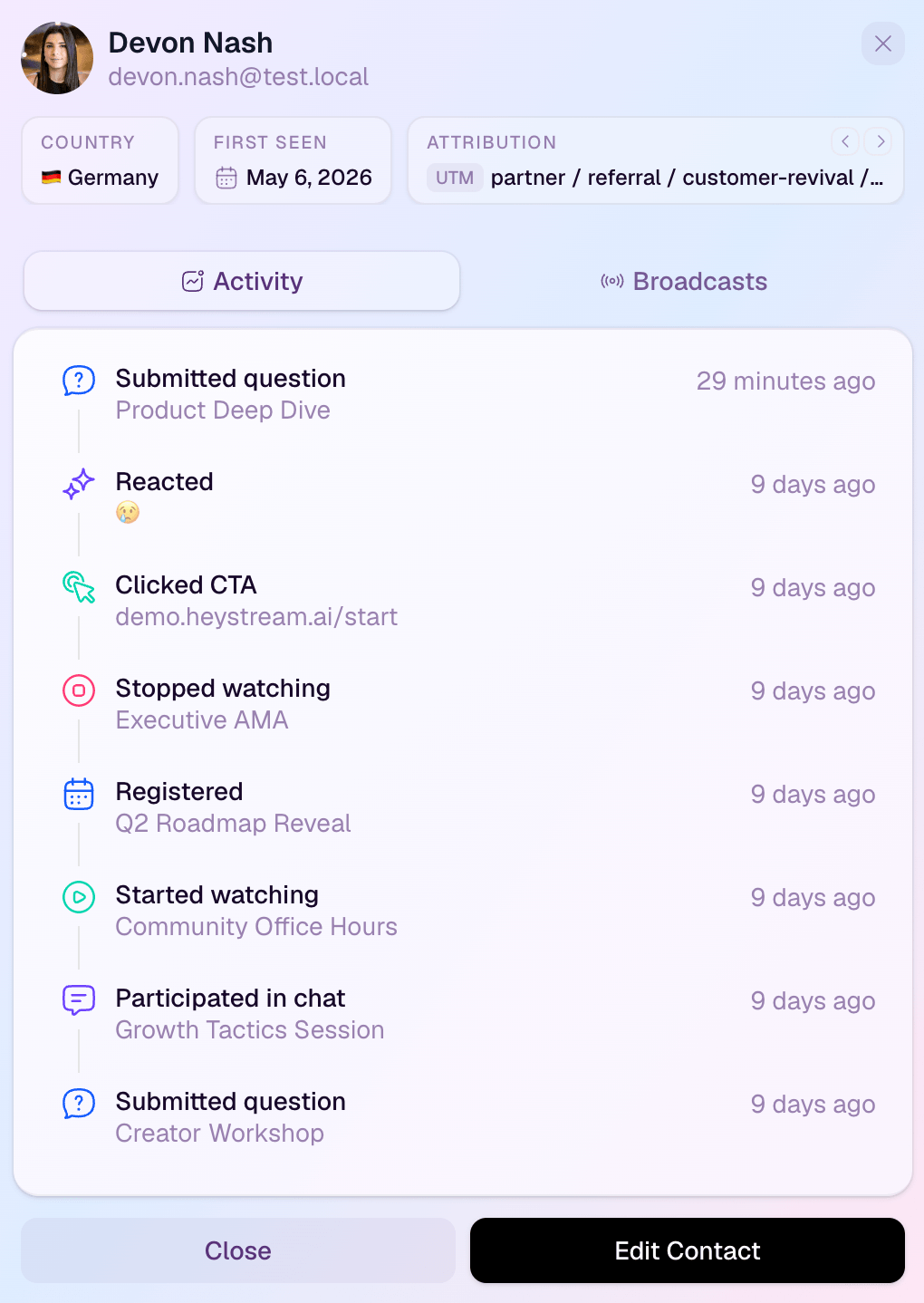
For example, a product marketer could use webinar analytics to understand registration and engagement patterns, use audience records to inspect individual behavior, and then route a relevant follow-up based on what the person actually did.
That does not make the score predictive on its own. It makes the handoff cleaner: sales and marketing can see why a contact was prioritized and what context should shape the next message.
Review the Model After Each Webinar
After each webinar, review the scoring model before you reuse it. Look at which high-scoring contacts replied, booked a meeting, clicked a follow-up CTA, watched the replay, or generated useful sales notes. Also look for low-scoring contacts who turned out to be more relevant than expected.
A webinar performance report template can help structure that review. The goal is not to prove that one webinar score created pipeline. It is to learn whether your routing model sent attention to the right places.
You can also pair the model with practical next steps, such as webinar follow-up email templates for each score band or a broader webinar ROI scorecard when you want to evaluate the whole program.
The best webinar lead scoring model stays humble. It turns scattered audience behavior into a clearer next step, then gets better as your team compares the score with real conversations.


