Most webinar follow-up problems do not start with a lack of data.
They start after the data arrives. Registrants, live attendees, replay viewers, CTA clickers, question askers, and no-shows all land in the same post-webinar motion. Sales gets a list. Marketing sends a replay. The team knows some people showed stronger interest than others, but the handoff rarely makes that clear enough to act on.
Webinar engagement data is useful when it helps teams decide who to follow up with first, what context to include, and which signals need caution. The goal is not to turn every attendance record into a sales-ready lead. It is to combine fit, behavior, recency, and context so outreach feels more relevant and less reactive.
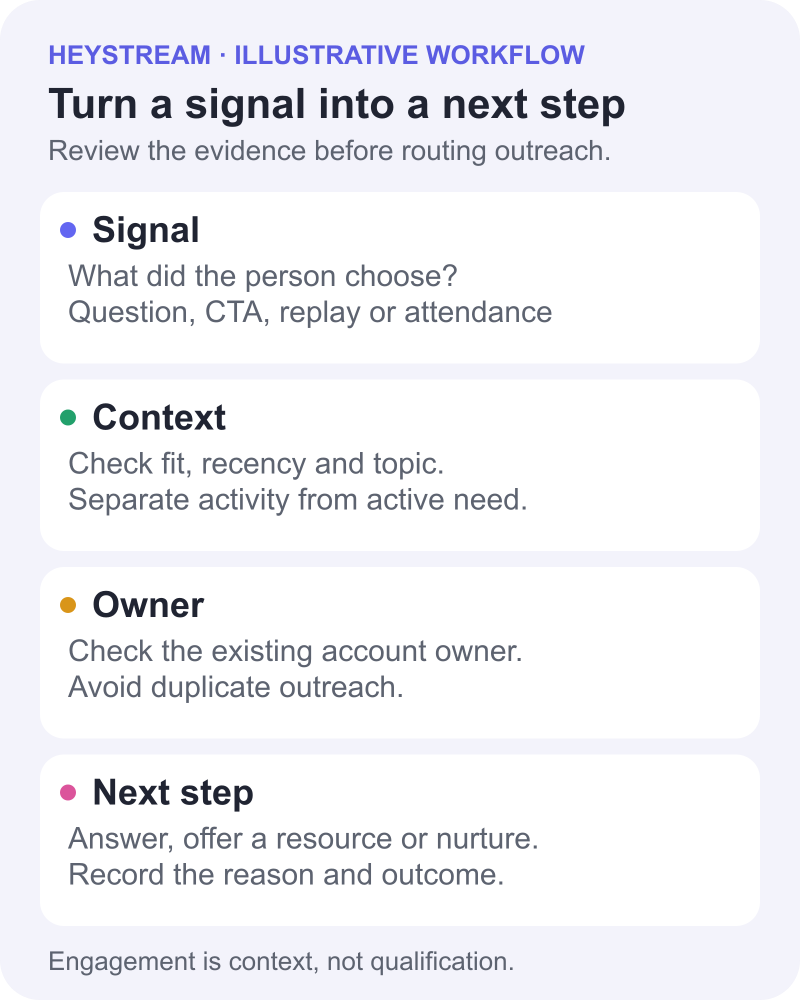
Webinar engagement data includes more than attendance
Webinar engagement data includes the signals a person leaves before, during, and after a webinar. That can include registration details, attendance, watch time, live questions, poll responses, chat themes, CTA clicks, replay views, repeat visits, and later follow-up interactions.
Those signals matter because they add context to the contact record. A person who registered and never attended is different from a person who watched the replay, clicked a pricing-related CTA, and asked a product question. A live attendee who stayed for five minutes is different from someone who watched most of the session and returned the next day.
The important caveat is that behavior is not the same as readiness to buy. The American Marketing Association and Goldcast benchmark page points to the scale of webinar programs, including registrants, attendees, recordings, and series activity. That scale is exactly why teams need a repeatable prioritization model. More activity creates more follow-up context, but it also creates more noise.
Start with the follow-up job, not the metric
Before deciding which webinar engagement metrics matter, define the job your follow-up needs to do.
For one session, the job might be to help sales book demos with high-fit accounts. For another, it might be to send a replay to people who missed the live event, route technical questions to the right owner, invite engaged viewers into the next session, or nurture early-stage prospects with a related guide.
The same signal can mean different things depending on that job. A long watch time during a broad thought-leadership webinar may show interest in the topic. A CTA click during a product demo may be a stronger next-step signal. A question about pricing, integrations, or implementation may deserve a different response from a general comment in chat.
That is why a good webinar follow-up process begins with the action you want to take, then works backward to the signals that justify it.
Separate fit, behavior, recency, and context
The strongest outreach priority usually comes from a combination of signals, not one isolated metric.
| Dimension | What to look at | Why it matters |
|---|---|---|
| Fit | Company size, role, segment, account status, ICP match | Helps avoid chasing high activity from people who are unlikely to be a real fit. |
| Behavior | Attendance, watch time, CTA clicks, questions, replay views | Shows what the person actually did around the webinar. |
| Recency | Live-session activity, same-day replay views, later return visits | Helps the team understand how fresh the signal is. |
| Context | Topic, question content, CTA type, prior relationship, buying stage | Helps sales reference the right need without overreading the signal. |
This mirrors a broader lead-prioritization principle: activity is more useful when it is combined with qualification context. HubSpot's lead scoring guidance describes separate fit, engagement, and combined scoring models with thresholds, which is a useful CRM pattern for thinking about how fit and behavior can work together.
For webinar follow-up, the practical version is simple: do not treat attendance as a score by itself. Treat it as one part of the story.
Build a simple webinar follow-up priority model
A priority model does not need to be complicated. It needs to help marketing and sales agree on what happens next.
| Priority | Example signal pattern | What it may mean | Suggested next step | Caveat |
|---|---|---|---|---|
| Priority 1 | High-fit account, attended or watched replay, clicked a relevant CTA, asked a product or buying-stage question | The person has both fit and specific behavior tied to a next step | Give sales the signal, topic, question or CTA, and a suggested message | Still confirm the need. Do not assume buying intent from one action. |
| Priority 2 | High-fit attendee with meaningful watch time or strong topic engagement but no explicit CTA | The topic may be relevant, but the next step is less clear | Send a helpful follow-up tied to the session topic and ask a light discovery question | Avoid pushing too hard without a chosen next step. |
| Priority 3 | Registered no-show, low-fit attendee, broad-topic viewer, or person who touched only low-intent content | The person may need nurture, a replay, or a future invite | Use marketing follow-up, replay content, or segmentation rather than immediate sales outreach | Low activity may still be valuable over time, but it should not crowd the sales queue. |
If your team needs points, thresholds and a worksheet, use the separate webinar lead scoring model. Keep the priorities above qualitative: an explicit request deserves a response, passive engagement adds context, and qualification still requires a review of need and fit.
This kind of prioritization helps teams avoid the default first-in, first-worked queue. HubSpot's sales prioritization guidance makes the broader point that sales teams should look beyond arrival order and consider fit, engagement, and demonstrated interest when deciding which leads to prioritize.
The webinar-specific version is to make the signal visible and useful. Sales should not receive a raw attendee export and be expected to infer the meaning. They should receive a short handoff that explains why the person is worth attention now.
Match the outreach message to the signal
Prioritization is only half the work. The message needs to match the behavior.
If someone clicked a CTA, reference the next step they chose. If they asked a product question, answer the question before asking for a meeting. If they watched the replay, send the most relevant section or resource and ask whether the topic is active for their team. If they registered but missed the live session, send the replay and one useful takeaway instead of treating them as if they attended.
| Signal | Better follow-up angle | What to avoid |
|---|---|---|
| Clicked a product CTA | Reference the action they selected and offer the next practical step | Pretending they requested a sales call if the CTA was only informational. |
| Asked a buying-stage question | Answer the question and offer to go deeper if useful | Ignoring the question and sending a generic replay email. |
| Watched the replay | Share the relevant moment or related resource | Assuming replay viewing means urgent purchase intent. |
| Attended most of the session | Connect the follow-up to the topic they spent time with | Treating watch time alone as a qualified opportunity. |
| Registered but did not attend | Send the replay and a concise takeaway | Pushing for a call before they have engaged with the content. |
For copy you can adapt to these situations, use the webinar follow-up email templates.
This is where live and replay CTAs become useful. A CTA click is not automatic proof of intent, but it is a clearer signal than passive attendance because the person selected a next step in the session context.
Use webinar data for marketing follow-up too
Not every useful signal belongs in the sales queue.
Marketing can use webinar engagement data to segment replay emails, nurture sequences, future webinar invitations, resource sends, and audience lists. Questions and objections can inform future content. Low-engagement segments can help teams improve registration pages, reminders, session structure, and replay positioning.
This is where the webinar becomes part of a broader B2B webinar growth engine. The session creates signals. The team acts on those signals. Then the next session gets better because the team knows which topics, CTAs, questions, and follow-up paths created useful momentum.
For example, a team might use webinar analytics to review viewing and interaction patterns, then use webinar follow-up automation to send different replay resources to attendees, no-shows, and CTA clickers. The point is not to automate every judgment. It is to make the obvious follow-up paths less manual.
Select a transfer method that supports the specific fields and events your team needs. A native integration, reviewed CSV export or webhook can each suit a different workflow; two-way sync is not a prerequisite for a useful handoff. Verify the direction of transfer, how duplicate records are handled, and who owns mapping and failed transfers. The webinar CRM integration guide explains how to choose and check that route. Marketing segmentation and CRM delivery are separate steps: confirm what your chosen provider actually receives.
Keep the sales handoff clean
Sales does not need a full transcript, an attendance spreadsheet, or a pile of disconnected engagement fields.
Sales needs the signal, the context, the recommended next step, and the caveat.
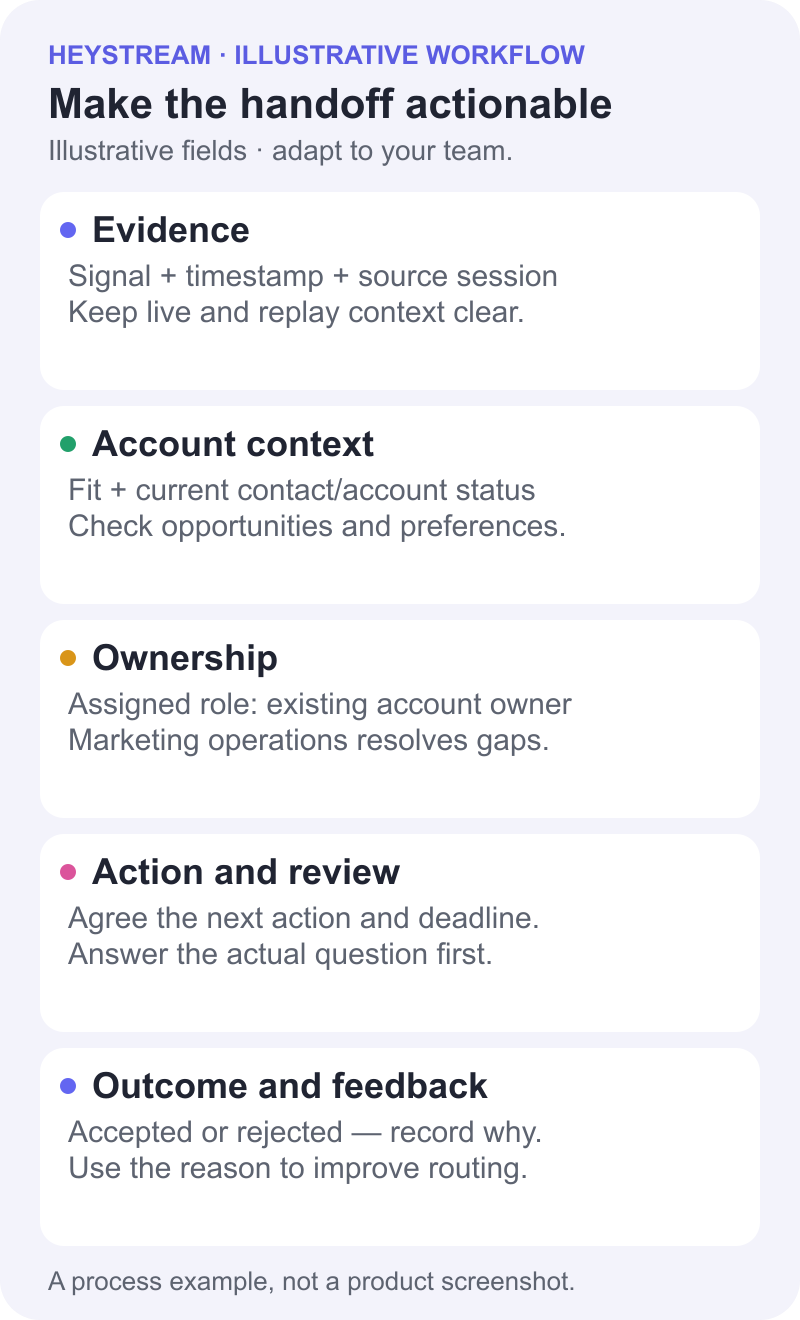
Use this illustrative handoff example as a starting point. The roles and situations below are generic; they are not customer records or claims about automatic HeyStream assignment features:
| Handoff field | Example |
|---|---|
| Contact or account | High-fit SaaS marketing leader |
| Fit reason | Matches ICP and attended a product-focused session |
| Webinar signal | Watched live, clicked the demo CTA, asked about follow-up workflows |
| Likely interest | Wants to understand how webinar engagement connects to post-event action |
| Suggested message | Answer the follow-up workflow question and offer a practical walkthrough |
| Confidence and caveat | Specific product interest observed; active need and qualification remain unconfirmed |
| Assigned owner | Account owner reviews; marketing operations resolves missing ownership before routing |
| Signal timestamp and source session | Record the event timestamp, time zone, source session and whether the activity was live or replay |
| Current contact and account status | Check customer/prospect status, open opportunities, contact preferences and existing account ownership |
| Agreed next action and review deadline | Answer the workflow question; owner and marketing agree a review date appropriate to this request |
| Outcome and feedback | Accepted: relevant question to answer; or rejected: duplicate outreach, wrong owner or no active need. Record the reason and next route. |
Before anyone contacts the person, check existing opportunities, account-owner context and recent outreach. Route through the current owner when appropriate, and suppress duplicate messages. Record why sales accepted or rejected the handoff so the next event uses clearer routing criteria. Agree review deadlines within your team rather than borrowing a universal response-time target.
Use those outcomes in your next webinar performance report to connect the handoff with the event debrief.
That final caveat matters. Webinar engagement data should make outreach more relevant, not more presumptive.
Where HeyStream fits
HeyStream is built around the idea that the live session is not the finish line.
Teams can run branded broadcasts, capture audience behavior, use CTAs during live and replay viewing, review engagement signals, and connect those signals to follow-up workflows. That makes it easier to keep the webinar, the audience intelligence, and the next step close together.
The product does not magically decide who is ready to buy. It gives teams a clearer way to see what happened and act with better context.
That is the real value of webinar engagement data. It helps teams move from a generic post-event blast to a more thoughtful follow-up system: who engaged, what they engaged with, what should happen next, and where the team should be careful not to overclaim.


