A webinar does not stop creating value when the broadcast ends. For a B2B team, post-webinar conversion means turning live attendance, replay behavior, questions, clicks, and account context into the most relevant next step for each person.
That next step is not always a sales call. Some attendees are ready to talk. Others need a product resource, a replay clip, a related article, or a follow-up invite. The job is to use what people did during and after the session so follow-up feels timely, specific, and useful.
Start conversion before the webinar ends
The post-webinar workflow works better when the next step is designed before the session starts. If the team waits until the recording is ready, follow-up often collapses into one generic email: "Thanks for attending. Here is the replay."
That is not enough context for a serious B2B webinar. Decide what action the webinar should create, then make that action visible during the live session and replay. A product demo webinar might point high-intent viewers toward a booking link. An educational webinar might invite attendees to a deeper guide, a checklist, or the next session in a series.
This is where the broader B2B webinar growth engine matters. Registration, attendance, live engagement, replay behavior, and follow-up should form one loop instead of a collection of disconnected tasks.
Before the session, define three things:
- The primary next step for people who show strong buying intent.
- The useful next step for people who are interested but not sales-ready.
- The signal that tells marketing or sales why the follow-up is relevant.
When those choices are clear, the live session can capture intent instead of only delivering content.
Capture the signals that matter
Attendance is a starting point, not a complete conversion signal. Someone can join for five minutes and leave. Someone else can miss the live session, watch the replay in full, click a CTA, and ask a follow-up question. Treating those two people the same is where webinar follow-up loses force.
Useful post-webinar signals include:
- Registration source and stated interest.
- Attendance and watch time.
- Questions asked during the session.
- Poll responses or survey answers.
- CTA clicks during the live session.
- Resource downloads.
- Replay views and replay watch behavior.
- Account fit, role, or buying-stage context.
As Cvent explains in its guide to engagement scoring, event behavior can help teams distinguish passive contacts from people showing active interest. The practical point is simple: follow-up should be shaped by what the person did, not just whether their name appears on an attendee list.
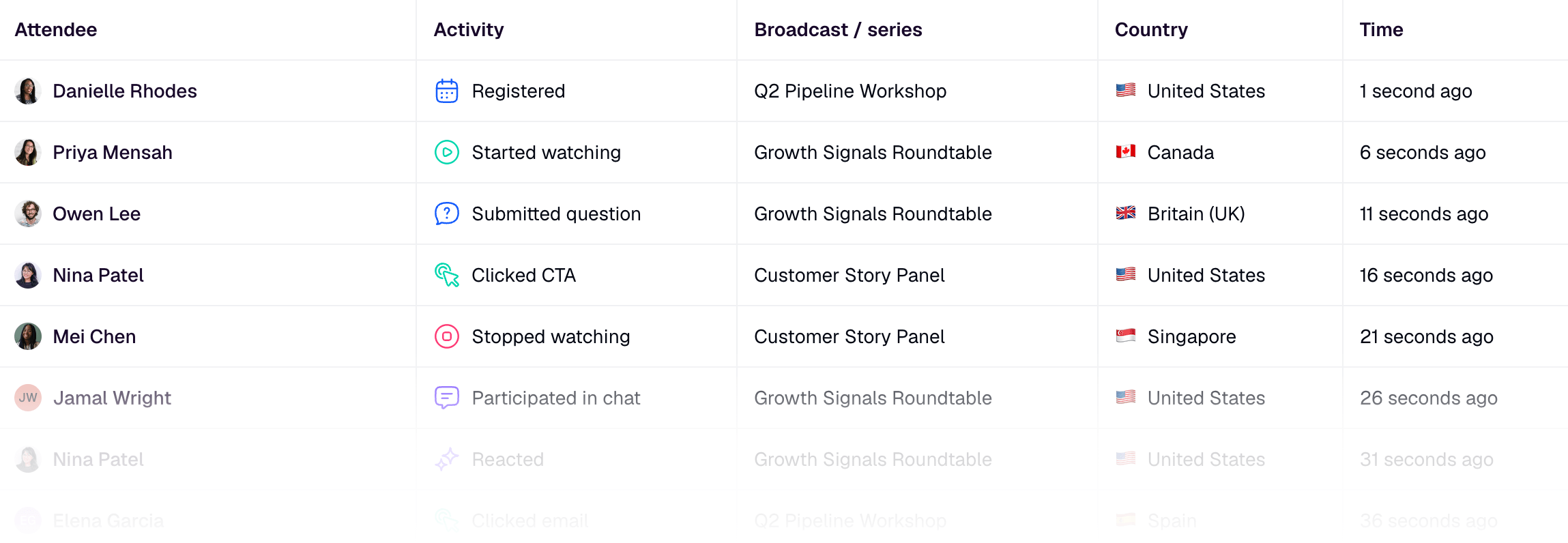
In HeyStream, teams can use audience intelligence to keep viewer intent signals close to the person or account record. That gives the follow-up owner a reason to reach out with context instead of sending the same message to everyone.
Segment attendees by behavior and fit
Good segmentation does not need to be complicated. Start with behavior and fit, then choose the next step each segment deserves.
| Attendee signal | Likely intent | Best next action | Owner |
|---|---|---|---|
| Attended live, clicked the main CTA, and matches the ideal customer profile | High active interest | Send a specific booking or product follow-up that references the CTA | Sales or founder-led sales |
| Attended most of the session and asked a practical question | Engaged evaluation | Send the answer, the replay timestamp, and one relevant resource | Marketing or sales |
| Registered but missed the live session | Unconfirmed interest | Send the replay with a short reason to watch and one clear CTA | Marketing |
| Watched the replay and clicked a resource | Delayed active interest | Trigger a behavior-based follow-up tied to the replay topic | Marketing automation or sales |
| Attended briefly with no clicks or questions | Low current intent | Add to a nurture path or invite to a more relevant session | Marketing |
The goal is not to over-score every action. It is to avoid the two common mistakes: treating every attendee as sales-ready, and treating every attendee as only a newsletter subscriber.
Match each segment to one next step
The strongest follow-up gives each person one sensible next step. Too many choices make the email or sales note weaker.
For high-intent attendees, use a direct next step: book a demo, talk through a use case, or answer the exact question they raised. For engaged learners, offer the replay, a related article, or a template that helps them apply the session. For no-shows, explain why the replay is worth watching and make the first action low-friction.
This is also where webinar conversion tools matter. Live and replay CTAs let teams capture intent while the topic is fresh. A CTA click is not proof that someone is ready to buy, but it is useful context for the next message.
A simple follow-up rule can look like this:
- If someone clicked the main CTA, follow up on that action first.
- If someone asked a question, answer the question and connect it to a resource.
- If someone watched the replay, follow up based on the section or offer they engaged with.
- If someone registered but did not attend, send the most relevant replay path rather than the entire webinar as homework.
That structure keeps the workflow useful without pretending it is a full attribution model.
Route quickly without losing context
Speed helps only when the handoff includes context. A fast sales notification that says "webinar attendee" is less useful than a slightly richer handoff that says what the person watched, clicked, asked, or downloaded.
At minimum, the follow-up owner should know:
- The webinar topic.
- Whether the person attended live, watched replay, or missed both.
- The CTA or resource they clicked.
- Any question or poll response that changes the conversation.
- The recommended next action.
That is the difference between a cold-feeling follow-up and a relevant one. It also protects the attendee experience. A person who asked an implementation question should not receive the same generic pitch as someone who only registered.
For teams that want this to happen consistently, webinar follow-up automation can trigger the right message or routing path from behavior instead of relying on someone to manually interpret the attendee export after every event.
Use replay as a second conversion moment
Replay is not just a recording archive. It is a second intent window.
ON24's 2026 webinar benchmark write-up points to the continued importance of on-demand viewing and CTA engagement, which is why post-live conversion should include replay behavior rather than only live attendance. Some buyers will never attend live, but they may still watch the replay, click the offer, or share the session internally.
Keep the replay useful by giving it the same next-step logic as the live session:
- Keep the primary CTA available on the replay page.
- Send replay viewers to the most relevant next resource.
- Track replay engagement separately from live attendance.
- Follow up when replay behavior shows fresh interest.
- Use replay questions or clicks to improve the next webinar.
For B2B webinars, this is one reason an owned B2B webinar platform can be more useful than treating the recording as a standalone video link. The replay should still connect to registration context, CTAs, audience records, and follow-up.
Feed the learning into the next webinar
The final step is not the final email. It is the learning loop.
After the webinar, review which signals predicted meaningful action. Did CTA clicks matter? Did replay viewers convert later than live attendees? Did one segment ask better questions? Did the follow-up sequence create replies, meetings, or resource engagement?
Use those answers to improve the next session:
- Choose a sharper topic.
- Put the CTA earlier or make it more specific.
- Add a better audience question.
- Create a replay clip for the section people rewatched.
- Update the follow-up rule for the strongest signal.
Teams can also use webinar analytics to look beyond attendance and understand which parts of the broadcast created action. The best webinar programs get better because each event teaches the next one what the audience actually cared about.
A simple post-webinar conversion workflow
If you want a practical version, use this sequence:
- Define the primary next step before the webinar goes live.
- Add live and replay CTAs that match that next step.
- Capture attendee, CTA, question, poll, resource, and replay signals.
- Segment people by behavior and fit.
- Match each segment to one next action.
- Route high-intent people with the context sales needs.
- Keep replay behavior connected to follow-up.
- Review what converted and improve the next webinar.
That is the real shift. Conversion is not the moment someone attends. It is the system that turns attendance and engagement into a relevant next action.


